SVG-komprimeringsprinsippet: hvordan bilder krymper smart
Per mai 2026 fokuserer SVG-komprimeringsprinsippet på å fjerne overflødig XML-metadata og forenkle presisjonen til banedata (d-attributtet). I motsetning til rasterformater krymper disse bildene smart ved å senke kodekompleksiteten. Kombinert med algoritmer på overføringsnivå som Gzip eller Brotli, oppnår utviklere vanligvis 70-90 % total størrelsesreduksjon uten å miste visuell kvalitet.
SVG-komprimeringsprinsippet: hvordan krymper vektorbilder smart?
Den grunnleggende årsaken til at SVG-er kan komprimeres så effektivt, er at de er XML-baserte tekstfiler, ikke pikselrutenett. Ifølge Wikipedia er SVG en åpen standard utviklet av W3C som bruker matematiske kommandoer for å definere 2D-grafikk. Fordi de i hovedsak er kode, kan de søkes og indekseres, men de har også en tendens til å samle opp «tekstuell oppblåsthet» — ekstra data som ikke har noen innvirkning på hvordan det endelige bildet ser ut.
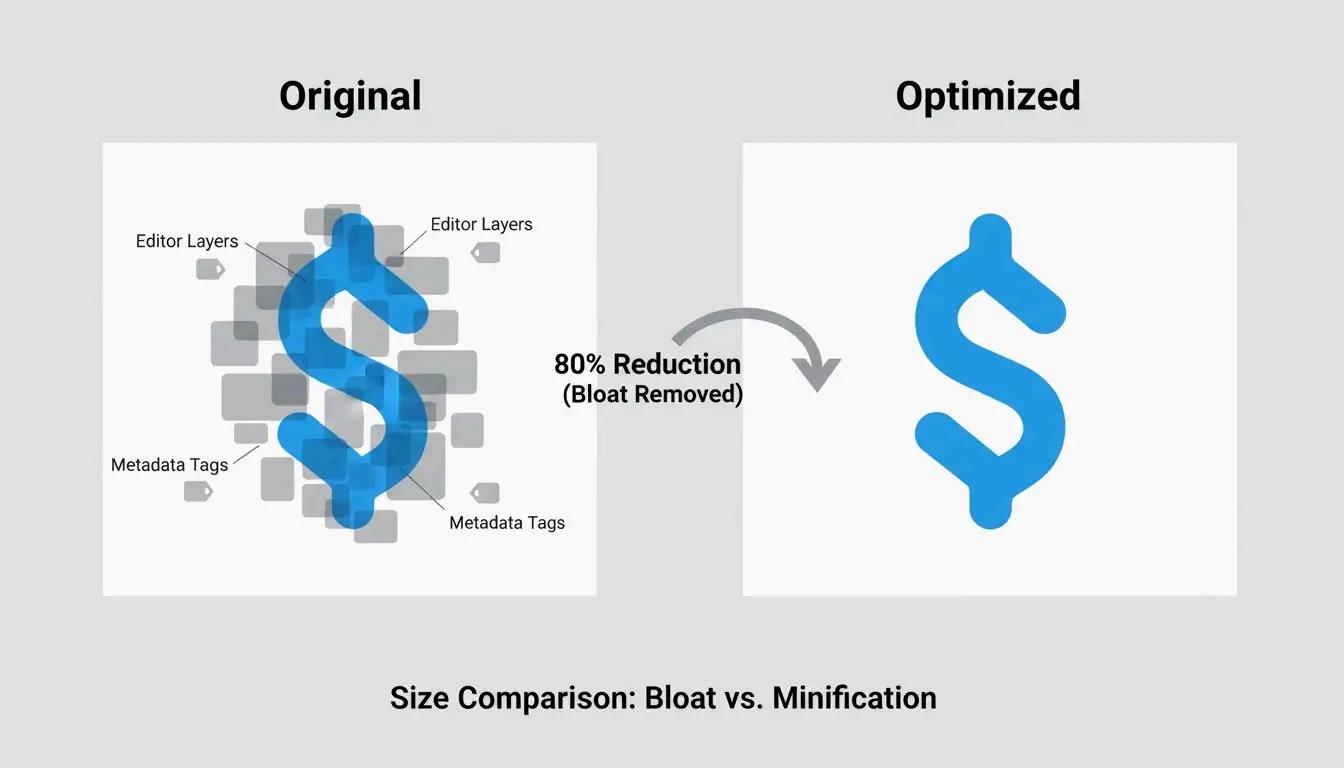
Bilder krymper smart når vi identifiserer og kaster disse urenderte dataene. Å komprimere en SVG er i bunn og grunn en spesialisert form for kodeminimering. Det du sletter, er redaktørspesifikke artifakter, metadata og kommentarer som nettleserens renderingsmotor uansett ignorerer. Som DEV Community bemerker, kan et typisk ikon eksportert fra Adobe Illustrator v29 starte på 45 KB, men falle til bare 8 KB — en reduksjon på 82 % — når du rydder bort disse skjulte lagene og overflødige instruksjonene.
Hvorfor XML-metadata blåser opp filene dine
Designprogramvare som Adobe Illustrator, Figma og Inkscape bygger inn proprietær XML-metadata slik at du kan gå tilbake og redigere lagene senere. Dette inkluderer ting som lagnavn, generator-kommentarer og innstillinger for arbeidsområdet. Selv om det er nyttig for designeren, er disse dataene død vekt på nettet. ToolPix fremhever at å rydde disse taggene kan redusere filstørrelsen med opptil 80 % og faktisk hjelpe nettleseren med å rendre raskere ved å holde DOM-fotavtrykket lite.
Presisjonskontroll: forenkle banedataene (d-attributtet)
Den mest effektive delen av SVG-komprimeringsprinsippet innebærer å forenkle banedataene (d-attributtet). Vektorformer defineres av koordinater, som ofte inneholder opptil 8 desimaler (som 12.003906). Å senke denne floatPrecision (flyttallspresisjonen) til 2 eller 3 desimaler resulterer vanligvis i ingen synlig endring — selv på skjermer i high-end — men fjerner en massiv mengde tekst. Ifølge DEV Community er hovedtriksene her å avrunde tall og konvertere absolutte koordinater til kortere «relative deltaer».
2026-teknologistakken: optimalisere med SVGO og moderne verktøy
I det nåværende utviklingslandskapet i 2026 er verktøyet man tyr til for å anvende SVG-komprimeringsprinsippet SVGO (SVG Optimizer). Per mai 2026 er SVGO v3.3.2 industristandarden og krever Node.js v22 eller nyere. Det er motoren bak nesten enhver moderne optimaliseringsarbeidsflyt og automatisert bygge-pipeline.
For de som foretrekker et visuelt grensesnitt, er SVGOMG fortsatt den beste «lekeplassen». Det er en nettbasert versjon av SVGO som lar deg slå spesifikke plugins av og på og se en sanntidsforhåndsvisning av endringene. Det er en livredder for å teste nøyaktig hvor mye du kan senke presisjonen før linjene begynner å virke taggete.
Integrasjon i moderne rammeverk som Next.js 16 er også mye smidigere nå. Ifølge Next.js-dokumentasjonen håndterer next/image-komponenten SVG-er ved hjelp av unoptimized-egenskapen, ettersom vektorfiler ikke trenger å bekymre seg for oppløsning. For best ytelse er det imidlertid fortsatt beste praksis å kjøre assets gjennom SVGO før de når public-mappen din.
Konfigurere SVGO for maksimal effektivitet
For resultater av profesjonell kvalitet vil du ha en tilpasset svgo.config.mjs. En casestudie på et sett med UI-ikoner viste en total reduksjon på 93,3 % ved å bruke SVGO kombinert med Brotli. Her er hovedinnstillingene du bør bruke:
- Multipass: Sett denne til
trueslik at optimalisatoren kjøres gjentatte ganger til den ikke finner flere bytes å barbere av. - floatPrecision: Vanligvis
2for ikoner og3for komplekse illustrasjoner. - removeViewBox: Sett denne alltid til
falsefor å sikre at bildene dine skalerer riktig på forskjellige skjermstørrelser.
Påvirker SVG-komprimering responsiv skalering? viewBox-attributtet
En vanlig feil er å ved et uhell fjerne viewBox-attributtet under komprimering. viewBox er det matematiske koordinatsystemet som gjør at en SVG kan skalere smart for å passe i beholderen sin. Hvis du fjerner det, kan SVG-en falle tilbake til en fast pikselbredde og -høyde, noe som vil ødelegge det responsive oppsettet ditt.
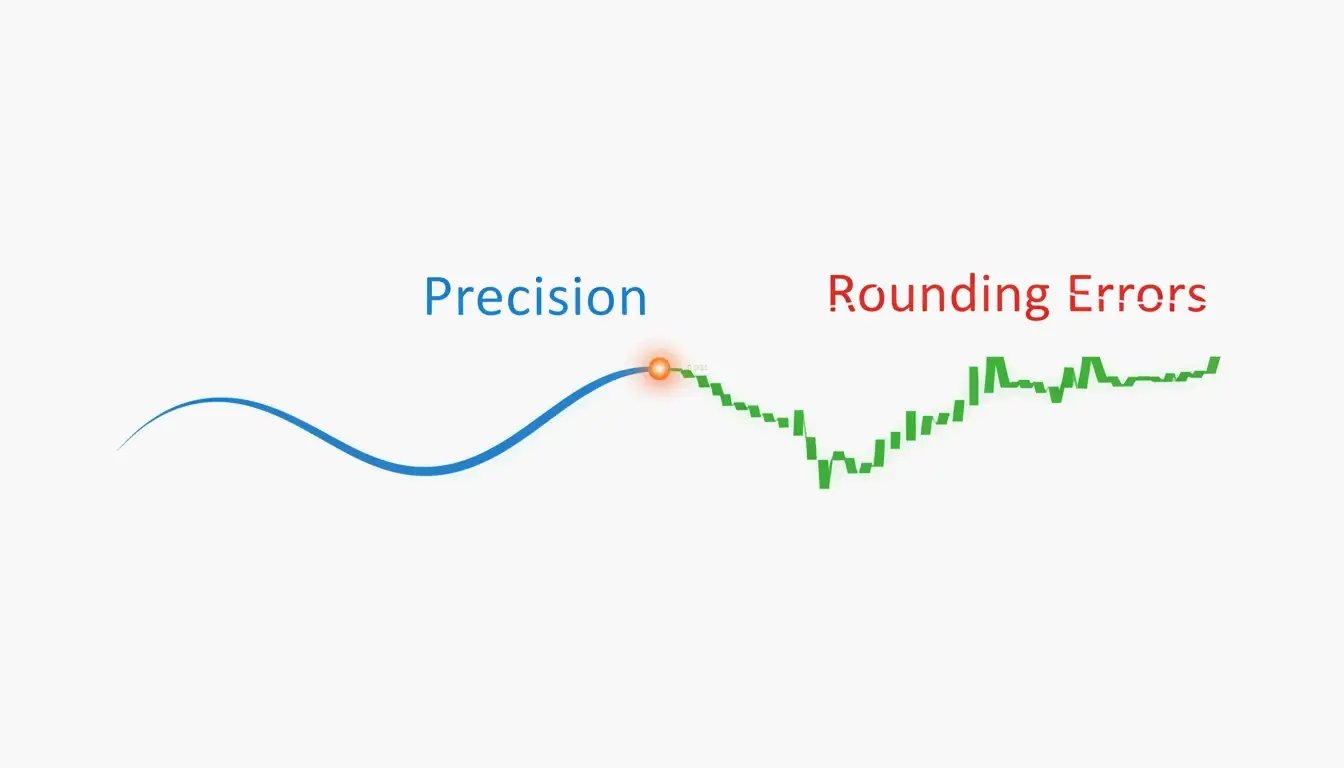
Det er en tynn linje mellom å «rydde» og å «ødelegge» en fil. Selv om å senke banepresisjonen (floatPrecision) sparer plass, forårsaker en for lav innstilling avrundingsfeil. På moderne skjermer med høy pikseltetthet (Retina) kan en presisjon på 1 føre til synlige mellomrom eller taggete kanter. Å holde den på 2 eller høyere sikrer at kurvene forblir glatte på tvers av forskjellige enheter.
Krymping på overføringsnivå: implementere Gzip og Brotli
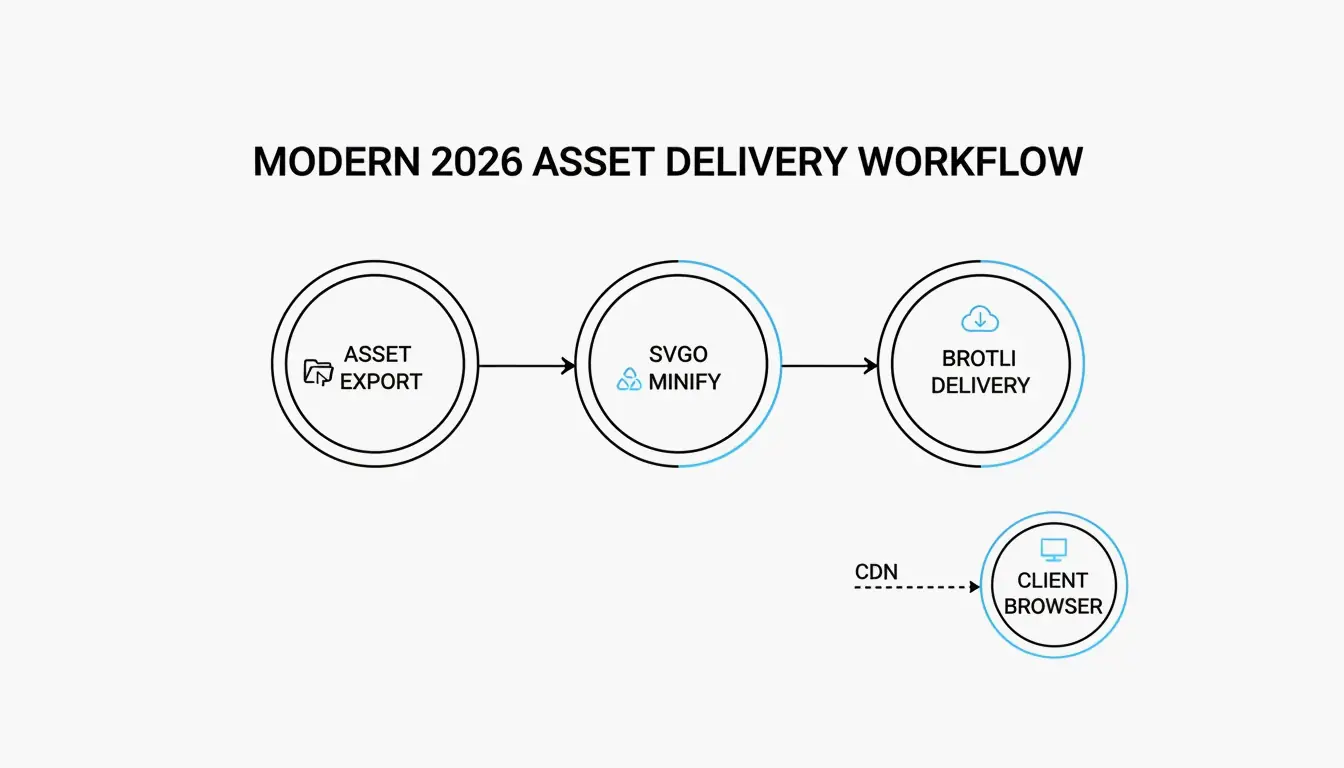
Mens SVGO rydder selve filen, skjer det siste trinnet i SVG-komprimeringsprinsippet på servernivå. Fordi SVG-er er tekst, er de perfekte kandidater for standard komprimeringsalgoritmer. Ifølge Wikipedia kan Gzip vanligvis krympe en SVG-fil ned til 20-50 % av sin opprinnelige størrelse.
I 2026 har Brotli tatt over som nettstandarden for image/svg+xml-innhold, og slår jevnt over Gzip med ytterligere 15-20 %. Denne «krympingen på overføringsnivå» endrer ikke filen på harddisken din; i stedet zipper serveren teksten på sparket, og nettleseren pakk den umiddelbart ut ved ankomst.
Nginx-konfigurasjon for Brotli SVG-komprimering
For å sikre at SVG-ene dine leveres så effektivt som mulig, kan du bruke dette Nginx-konfigurasjonsutdraget:
brotli on;
brotli_types image/svg+xml;
brotli_comp_level 6;

# Gzip-reserve
gzip on;
gzip_types image/svg+xml;
Som rapportert av DEV Community, kan et ikonsett med 50 filer på totalt 450 KB falle til **under 30 KB» når du kombinerer SVGO-minimering med Brotli-overføring.
Komprimering som et sikkerhetslag: rense SVG-er
Komprimering handler ikke bare om hastighet; det er også en sikkerhetstiltak. Fordi SVG-er er XML, kan de faktisk skjule ondsinnede <script>-tagger eller foreignObject-elementer som brukes til Cross-Site Scripting (XSS)-angrep. MDN Web Docs advarer om at SVG-er kan kjøre skript hvis de lastes direkte i nettleseren.
Moderne verktøy som SVGO inkluderer plugins som fungerer som et sikkerhetsfilter ved å fjerne disse farlige elementene. Ved å fjerne alt unntatt de nødvendige banene og stilene, «renser» du bildet, noe som gjør det trygt for brukere uten risiko for datainjeksjon.
Konklusjon
SVG-komprimeringsprinsippet er en to-delt prosess: kodeminimering (rydde metadata og baner) og koding på serversiden (Brotli/Gzip). Når du begynner å se på en SVG som et tekstdokument i stedet for et pikselrutenett, kan du bruke matematisk forenkling til å la bilder krympe smart.
Praktisk råd: Begynn med å kjøre assets gjennom SVGO v3.3.2 med en floatPrecision på 2. Sørg for at viewBox-en din er intakt slik at bildet forblir responsivt, og dobbeltsjekk at serveren din serverer image/svg+xml med Brotli-komprimering aktivert. Denne lagvise tilnærmingen er den beste måten å holde nett-ytelsen din i toppklassen i 2026.
Ofte stilte spørsmål
Reduserer SVG-komprimering visuell kvalitet?
Generelt nei, siden det er tapsfritt når det gjelder fjerning av metadata. Den visuelle geometrien forblir identisk så lenge du bare fjerner redaktørsøppel og kommentarer. Kun å senke «floatPrecision» for mye (under 2) kan forårsake synlige avrundingsfeil, noe som resulterer i taggete baner eller forvrengte kurver.
Hvorfor er den eksporterte SVG-filen min så stor sammenlignet med en PNG?
Designverktøy som Illustrator bygger inn proprietære XML-data, miniatyrer og skjulte lag som ikke er nødvendige for nettet. I tillegg, hvis SVG-en din inneholder tusenvis av komplekse banenoder eller innebygde rasterbilder, kan den bli tyngre enn en pikselbasert PNG. Du må forenkle banene og fjerne metadata for å se fordelene.
Når bør jeg unngå å bruke SVG-komprimering?
Unngå tung baneforenkling for høy-presisjons tekniske illustrasjoner eller arkitektplaner der hver desimal teller. I tillegg, ikke fjern element-ID-er hvis SVG-en din manipuleres av ekstern CSS eller JavaScript, siden minimering av disse ID-ene vil ødelegge referansene i koden.
SectoJoy
Let Compress publishes practical guides for compression, conversion, and browser-based file workflows.
Follow SectoJoy