Hvordan komprimerer du en PDF? Den komplette 2026-guiden for alle plattformer
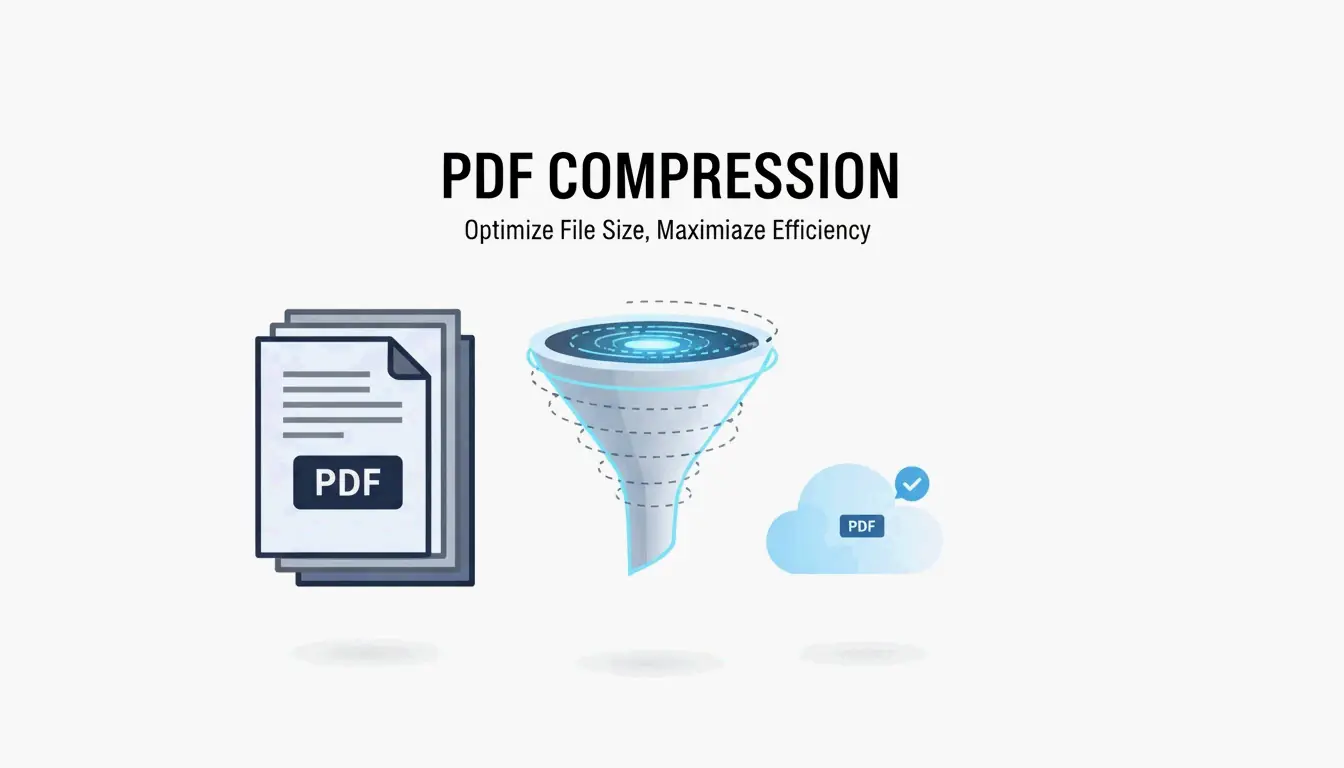
For å komprimere en PDF, bruk et gratis nettbasert verktøy som Adobes nettbaserte kompressor eller Forhåndsvisning på Mac. Begge reduserer filstørrelsen betraktelig uten installasjon. På Windows fungerer en lokal skrivebordsapp eller trikset «Lagre som PDF» frakoblet.
Hvorfor PDF-en din er så stor: bildeoppløsning og innebygde data
Før du komprimerer en PDF, hjelper det å forstå hva som gjør den stor. Bilder med høy oppløsning og for høyt DPI er hovedårsaken til for store PDF-er. Ett bilde av en hel side med 300 DPI kan legge til 5–10 MB. Hvis dokumentet ditt inneholder skannede kontrakter, brosjyrer eller bilderike rapporter, kan bildedata utgjøre 80–90 % av den totale filstørrelsen.
Innebygde JPEG-er og ukomprimerte innholdsstrømmer blåser også opp filen. Når en PDF opprettes, kan den lagre bilder i svært høy kvalitet og beholde innholdsstrømmen i ukomprimert tilstand. Skjulte metadata, annotasjoner, innebygde skrifttyper og versjonshistorikk øker filstørrelsen ytterligere uten å legge til synlig verdi.
Hvordan DPI påvirker PDF-filstørrelsen
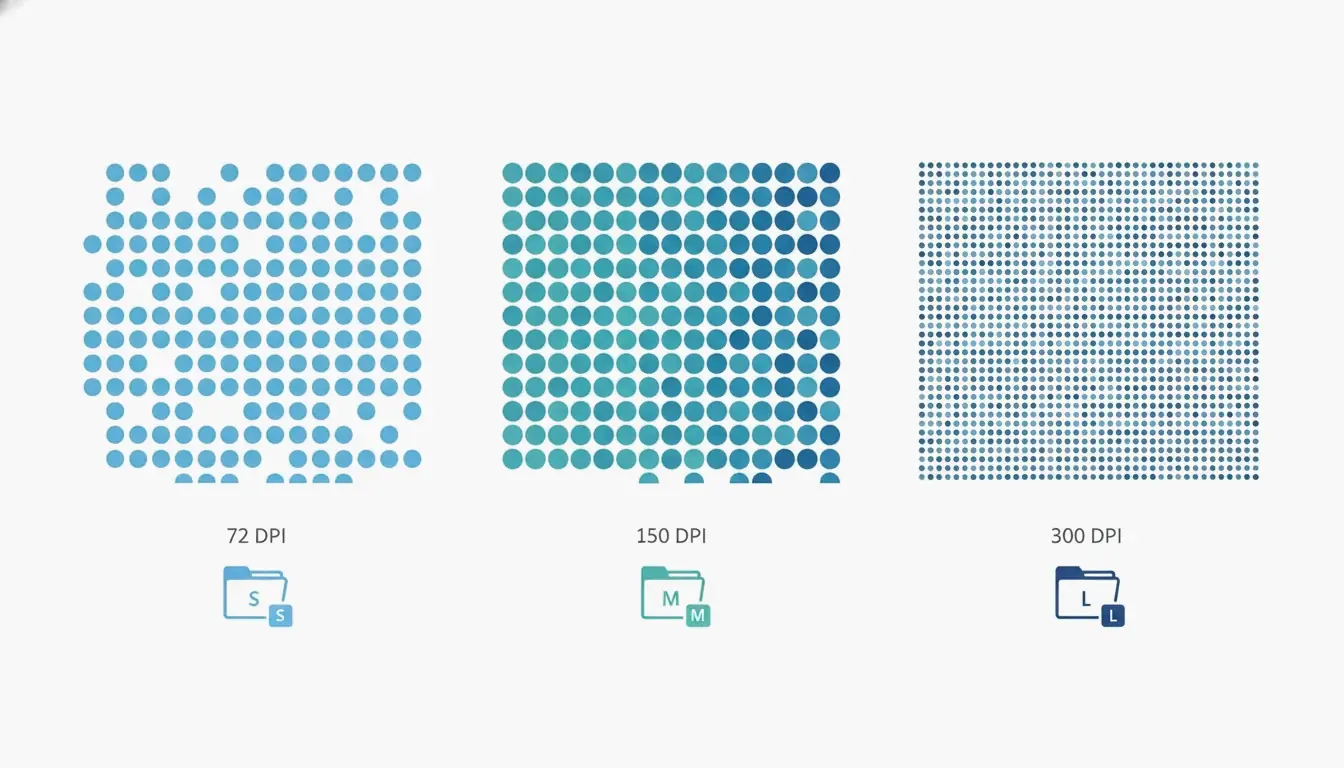
DPI, eller dots per inch (punkter per tomme), bestemmer hvor mange piksler som lagres per tomme bilde. Å bruke riktig DPI-innstilling er kritisk fordi unødvendige piksler er hovedkilden til oppblåsing. Ifølge Technology Org klargjør en tabell over typiske DPI-innstillinger denne avveiningen: innstillingen /screen bruker 72 DPI, /ebook bruker 150 DPI, og /printer bruker 300 DPI. For skjermvisning og e-postvedlegg er /ebook med 150 DPI ofte tilstrekkelig; den kan redusere filstørrelsen med 50–70 % uten synlig tap av kvalitet i de fleste tekstbaserte dokumenter. For PDF-er som kun inneholder tekst, kan kompressorer oppnå en reduksjon på 70 % uten noe synlig tap, slik Free PDF Compress bemerker.
Hvordan komprimere en PDF: 4 hurtigmetoder for enhver plattform
Her er fire pålitelige metoder for å komprimere en PDF på Windows, Mac eller nettbasert. Hver metode inkluderer forventet filstørrelsesreduksjon, verktøyet du trenger, og kvalitetsavveiningene.
Komprimere på nett på sekunder (uten installasjon)
Den raskeste måten å komprimere en PDF på er med et gratis nettbasert verktøy. Adobe tilbyr en gratis nettbasert kompressor på nettstedet sitt. Gå til nettstedet, dra og slipp filen din, velg et av tre kompresjonsnivåer (Høy, Middels eller Lav), og klikk på Komprimer. Høy kompresjon gir den minste filen, egnet for e-postvedlegg; Middels balanserer størrelse og tydelighet; Lav bevarer høyest kvalitet. Verktøyet fungerer på sekunder, men krever internettforbindelse og kan ikke behandle passordbeskyttede filer.
Andre pålitelige nettbaserte tjenester inkluderer Smallpdf, iLovePDF og PDF24. Prosessen er nesten identisk: last opp PDF-en din, velg et kompresjonsnivå, og last ned resultatet. Disse tjenestene har generelt størrelsesbegrensninger (~100 MB) og kan begrense antall gratis daglige bruksomganger.
Komprimere på Mac med den innebygde Forhåndsvisning-appen
Mac-brukere har et innebygd verktøy som heter Forhåndsvisning. Åpne PDF-en din i Forhåndsvisning, klikk Fil → Eksporter, og merk deretter av for «Optimaliser bilde for skjerm» i dialogboksen. Klikk på Lagre. Denne metoden koder bilder på nytt med lavere oppløsning. For skannede eller bilderike dokumenter kan reduksjonen være betydelig: en skannet forskningsartikkel på 20 sider med 45 MB kan gå ned til 8–12 MB. Vær oppmerksom på at dette er en prosess med tap, så ta en sikkerhetskopi hvis du trenger original kvalitet. På macOS Sonoma (14) eller eldre vil du se en «Quartz-filter»-rullegardinmeny; velg «Reduser filstørrelse» i stedet.
Komprimere på Windows med Adobe Acrobat Pro
Adobe Acrobat Pro (betalt) gir detaljert kontroll. Åpne verktøyet Optimaliser PDF fra Verktøy-fanen, velg filen din, klikk Reduser filstørrelse, og velg et kompatibilitetsalternativ. For mer avansert kontroll går du til Fil → Lagre som annen → Optimalisert PDF. I PDF-optimaliseringen kan du sample ned bilder til en bestemt DPI, velge kompresjonsalgoritmer (JPEG, JPEG2000, ZIP), opprette delsett av skrifttyper, fjerne metadata og flate ut annotasjoner. Knappen «Revider plassbruk» viser nøyaktig hva som tar plass — bilder, skrifttyper eller innholdsstrømmer. Acrobat Pro er best for brukere som trenger konsekvent kvalitet på tvers av mange filer.
«Skriv ut som PDF»-metoden og hvorfor den kan slå tilbake
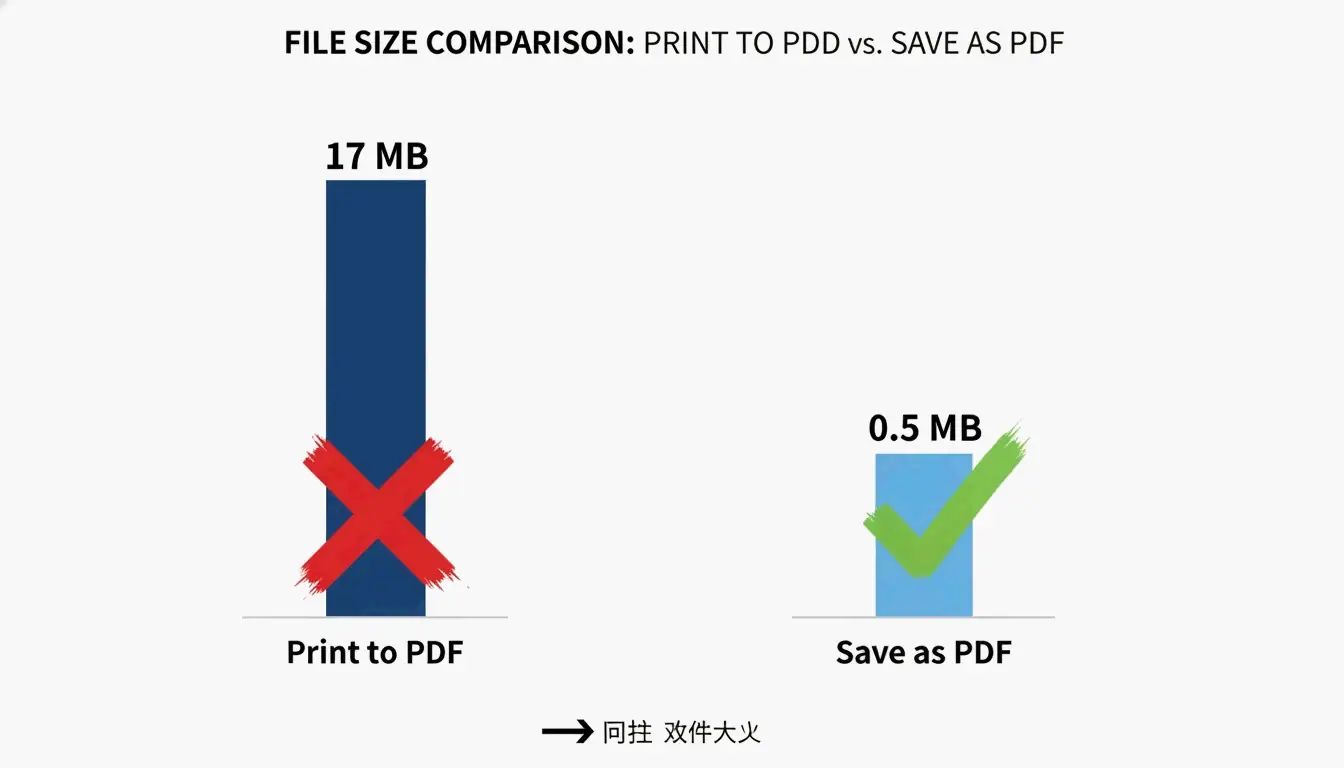
En vanlig omvei på Windows er å bruke dialogen «Skriv ut som PDF», men dette kan slå tilbake. Ifølge PDF Candy resulterte en fil opprettet med «Skriv ut som PDF» i en fil på 17 MB, mens det nøyaktig samme originaldokumentet konvertert med «Lagre som PDF» i Microsoft Office ga en fil på bare 0,5 MB. Problemet er at «Skriv ut som PDF» ofte gjør tekst og bilder om til store, ikke-redigerbare innholdsstrømmer som motsetter seg senere komprimering. Denne metoden er upålitelig og bør unngås. Bruk i stedet alltid alternativet «Lagre som PDF» fra kildeapplikasjonen (f.eks. Word, Excel).
Hvilken PDF-komprimeringsmetode bør du velge? En beslutningsflyt
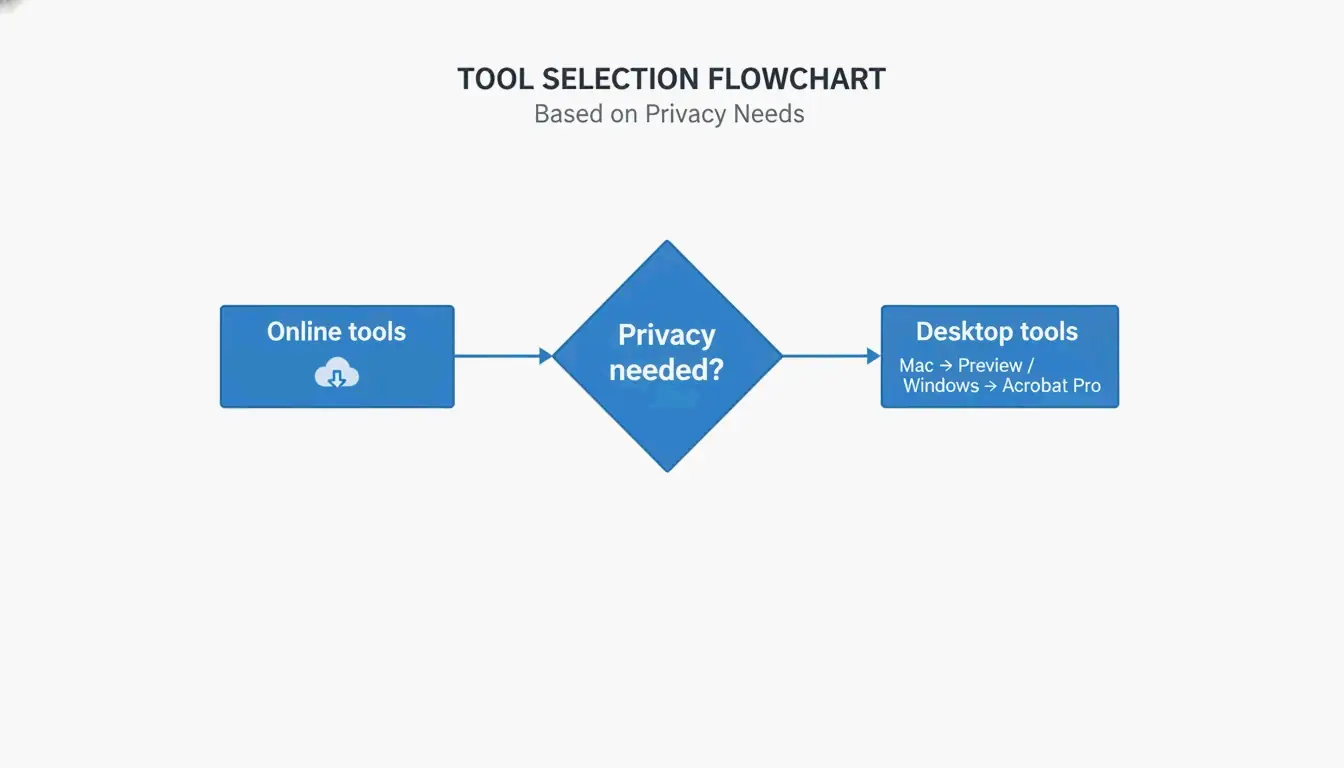
Å velge riktig metode avhenger av ferdighetsnivået ditt, personvernbehov, plattform, antall filer og budsjett. Bruk dette enkle beslutningstreet:
- Trenger du én rask fil med lav bekymring for personvern? → Bruk et nettbasert verktøy (Adobe Nettbasert Kompressor, Smallpdf).
- På Mac, kun frakoblet? → Bruk eksporteringsfunksjonen i Forhåndsvisning.
- På Windows, trenger frakoblet kontroll? → Bruk Adobe Acrobat Pro eller PDF Candy Desktop.
- Trenger partikomprimering eller automatisering? → Bruk Ghostscript fra kommandolinjen.
- Personvern er kritisk (konfidensielle dokumenter)? → Bruk en skrivebordsapp som behandler lokalt (Forhåndsvisning, Adobe Acrobat Pro).
Hurtigreferanse: når du bør bruke nett vs frakoblet
| Brukstilfelle | Nettbasert | Frakoblet |
|---|---|---|
| Én fil, ingen sensitive data | Best | Valgfritt |
| Gjentakende partier | OK (med grenser) | Best |
| Konfidensielle eller juridiske dokumenter | Unngå | Best |
| Ingen programvareinstallasjon | Best | Ikke nødvendig |
| Full detaljert kontroll | Begrenset | Best |
Avanserte teknikker: komprimere vanskelige PDF-er med innholdsstrømmer og delsett av skrifttyper
Noen PDF-er er vanskelige — de nekter å krympe selv etter komprimering. Dette skyldes ofte innholdsstrømmer og fullt innebygde skrifttyper. Avanserte teknikker kan håndtere disse tilfellene.
Hva er innholdsstrømmer, og hvorfor er de viktige?
Innholdsstrømmer er rådataene som beskriver hele sideoppsettet til en PDF, inkludert tekst og linjetegninger. Som Neuxpower forklarer, lagres tekst og bilder i store, uigjennomsiktige innholdsstrømmer når et dokument konverteres via «Skriv ut som PDF», som typiske kompressorer ikke kan manipulere. Den eneste pålitelige løsningen er å gå tilbake til kilde dokumentet og bruke «Lagre som PDF» i stedet. Hvis du ikke har tilgang til kilden, er en omvei å skrive PDF-en ut på nytt via en nettlesers skriver og velge «Lagre som PDF» som mål. Dette skaper noen ganger en ny PDF med mer håndterbare innholdsstrømmer.
Delsett av skrifttyper: en gratis måte å kvitte seg med ekstra KB på
Delsett av skrifttyper bygger kun inn de tegnene som faktisk brukes i dokumentet, i stedet for hele skrifttypefamilien. Én innebygd skrifttypefamilie kan legge til 400–600 KB. De fleste moderne PDF-redigeringsprogrammer, inkludert Adobe Acrobat Pro og Ghostscript, støtter delsett av skrifttyper. I Acrobat bruker du PDF-optimaliseringen til å aktivere delsett. Denne teknikken kan redusere filstørrelsen med 5–15 % uten å påvirke tekstkvaliteten.
Bruke Ghostscript til partikomprimering (avansert)
Ghostscript er et gratis kommandolinjeverktøy med åpen kildekode som kjører på Windows, Mac og Linux. En grunnleggende komprimeringskommando ser slik ut:
gs -sDEVICE=pdfwrite -dCompatibilityLevel=1.4 -dPDFSETTINGS=/ebook -dNOPAUSE -dBATCH -sOutputFile=compressed.pdf input.pdf
Flagget -dPDFSETTINGS styrer kvaliteten: /screen for maksimal komprimering (72 DPI), /ebook for et godt midtpunkt (150 DPI), /printer for utskriftskvalitet (300 DPI). Ghostscript er ideelt for å automatisere partikomprimering. Skannede farge-PDF-er kan for eksempel reduseres med 91 % med minimalt tap av kvalitet, slik Free PDF Compress bemerker.
Hvordan komprimere en PDF på mobil (Android og iOS)
Komprimere PDF-er på Android
Appen PDF Compressor: Resizer & Zip fra SoulApps (oppdatert 28. april 2026) er et gratis, frakoblet verktøy. Åpne appen, velg en PDF, velg et kompresjonsnivå (Best kvalitet, Balansert eller Minste størrelse), og komprimer. Appen fungerer 100 % frakoblet, slik at filene dine blir på enheten din. Den inneholder også verktøy for å slå sammen, dele og konvertere PDF-er. Ingen innlogging eller vannmerke kreves.
Komprimere PDF-er på iPhone og iPad
På iOS inkluderer appen Adobe Fill & Sign en funksjon for PDF-komprimering. Alternativt kan du bruke den innebygde Filer-appen med tredjepartsverktøy, eller laste opp til en nettleserbasert kompressor som Lumin PDF. Lumin tilbyr AES-256-kryptering og oppfyller samsvarsstandardene SOC 2 Type 1, GDPR og CCPA for sikker behandling. For maksimalt personvern, bruk en frakoblet app som behandler lokalt.
Hvordan forhindre store PDF-er i fremtiden
Forebygging er bedre enn komprimering. Endre størrelse på og komprimer bilder før du setter dem inn i kilde dokumentet. Å lagre bilder i lavere oppløsning, for eksempel 96–150 DPI, kan redusere filstørrelsen betraktelig, slik den kanadiske regjeringens IRCCs hjelpeguide bemerker. Ved skanning setter du skanneren til 150–200 DPI for teksttunge sider i stedet for standard 300 DPI.
Bruk standard system skrifttyper som Arial eller Times New Roman, som ikke trenger å bygges inn. Hvis du må bruke egendefinerte skrifttyper, aktiver delsett av skrifttyper i verktøyet for PDF-opprettelse. Det viktigste: Bruk alltid «Lagre som PDF» i Microsoft Office i stedet for «Skriv ut som PDF». Ifølge PDF Candy skapte alternativet «Lagre som PDF» i Office en fil på 0,5 MB sammenlignet med 17 MB fra «Skriv ut som PDF» for det samme dokumentet.
Konklusjon
Å komprimere en PDF er enkelt når du velger riktig metode for plattformen din, personvernbehov og filkompleksitet. For en rask løsning, bruk et nettbasert verktøy som Adobes gratis kompressor. For frakoblet kontroll på Mac, bruk Forhåndsvisning. På Windows, bruk alternativet «Lagre som PDF» i Microsoft Office eller Adobe Acrobat Pro for detaljert optimalisering. Start med gratis verktøy som automatisk anvender de seks komprimeringshendlene — ikke nøye deg med for store filer.
Vanlige spørsmål
Påvirker komprimering av en PDF kvaliteten?
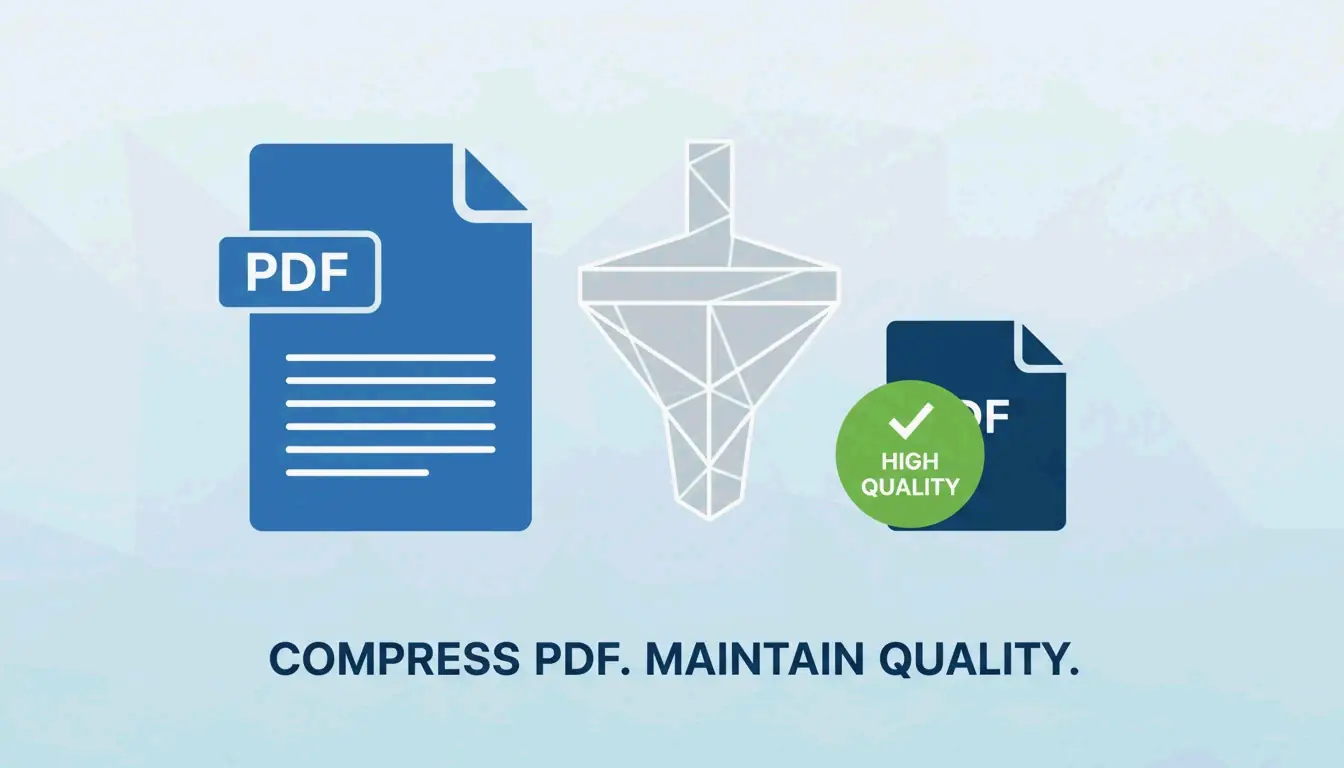
Det avhenger av metoden og innstillingene. Å senke DPI og kode JPEG-er på nytt kan forårsake et lite tap av bildekvalitet, men teksten forblir perfekt. Å velge innstillingen «ebook» (150 DPI) gir ofte ingen synlig forskjell for skjermvisning. For PDF-er som kun inneholder tekst, kan komprimering oppnå en reduksjon på 70 % uten noe synlig tap.
Er det bedre å zippe en PDF eller komprimere den?
Å zippe en PDF gir kun lett komprimering (~5–10 %) fordi PDF-er allerede er komprimert internt. Spesialiserte PDF-komprimeringsverktøy reduserer filstørrelsen med 50–90 % ved å kode bilder på nytt, opprette delsett av skrifttyper og fjerne metadata. Komprimer alltid PDF-en direkte i stedet for å legge til et ZIP-lag.
Hvordan komprimere en passordbeskyttet PDF?
De fleste nettbaserte kompressorer kan ikke behandle passordbeskyttede PDF-er. Du må først fjerne passordet med Adobe Acrobat eller et spesialisert verktøy, deretter komprimere filen, og til slutt legge til beskyttelsen igjen. Noen skrivebordsverktøy som PDF24 eller Adobe Acrobat Pro tillater komprimering av låste filer hvis du kjenner passordet.
SectoJoy
Let Compress publishes practical guides for compression, conversion, and browser-based file workflows.
Follow SectoJoy