Bagaimana Anda Mengompres PDF? Panduan Lengkap 2026 untuk Setiap Platform
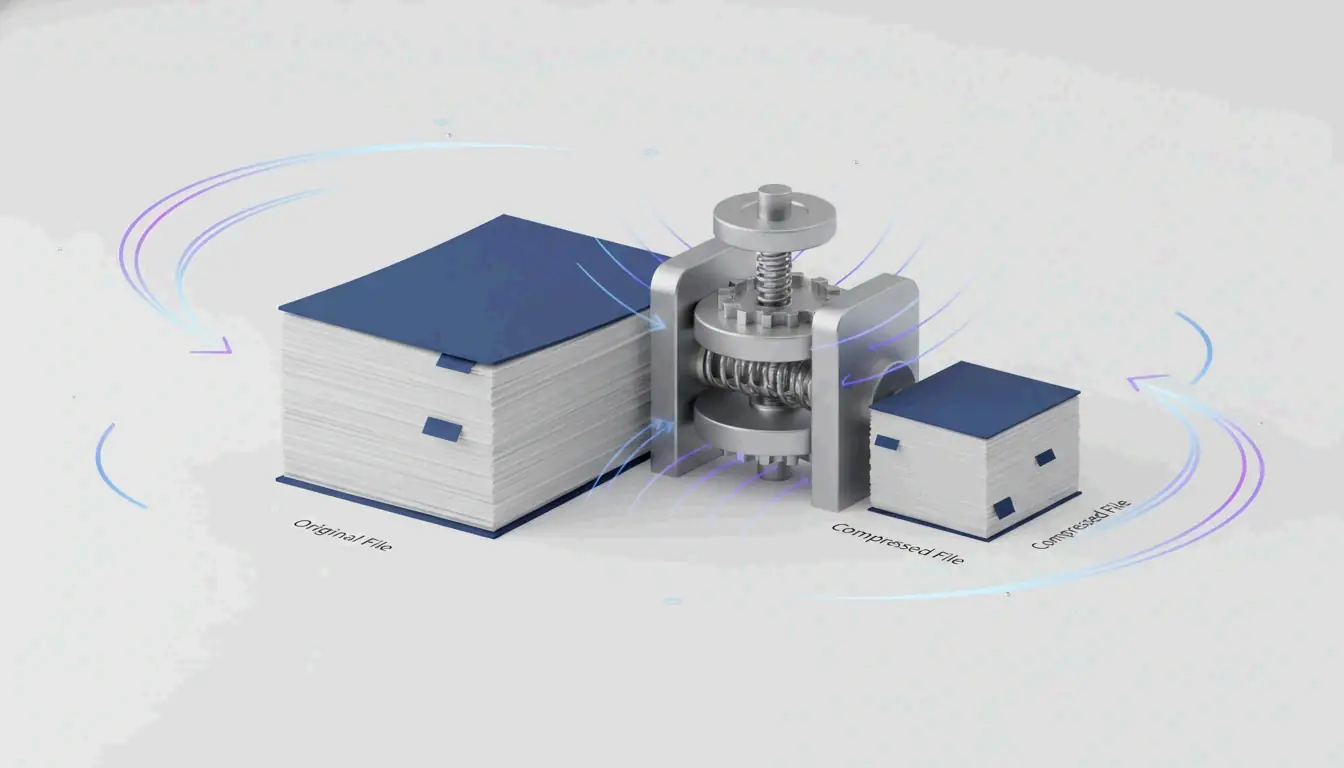
Untuk mengompres PDF, gunakan alat daring gratis seperti kompresor daring Adobe atau Pratinjau di Mac. Keduanya mengurangi ukuran file secara drastis tanpa instalasi. Di Windows, aplikasi desktop lokal atau trik “Simpan sebagai PDF” bekerja secara luring.
Mengapa PDF Anda Begitu Besar: Resolusi Gambar dan Data Tertanam
Sebelum mengompres PDF, ada baiknya memahami apa yang membuatnya besar. Gambar beresolusi tinggi dan DPI berlebih adalah penyebab utama PDF berukuran berlebih. Satu foto halaman penuh pada 300 DPI bisa menambah 5–10 MB. Jika dokumen Anda berisi kontrak pindai, brosur, atau laporan padat foto, data gambar dapat menyumbang 80–90% dari total ukuran file.
JPEG tertanam dan stream konten tak terkompresi juga menggembungkan file. Saat PDF dibuat, ia mungkin menyimpan gambar dalam kualitas sangat tinggi dan menjaga stream konten dalam kondisi tak terkompresi. Metadata tersembunyi, anotasi, font tertanam, dan riwayat versi semakin memperbesar ukuran file tanpa menambah nilai yang terlihat.
Bagaimana DPI Mempengaruhi Ukuran File PDF
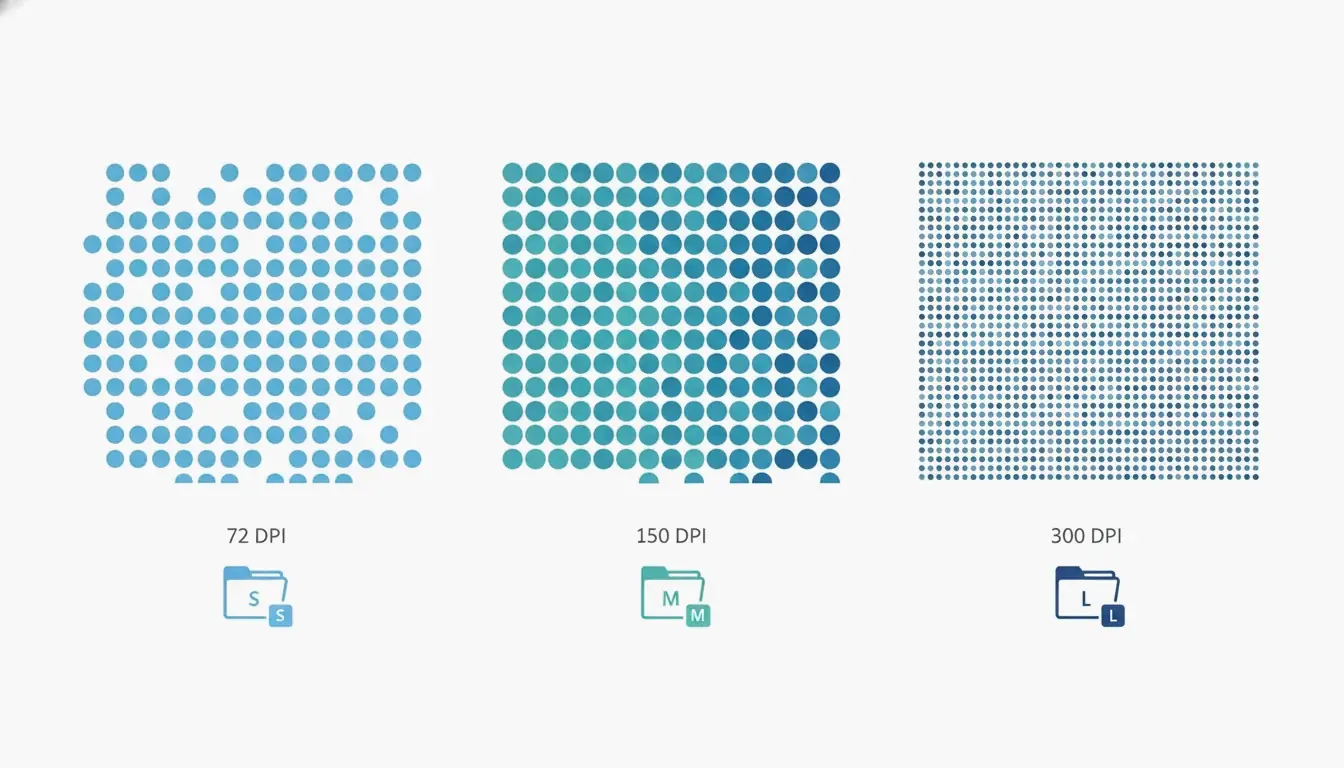
DPI, atau titik per inci, menentukan berapa piksel disimpan per inci gambar. Menggunakan pengaturan DPI yang tepat sangat penting karena piksel yang tidak perlu adalah sumber utama pembengkakan. Menurut Technology Org, tabel pengaturan DPI tipis memperjelas pertukaran ini: pengaturan /screen memakai 72 DPI, /ebook memakai 150 DPI, dan /printer memakai 300 DPI. Untuk tampilan layar dan lampiran email, /ebook pada 150 DPI sering kali cukup; ia bisa mengurangi ukuran file sebesar 50–70% tanpa kehilangan kualitas yang terlihat pada kebanyakan dokumen berbasis teks. Untuk PDF yang hanya berisi teks, kompresor bisa mencapai pengurangan ukuran 70% tanpa kehilangan terlihat, seperti dicatat Free PDF Compress.
Cara Mengompres PDF: 4 Metode Cepat untuk Platform Apa Pun
Berikut empat metode andal untuk mengompres PDF di Windows, Mac, atau daring. Tiap metode menyertakan pengurangan ukuran yang diharapkan, alat yang Anda butuhkan, dan pertukaran kualitas.
Mengompres Daring dalam Hitungan Detik (Tanpa Instalasi)
Cara tercepat mengompres PDF adalah dengan alat daring gratis. Adobe menawarkan kompresor daring gratis di situs webnya. Buka situs, seret dan lepas file Anda, pilih salah satu dari tiga tingkat kompresi (Tinggi, Sedang, atau Rendah), lalu klik Kompres. Kompresi Tinggi menghasilkan file terkecil yang cocok untuk lampiran email; Sedang menyeimbangkan ukuran dan kejernihan; Rendah menjaga kualitas tertinggi. Alat ini bekerja dalam hitungan detik, tetapi memerlukan koneksi internet dan tak bisa memproses file yang dilindungi kata sandi.
Layanan daring andal lainnya termasuk Smallpdf, iLovePDF, dan PDF24. Prosesnya nyaris identik: unggah PDF Anda, pilih tingkat kompresi, dan unduh hasilnya. Layanan ini umumnya punya batas ukuran (~100 MB) dan mungkin membatasi jumlah penggunaan gratis harian.
Mengompres di Mac dengan Aplikasi Pratinjau Bawaan
Pengguna Mac punya alat bawaan bernama Pratinjau. Buka PDF Anda di Pratinjau, klik Berkas → Ekspor, lalu centang “Optimalkan gambar untuk layar” pada kotak dialog. Klik Simpan. Metode ini mengekod ulang gambar pada resolusi lebih rendah. Untuk dokumen pindai atau padat foto, pengurangannya bisa besar: makalah penelitian pindai 20 halaman berukuran 45 MB mungkin turun ke 8–12 MB. Sadari bahwa ini proses lossy, jadi simpan cadangan jika butuh kualitas asli. Pada macOS Sonoma (14) atau lebih lama, Anda akan melihat dropdown “Filter Quartz”; pilih “Kurangi Ukuran File” sebagai gantinya.
Mengompres di Windows Menggunakan Adobe Acrobat Pro
Adobe Acrobat Pro (berbayar) memberi kontrol terperinci. Buka alat Optimalkan PDF dari tab Alat, pilih file Anda, klik Kurangi Ukuran File, dan pilih opsi kompatibilitas. Untuk kontrol lebih lanjut, buka Berkas → Simpan Sebagai Lainnya → PDF Dioptimalkan. Di Pengoptimal PDF, Anda bisa menurunkan sampel gambar ke DPI tertentu, memilih algoritma kompresi (JPEG, JPEG2000, ZIP), subset font, menghapus metadata, dan meratakan anotasi. Tombol “Audit Penggunaan Ruang” menunjukkan persis apa yang memakan ruang—gambar, font, atau stream konten. Acrobat Pro paling cocok untuk pengguna yang butuh kualitas konsisten di banyak file.
Metode ‘Cetak ke PDF’ dan Mengapa Bisa Salah Sasaran
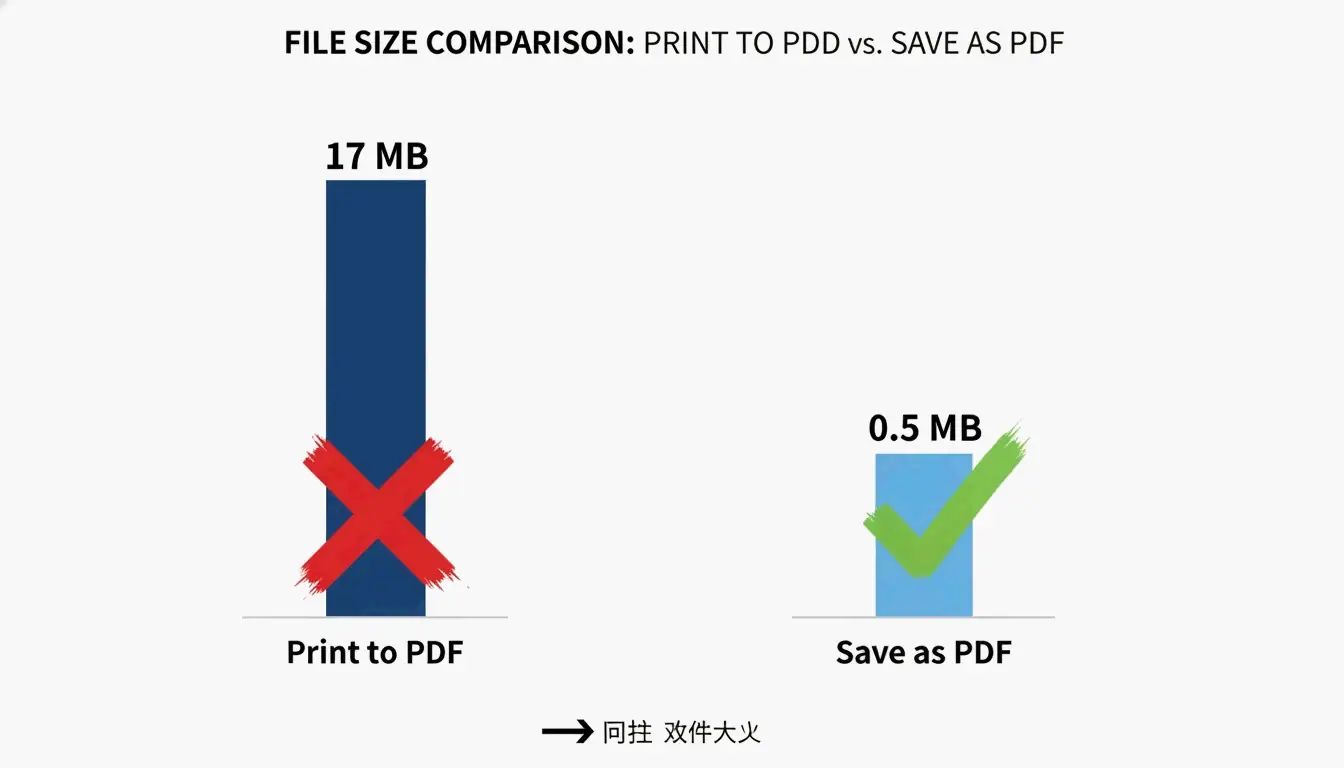
Solusi umum di Windows adalah memakai dialog “Cetak ke PDF”, tetapi ini bisa salah sasaran. Menurut PDF Candy, file yang dibuat dengan “Cetak ke PDF” menghasilkan file 17 MB, sedangkan dokumen asli yang sama persis dikonversi memakai “Simpan sebagai PDF” di Microsoft Office menghasilkan file hanya 0,5 MB. Masalahnya adalah “Cetak ke PDF” sering mengubah teks dan gambar menjadi stream konten besar yang tak bisa disunting dan tahan terhadap kompresi selanjutnya. Metode ini tidak dapat diandalkan dan harus dihindari. Alih-alih, selalu gunakan opsi “Simpan sebagai PDF” dari dalam aplikasi sumber (mis. Word, Excel).
Metode Kompresi PDF Mana yang Sebaiknya Anda Pilih? Alur Keputusan
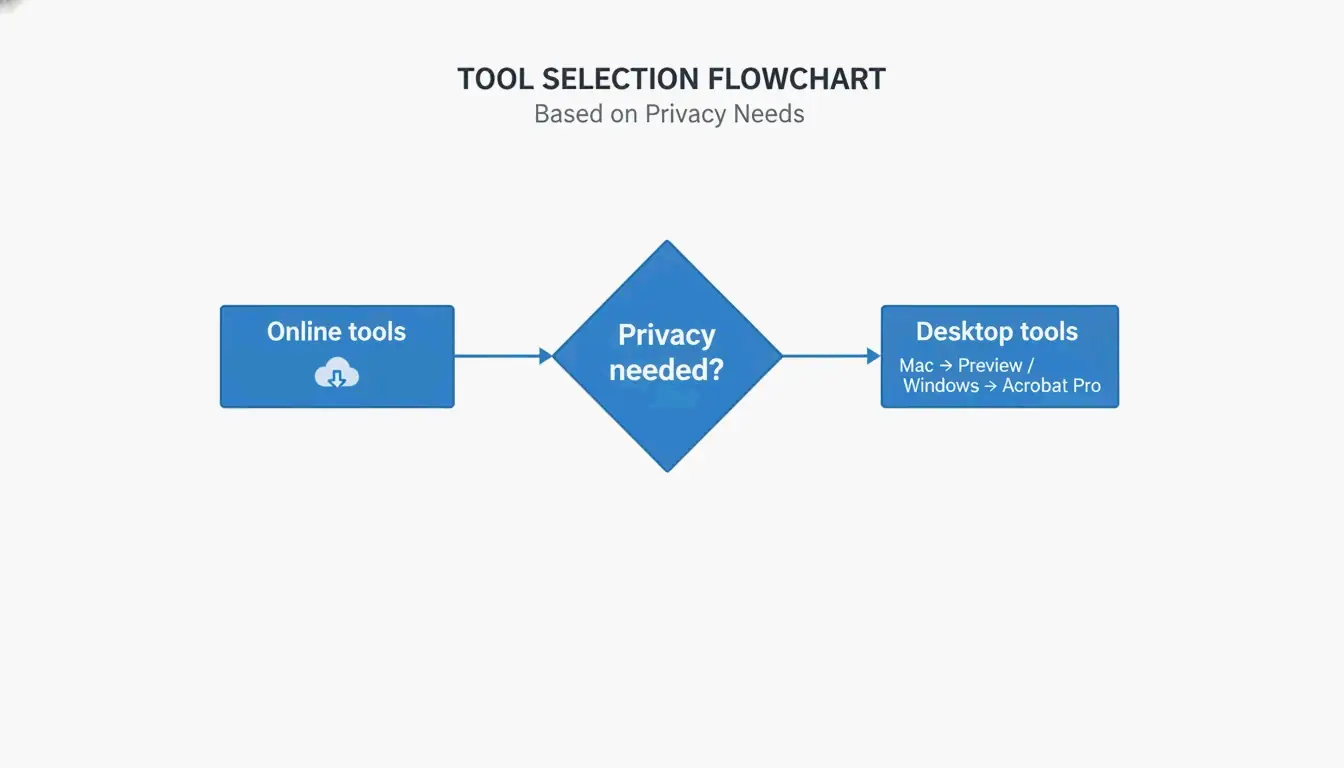
Memilih metode yang tepat bergantung pada tingkat keahlian, kebutuhan privasi, platform, jumlah file, dan anggaran Anda. Gunakan pohon keputusan sederhana ini:
- Butuh satu file cepat dengan kekhawatiran privasi rendah? → Gunakan alat daring (Kompresor Daring Adobe, Smallpdf).
- Di Mac, hanya luring? → Gunakan fitur ekspor Pratinjau.
- Di Windows, butuh kontrol luring? → Gunakan Adobe Acrobat Pro atau PDF Candy Desktop.
- Butuh kompresi batch atau otomatisasi? → Gunakan Ghostscript baris perintah.
- Privasi sangat penting (dokumen rahasia)? → Gunakan aplikasi desktop yang memproses secara lokal (Pratinjau, Adobe Acrobat Pro).
Referensi Cepat: Kapan Memakai Daring vs Luring
| Kasus Penggunaan | Daring | Luring |
|---|---|---|
| Satu file, tanpa data sensitif | Terbaik | Opsional |
| Batch berulang | OK (dengan batas) | Terbaik |
| Dokumen rahasia atau hukum | Hindari | Terbaik |
| Tanpa instalasi perangkat lunak | Terbaik | Tidak diperlukan |
| Kontrol terperinci penuh | Terbatas | Terbaik |
Teknik Lanjutan: Mengompres PDF Bandel dengan Stream Konten dan Subset Font
Beberapa PDF bandel—mereka menolak mengecil bahkan setelah dikompresi. Ini sering karena stream konten dan font yang sepenuhnya tertanam. Teknik lanjutan bisa menangani kasus ini.
Apa Itu Stream Konten dan Mengapa Penting?
Stream konten adalah data mentah yang menggambarkan seluruh tata letak halaman PDF, termasuk teks dan gambar garis. Seperti dijelaskan Neuxpower, saat dokumen dikonversi via “Cetak ke PDF”, teks dan gambar disimpan dalam stream konten besar dan tidak tembus yang tak bisa dimanipulasi oleh kompresor tipikal. Satu-satunya solusi andal adalah kembali ke dokumen sumber dan memakai “Simpan sebagai PDF”. Jika Anda tak bisa mengakses sumber, solusi lain adalah mencetak ulang PDF lewat pencetak peramban web dan memilih “Simpan sebagai PDF” sebagai tujuan. Ini kadang membuat PDF baru dengan stream konten yang lebih mudah dikelola.
Subset Font: Cara Gratis Membuang KB Ekstra
Subset font hanya menanamkan karakter yang benar-benar dipakai dalam dokumen, bukan seluruh keluarga font. Satu keluarga font tertanam bisa menambah 400–600 KB. Sebagian besar editor PDF modern, termasuk Adobe Acrobat Pro dan Ghostscript, mendukung subset font. Di Acrobat, gunakan Pengoptimal PDF untuk mengaktifkan subset. Teknik ini bisa mengurangi ukuran file sebesar 5–15% tanpa memengaruhi kualitas teks.
Menggunakan Ghostscript untuk Kompresi Batch (Lanjutan)
Ghostscript adalah alat baris perintah gratis dan sumber terbuka yang berjalan di Windows, Mac, dan Linux. Perintah kompresi dasar terlihat seperti ini:
gs -sDEVICE=pdfwrite -dCompatibilityLevel=1.4 -dPDFSETTINGS=/ebook -dNOPAUSE -dBATCH -sOutputFile=compressed.pdf input.pdf
Bendera -dPDFSETTINGS mengontrol kualitas: /screen untuk kompresi maksimal (72 DPI), /ebook untuk titik tengah yang baik (150 DPI), /printer untuk kualitas cetak (300 DPI). Ghostscript ideal untuk mengotomatiskan kompresi batch. Misalnya, PDF berwarna pindai bisa dikurangi 91% dengan kehilangan kualitas minimal, seperti dicatat Free PDF Compress.
Cara Mengompres PDF di Ponsel (Android & iOS)
Mengompres PDF di Android
Aplikasi PDF Compressor: Resizer & Zip dari SoulApps (diperbarui 28 April 2026) adalah alat luring gratis. Buka aplikasi, pilih PDF, pilih tingkat kompresi (Kualitas Terbaik, Seimbang, atau Ukuran Terkecil), dan kompres. Aplikasi bekerja 100% luring, jadi file Anda tetap di perangkat Anda. Aplikasi ini juga menyertakan alat untuk menggabungkan, membagi, dan mengonversi PDF. Tak perlu masuk atau tanda air.
Mengompres PDF di iPhone dan iPad
Di iOS, aplikasi Adobe Fill & Sign menyertakan fitur kompresi PDF. Alternatifnya, Anda bisa memakai aplikasi File bawaan dengan alat pihak ketiga atau mengunggah ke kompresor berbasis peramban seperti Lumin PDF. Lumin menawarkan enkripsi AES-256 dan memenuhi standar kepatuhan SOC 2 Type 1, GDPR, dan CCPA untuk pemrosesan yang aman. Untuk privasi maksimal, gunakan aplikasi luring yang memproses secara lokal.
Cara Mencegah PDF Besar di Masa Depan
Mencegah lebih baik daripada mengompres. Ubah ukuran dan kompres gambar sebelum memasukkannya ke dokumen sumber. Menyimpan gambar pada resolusi lebih rendah, seperti 96–150 DPI, bisa sangat mengurangi ukuran file, seperti dicatat panduan bantuan IRCC Pemerintah Kanada. Untuk pemindaian, atur pemindai ke 150–200 DPI untuk halaman padat teks, bukan default 300 DPI.
Gunakan font sistem standar seperti Arial atau Times New Roman, yang tidak perlu ditanamkan. Jika Anda harus memakai font kustom, aktifkan subset font di alat pembuatan PDF Anda. Yang paling penting, selalu gunakan “Simpan sebagai PDF” di Microsoft Office daripada “Cetak ke PDF”. Menurut PDF Candy, opsi “Simpan sebagai PDF” dari Office membuat file 0,5 MB dibandingkan 17 MB dari “Cetak ke PDF” untuk dokumen yang sama.
Kesimpulan
Mengompres PDF mudah saat Anda memilih metode yang tepat untuk platform, kebutuhan privasi, dan kompleksitas file Anda. Untuk perbaikan cepat, gunakan alat daring seperti kompresor gratis Adobe. Untuk kontrol luring di Mac, gunakan Pratinjau. Di Windows, gunakan opsi “Simpan sebagai PDF” di Microsoft Office atau Adobe Acrobat Pro untuk optimasi terperinci. Mulailah dengan alat gratis yang menerapkan enam tuas kompresi secara otomatis—jangan puas dengan file berukuran berlebih.
FAQ
Apakah mengompres PDF memengaruhi kualitasnya?
Tergantung pada metode dan pengaturan. Menurunkan DPI dan mengekod ulang JPEG bisa menyebabkan sedikit kehilangan kualitas pada gambar, tetapi teks tetap sempurna. Memilih pengaturan “ebook” (150 DPI) sering tak menghasilkan perbedaan terlihat untuk tampilan layar. Untuk PDF yang hanya berisi teks, kompresi bisa mencapai pengurangan ukuran 70% tanpa kehilangan terlihat.
Apakah lebih baik men-zip PDF atau mengompresnya?
Men-zip PDF hanya mencapai kompresi ringan (~5–10%) karena PDF sudah dikompresi secara internal. Alat kompresi PDF khusus mengurangi ukuran file sebesar 50–90% dengan mengekod ulang gambar, subset font, dan menghapus metadata. Selalu kompres PDF secara langsung daripada menambahkan lapisan ZIP.
Bagaimana cara mengompres PDF yang dilindungi kata sandi?
Sebagian besar kompresor daring tak bisa memproses PDF yang dilindungi kata sandi. Anda harus menghapus kata sandi lebih dulu memakai Adobe Acrobat atau alat khusus, lalu kompres file, dan akhirnya tambahkan kembali proteksi. Beberapa alat desktop seperti PDF24 atau Adobe Acrobat Pro memungkinkan kompresi file terkunci jika Anda tahu kata sandinya.
SectoJoy
Let Compress publishes practical guides for compression, conversion, and browser-based file workflows.
Follow SectoJoy