Geen PS? Gebruik deze webtool om TIFF in 1 seconde te comprimeren
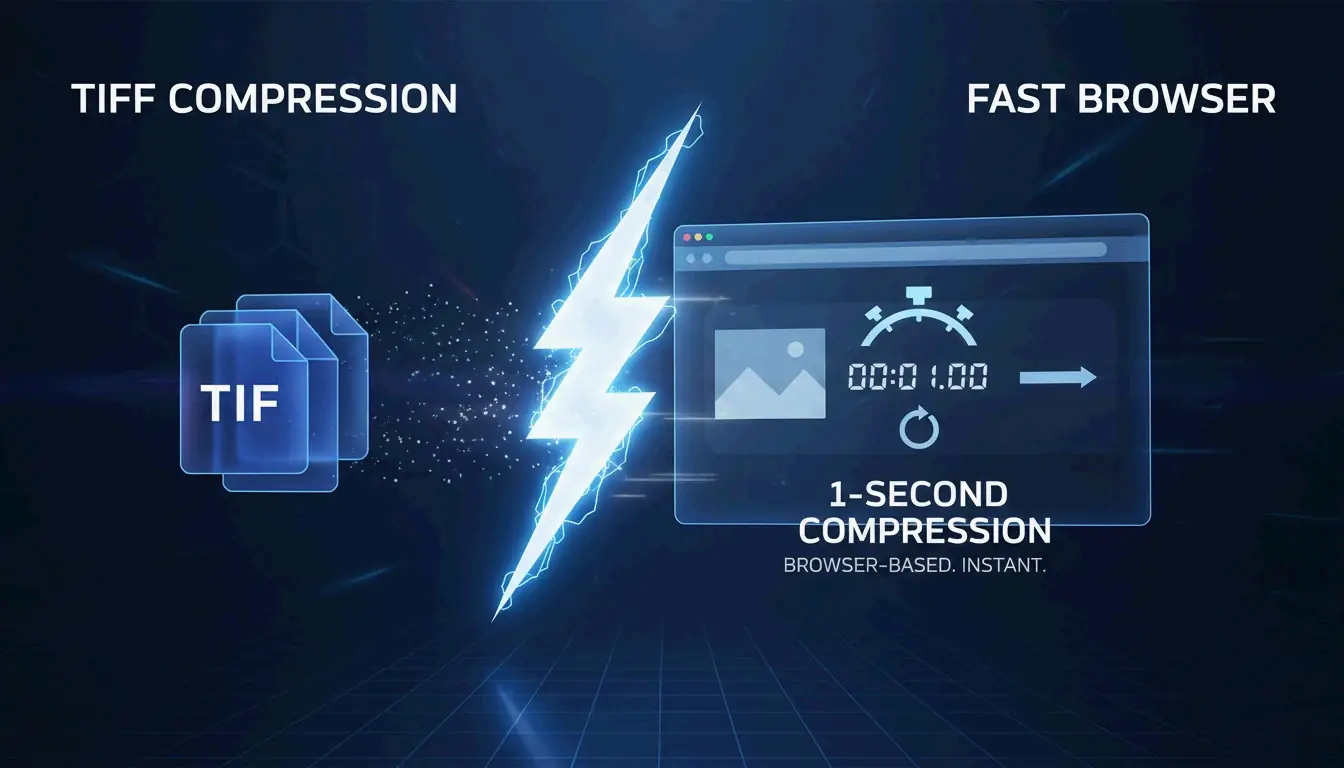
Vanaf mei 2026 kun je deze webtool gebruiken om TIFF in 1 seconde te comprimeren zonder Photoshop nodig te hebben. Geavanceerde browsergebaseerde platforms zoals Aspose, HitPaw of Online-Convert stellen je in staat om direct LZW– of CCITT Group 4-compressie toe te passen. Deze tools kunnen TIFF-bestandsgroottes direct in je browser met tot wel 80 % verkleinen terwijl de professionele en scherpe beeldkwaliteit behouden blijft.
Hoe je TIFF in 1 seconde comprimeert zonder Photoshop
Tegen 2026 zijn de dagen voorbij dat je zware desktopsoftware zoals Adobe Photoshop opende alleen voor basisbeeldtaken. Moderne webtechnologie heeft het mogelijk gemaakt om TIFF-gegevens (Tagged Image File Format) in hoge resolutie bijna direct te uploaden en te comprimeren. Online-Convert, een platform dat meer dan 1,9 miljard bestanden heeft verwerkt, merkt op dat deze verschuiving naar browsergebaseerde verwerking draait om snelheid en de mogelijkheid om op elk apparaat te werken.
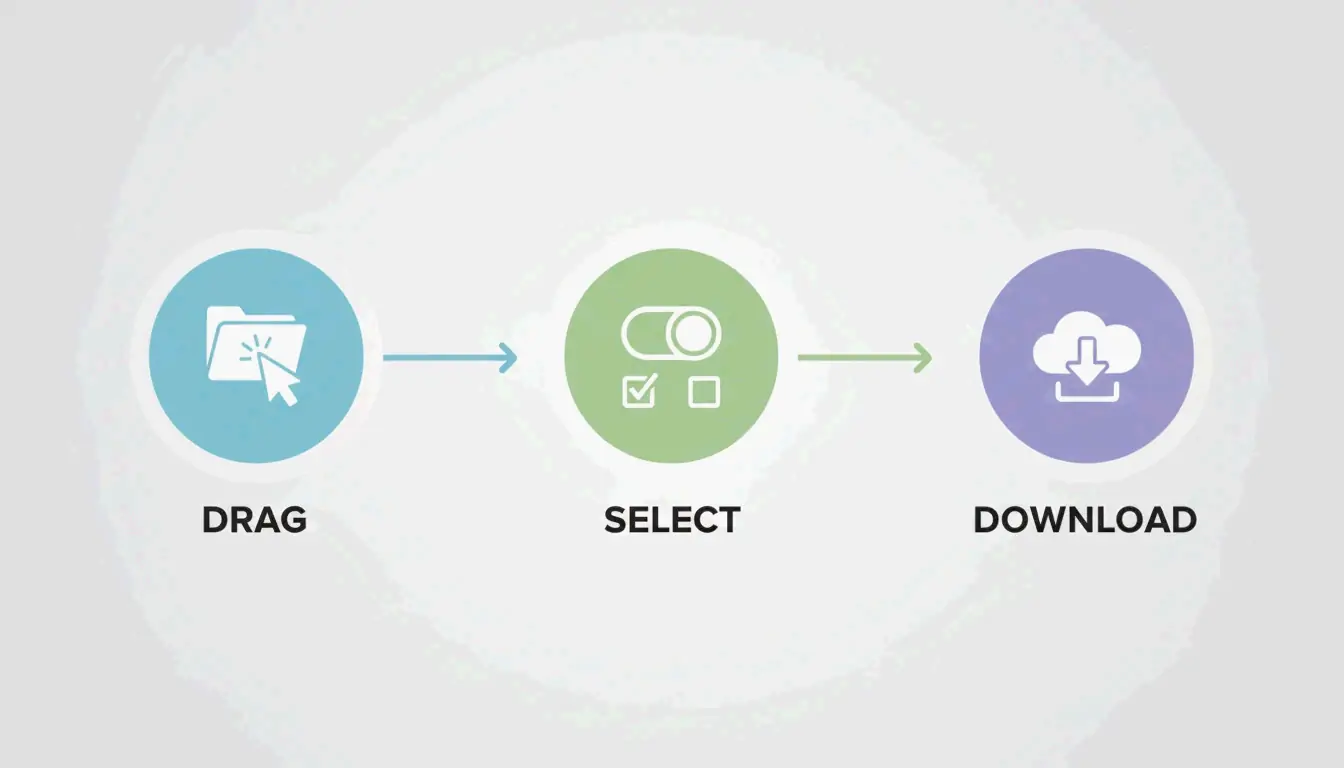
De werkstroom voor snelle compressie in 3 stappen
Om dat resultaat van «1 seconde» te behalen, hebben professionele webtools het technische giswerk weggenomen. Het standaardproces in 2026 ziet er zo uit:
- Uploaden : Sleep je TIFF-bestanden naar het browservenster. Tools zoals HitPaw beheersen batchverwerking, dus je kunt tientallen bestanden tegelijk kwijt.
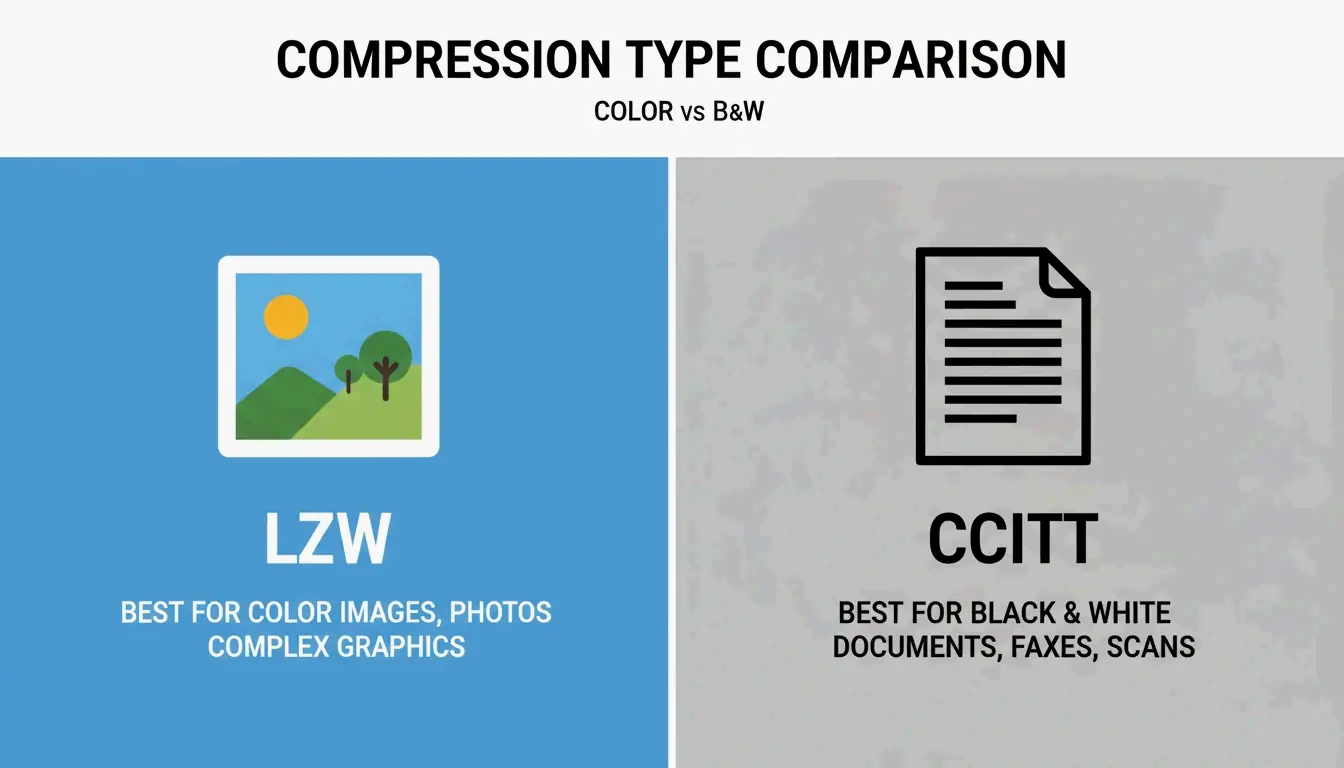
- Methode kiezen : Kies een compressieniveau (Laag, Gemiddeld of Hoog). Gebruik LZW voor kleurenfoto’s; voor zwart-witdocumenten is CCITT Group 4 meestal de betere keuze.
- Downloaden : Klik op «Comprimeren» en sla je bestand op. Aspose wijst erop dat, zodra de upload klaar is, de daadwerkelijke verwerking doorgaans minder dan een seconde duurt.
Waarom browsergebaseerde tools in 2026 sneller zijn dan Photoshop
Photoshop is een zwaargewicht, maar het start traag op en dwingt je om door menu’s zoals «Opslaan als» of «Exporteren» te spitten. Webgebaseerde tools zijn gebouwd voor één specifieke taak: optimalisatie. HitPaw kan bestandsgroottes met één klik tot wel 80 % verkleinen, en dat allemaal zonder het werkgeheugen (RAM) van je computer uit te putten zoals Creative Cloud-apps doen. Deze tools gebruiken ook slimme instellingen die herkennen of je beeld een medische scan of een digitale schildering is, waardoor automatisch de juiste TIFF-parameters worden toegepast.
Kies je compressie: LZW vs. CCITT Group 4
Het TIFF-formaat is flexibel, wat zijn beste eigenschap is maar ook de reden waarom het verwarrend kan zijn. Zoals Wikipedia uitlegt, is TIFF oorspronkelijk gemaakt om alles te verwerken, van eenvoudige zwart-witscans tot diepe-kleurenbeelden. Het juiste algoritme kiezen is wat je document scherp houdt in plaats van wazig.
Wanneer je LZW gebruikt voor verliesloze resultaten
LZW (Lempel–Ziv–Welch) is de beproefde verliesloze methode voor kleur- en grijswaardenbeelden. Het werkt door herhalende patronen in de gegevens te vinden zonder originele informatie weg te gooien. Dat maakt het de «gouden standaard» voor archivering van hoge kwaliteit.
- Het beste voor : Complexe kleurengraphics, digitale kunst en fotografie.
- Getrouwheid : 100 % verliesloos; het beeld blijft exact als het origineel.
- Casestudy : Aspose merkt op dat gecomprimeerde TIFF’s cruciaal zijn in medische en wetenschappelijke beeldvorming, waar scans kleiner moeten zijn voor opslag maar elke pixel perfect moet blijven voor analyse.
Waarom is CCITT Group 4 het beste voor gescande documenten?
CCITT Group 4 werd oorspronkelijk gebouwd voor faxmachines en is specifiek ontworpen voor binaire (zuiver zwart-wit) beelden. Terwijl LZW naar bytepatronen kijkt, is Group 4 geoptimaliseerd voor de eenvoudige «aan/uit»-aard van monochrome scans.
- Efficiëntie : Het krimpt tekstzware documenten veel meer dan LZW kan.
- Het beste voor : Facturen, juridische contracten en historische gegevens.
- Technische standaard : Volgens reaConverter zet het gebruik van CCITT Group 4 een beeld om in een binair formaat, wat ideaal is om ruimte te besparen bij het archiveren van duizenden documenten.
Veiligheid uitgediept: compressie aan de clientzijde vs. aan de serverzijde
Veiligheid is een groot onderwerp wanneer je gevoelige TIFF’s verwerkt, zoals juridische documenten of medische dossiers. In 2026 verwerken webtools je gegevens over het algemeen op een van twee manieren.
Verwerking aan de serverzijde betekent dat je bestand naar een externe server reist om gecomprimeerd te worden. Vertrouwde providers zoals Aspose gebruiken SSL-versleuteling en verwijderen alle bestanden automatisch binnen 24 uur om je gegevens veilig te houden.
Verwerking aan de clientzijde is de nieuwere, meer privékeuze. Tools zoals ToolsFlow voeren de compressie volledig uit binnen het lokale geheugen (RAM) van je browser. Het bestand verlaat nooit echt je computer, wat een grote winst is voor wetenschappelijke of bedrijfsgegevens die lokaal moeten blijven.
Technische standaarden: TIFF 6.0 en baseline-compatibiliteit
Het TIFF-formaat werd in 1992 gestabiliseerd met TIFF 6.0. Om ervoor te zorgen dat je bestand vandaag op elke computer wordt geopend, moet het volgen wat Baseline TIFF wordt genoemd.
- Baseline TIFF : Dit is de basisversie die elke beeldlezer ondersteunt. Het gebruikt eenvoudige functies zoals stroken (strips) en ongecomprimeerde of PackBits-gegevens.
- BigTIFF : Standaard-TIFF’s hebben een limiet van 4 GB omdat ze 32-bits offsets gebruiken. Voor gigantische geografische of wetenschappelijke kaarten gebruikt de BigTIFF-variant 64-bits offsets om bestanden van tot wel 18 exabytes te ondersteunen.
- Aspose.Imaging : Ontwikkelaars die deze standaarden moeten automatiseren gebruiken vaak bibliotheken zoals Aspose.Imaging for .NET. Dat geeft hen controle over technische tags zoals
StripOffsetsom ervoor te zorgen dat bestanden perfect voldoen aan de TIFF 6.0-specificaties.
Conclusie
Je hebt Photoshop niet langer nodig om beelden met hoge resolutie te beheren. Door de juiste browsergebaseerde tool te gebruiken en het juiste algoritme te kiezen — LZW voor kleur of CCITT Group 4 voor zwart-wit — kun je binnen enkele seconden professionele resultaten behalen. Of je nu juridische documenten of medische scans archiveert, moderne webtools bieden een veilige en verliesloze manier om je bestanden te optimaliseren. Begin met je beeldtype te controleren en gebruik dan een platform zoals Aspose of HitPaw voor een snelle, eenvoudige ervaring.
Veelgestelde vragen
Is het veilig om online tools te gebruiken voor het comprimeren van gevoelige TIFF-documenten?
Ja, zolang je betrouwbare tools gebruikt. De meeste professionele platforms gebruiken SSL-versleuteling om je gegevens tijdens de overdracht te beschermen. Providers zoals Aspose en Online-Convert verwijderen bestanden meestal binnen 24 uur van hun servers. Voor de hoogste veiligheid zoek je naar tools «aan de clientzijde» die bestanden verwerken in het lokale geheugen van je browser, zodat de gegevens je apparaat nooit verlaten.
Wat is het verschil tussen LZW- en CCITT Group 4-compressie?
LZW is een verliesloze methode die is ontworpen voor kleur- en grijswaardenbeelden, perfect voor foto’s. CCITT Group 4 is gespecialiseerd in binaire (zwart-wit) beelden zoals faxen of tekstscans. Terwijl LZW alle kleurgegevens intact houdt, biedt Group 4 een veel hogere compressie voor eenvoudige zwart-wittekstdocumenten.
Kan ik TIFF-bestanden comprimeren op een mobiel apparaat zonder een app te installeren?
Ja, moderne webgebaseerde compressietools werken perfect op mobiel. Je kunt elke actuele browser zoals Safari of Chrome gebruiken om TIFF’s direct te uploaden vanuit de opslag van je telefoon of een cloudschijf. De «1-seconde»-snelheid blijft gelden, vooral als je op een 5G- of snelle Wi-Fi-verbinding zit.
SectoJoy
Let Compress publishes practical guides for compression, conversion, and browser-based file workflows.
Follow SectoJoy