PS के बिना? TIFF को 1 सेकंड में कंप्रेस करने के लिए इस वेब टूल का उपयोग करें
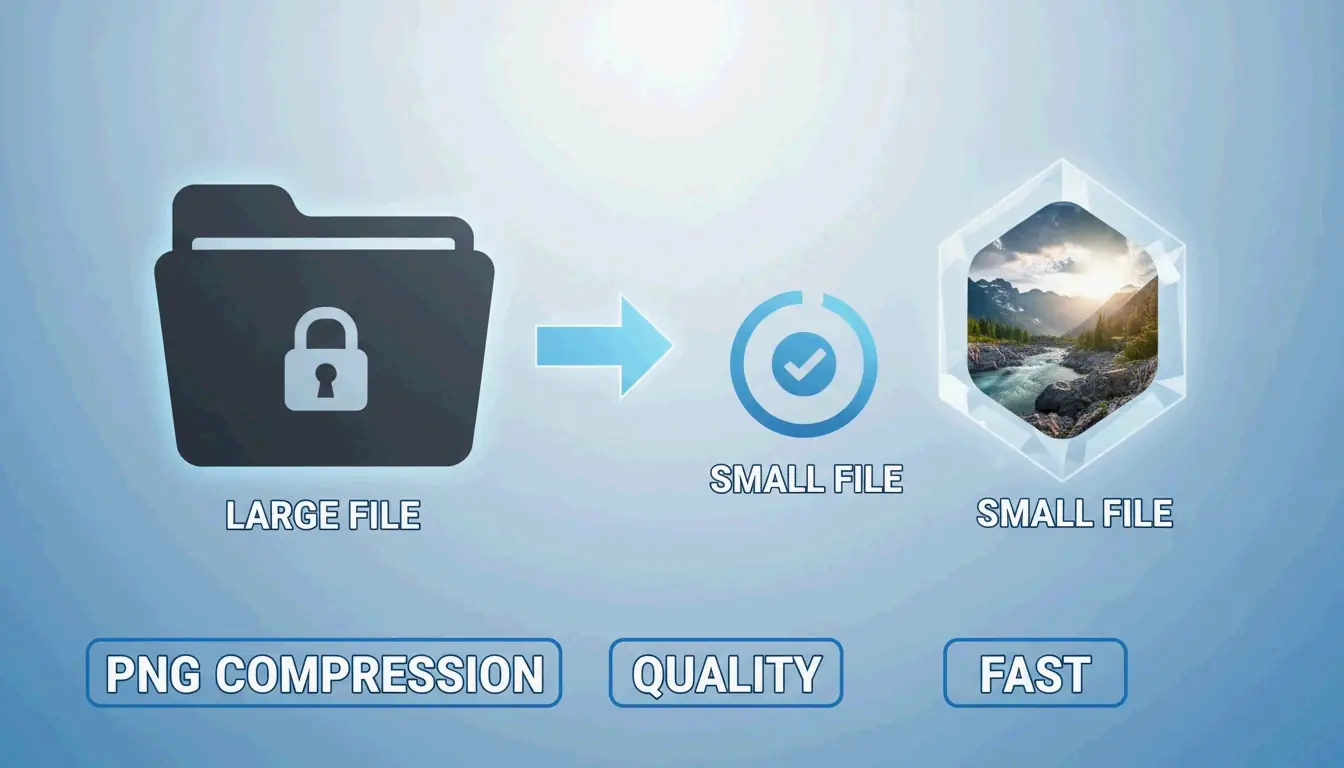
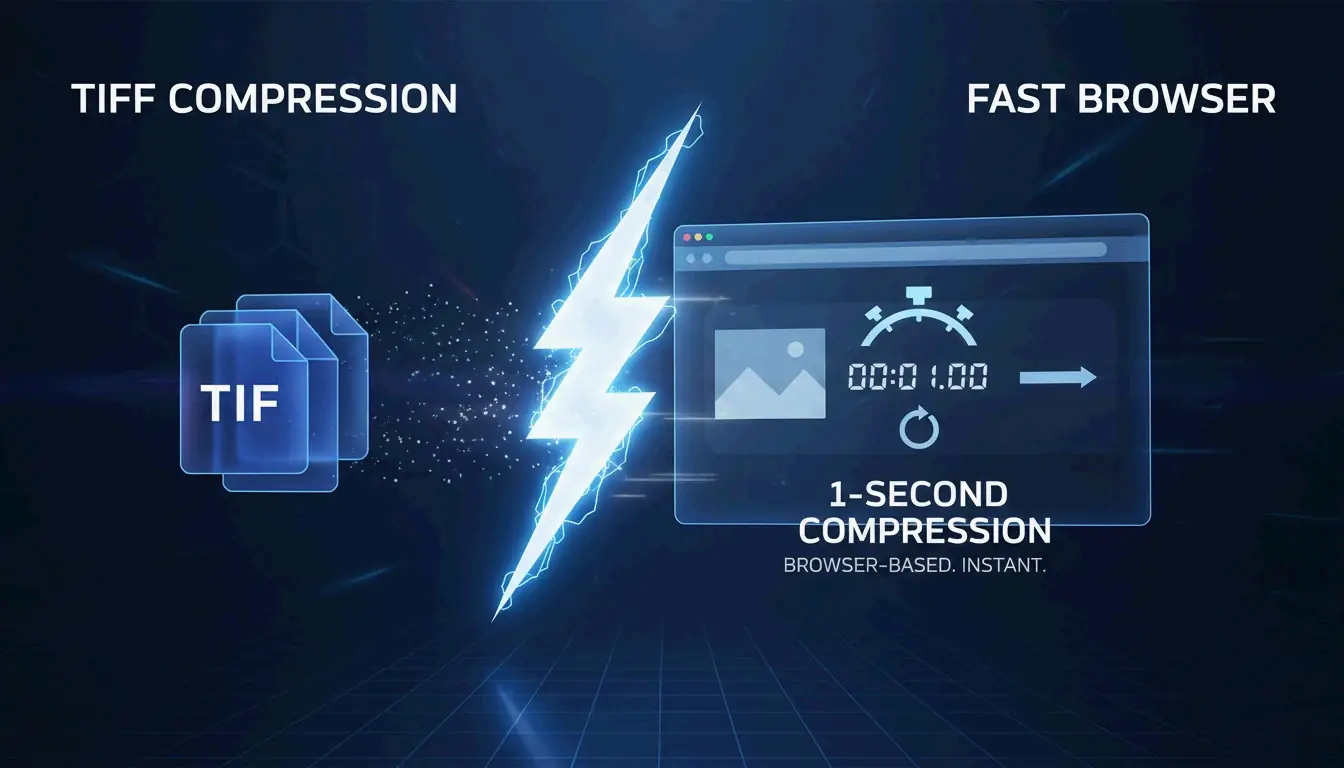
मई 2026 तक, आप फ़ोटोशॉप की आवश्यकता के बिना इस वेब टूल का उपयोग करके TIFF को 1 सेकंड में कंप्रेस कर सकते हैं। Aspose, HitPaw या Online-Convert जैसे उन्नत ब्राउज़र-आधारित प्लेटफ़ॉर्म आपको तुरंत LZW या CCITT Group 4 कंप्रेशन लागू करने देते हैं। ये टूल आपके ब्राउज़र में सीधे TIFF फ़ाइल आकार को 80% तक कम कर सकते हैं, पेशेवर और तेज़ छवि गुणवत्ता बनाए रखते हुए।
फ़ोटोशॉप के बिना TIFF को 1 सेकंड में कैसे कंप्रेस करें
2026 तक, केवल बुनियादी छवि कार्यों के लिए Adobe फ़ोटोशॉप जैसे भारी डेस्कटॉप सॉफ़्टवेयर खोलने के दिन चले गए हैं। आधुनिक वेब तकनीक ने हाई-रिज़ॉल्यूशन TIFF (Tagged Image File Format) डेटा को लगभग तुरंत अपलोड और कंप्रेस करना संभव बना दिया है। Online-Convert, एक प्लेटफ़ॉर्म जिसने 1.9 अरब से अधिक फ़ाइलों को संसाधित किया है, नोट करता है कि ब्राउज़र-आधारित प्रसंस्करण की ओर यह बदलाव मूल रूप से गति और किसी भी डिवाइस पर काम करने की क्षमता के बारे में है।
3-चरण तेज़ कंप्रेशन वर्कफ़्लो
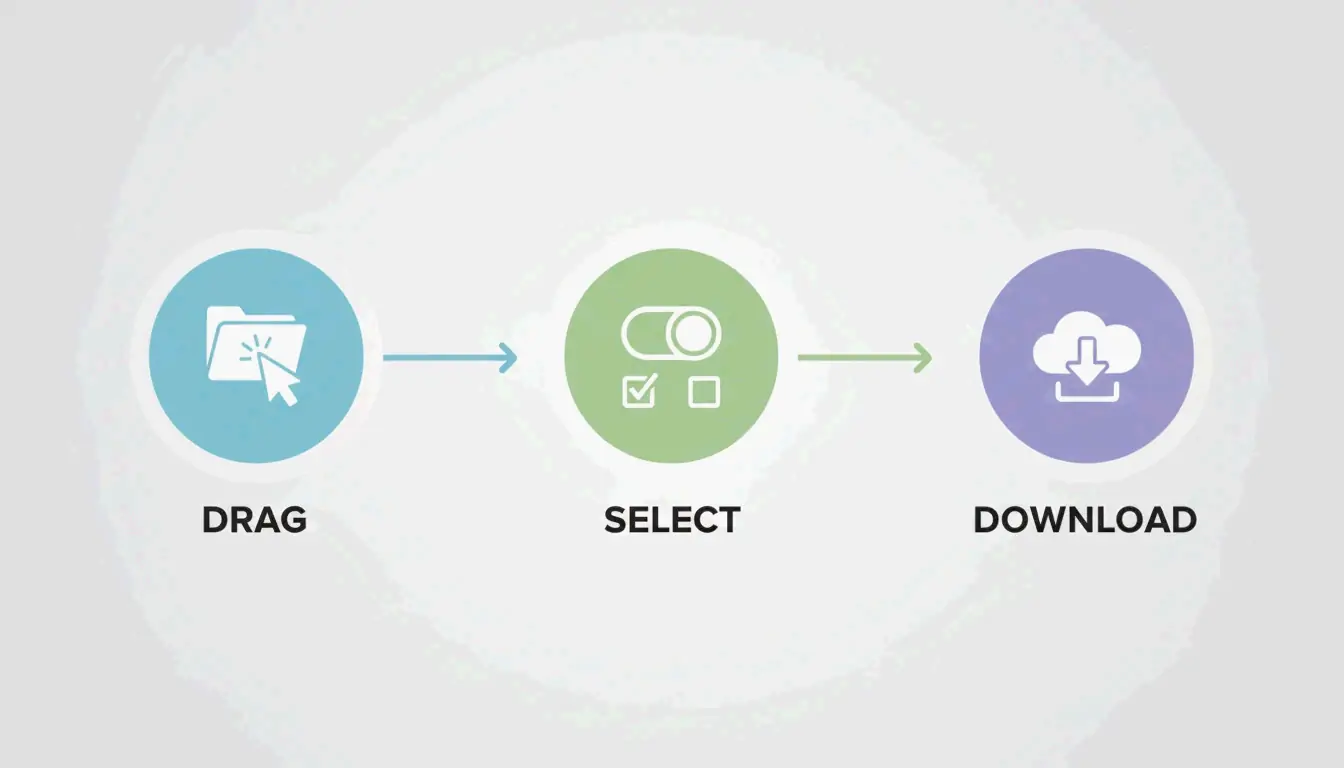
वह «1-सेकंड» परिणाम प्राप्त करने के लिए, पेशेवर वेब टूल ने तकनीकी अनुमान को हटा दिया है। 2026 में मानक प्रक्रिया कुछ ऐसी दिखती है:
- अपलोड : अपनी TIFF फ़ाइलों को ब्राउज़र विंडो में खींचें। HitPaw जैसे टूल बैच प्रसंस्करण संभालते हैं, इसलिए आप एक बार में दर्जनों फ़ाइलें डाल सकते हैं।
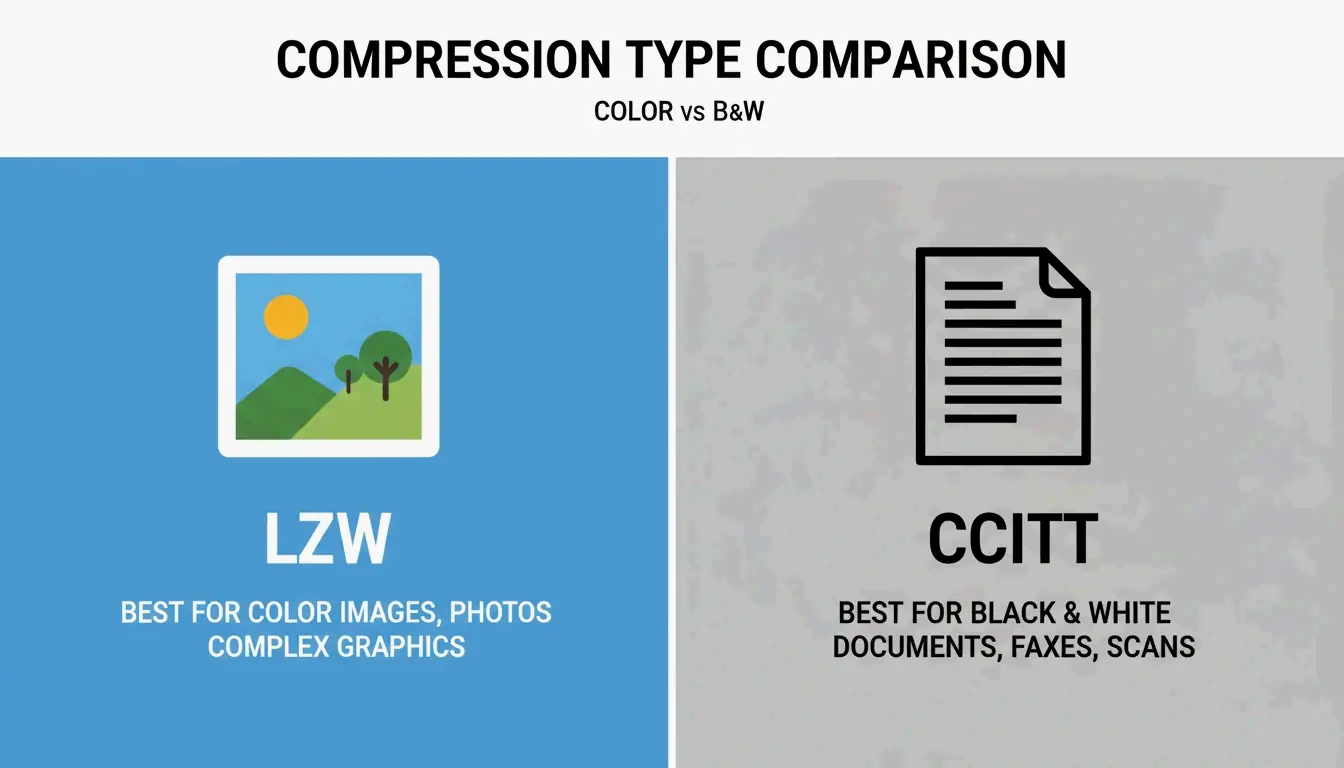
- विधि चुनें : एक कंप्रेशन स्तर (निम्न, मध्यम या उच्च) चुनें। रंगीन तस्वीरों के लिए LZW का उपयोग करें; काले-सफ़ेद दस्तावेज़ों के लिए CCITT Group 4 आमतौर पर बेहतर विकल्प है।
- डाउनलोड : «कंप्रेस» दबाएँ और अपनी फ़ाइल सहेजें। Aspose बताता है कि एक बार अपलोड पूरा होने पर, वास्तविक प्रसंस्करण आमतौर पर एक सेकंड से भी कम लेता है।
ब्राउज़र-आधारित टूल 2026 में फ़ोटोशॉप से तेज़ क्यों हैं
फ़ोटोशॉप एक भारी भरकम टूल है, लेकिन यह धीमा शुरू होता है और आपको «इस रूप में सहेजें» या «निर्यात» जैसे मेनू के माध्यम से नेविगेट करने पर मजबूर करता है। वेब-आधारित टूल एक विशिष्ट काम के लिए बनाए गए हैं: अनुकूलन। HitPaw एक क्लिक से फ़ाइल आकार को 80% तक कम कर सकता है, यह सब क्रिएटिव क्लाउड ऐप्स की तरह आपके कंप्यूटर के RAM को समाप्त किए बिना। ये टूल स्मार्ट सेटिंग्स का भी उपयोग करते हैं जो पहचानती हैं कि आपकी छवि मेडिकल स्कैन है या डिजिटल पेंटिंग, सही TIFF पैरामीटर स्वचालित रूप से लागू करते हुए।
अपना कंप्रेशन चुनें: LZW बनाम CCITT Group 4
TIFF प्रारूप लचीला है, जो इसकी सर्वश्रेष्ठ विशेषता है लेकिन वही कारण भी है जिससे यह भ्रमित कर सकता है। जैसा कि विकिपीडिया समझाता है, TIFF को मूल रूप से हर चीज़ को संभालने के लिए बनाया गया था, सरल काले-सफ़ेद स्कैन से लेकर डीप-कलर छवियों तक। सही एल्गोरिथम चुनना ही वह है जो आपके दस्तावेज़ को धुंधले के बजाय तेज़ रखता है।
लॉसलेस परिणामों के लिए LZW का उपयोग कब करें
LZW (Lempel–Ziv–Welch) रंगीन और ग्रेस्केल छवियों के लिए सिद्ध लॉसलेस विधि है। यह किसी भी मूल जानकारी को त्यागे बिना डेटा में दोहराए जाने वाले पैटर्न ढूंढकर काम करता है। यही इसे उच्च-गुणवत्ता वाले संग्रहण के लिए «गोल्डन स्टैंडर्ड» बनाता है।
- के लिए सर्वोत्तम : जटिल रंगीन ग्राफिक्स, डिजिटल कला, और फ़ोटोग्राफ़ी।
- निष्ठा : 100% लॉसलेस; छवि बिल्कुल मूल की तरह रहती है।
- केस स्टडी : Aspose नोट करता है कि कंप्रेस्ड TIFF मेडिकल और वैज्ञानिक इमेजिंग में महत्वपूर्ण हैं, जहाँ स्कैन को भंडारण के लिए छोटा होना चाहिए लेकिन विश्लेषण के लिए हर पिक्सेल पूर्ण रहना चाहिए।
स्कैन किए गए दस्तावेज़ों के लिए CCITT Group 4 सर्वोत्तम क्यों है?
CCITT Group 4 को मूल रूप से फ़ैक्स मशीनों के लिए बनाया गया था और यह विशेष रूप से बाइटोनल (शुद्ध काले-सफ़ेद) छवियों के लिए डिज़ाइन किया गया है। जबकि LZW बाइट पैटर्न देखता है, Group 4 मोनोक्रोम स्कैन की सरल «ऑन/ऑफ» प्रकृति के लिए अनुकूलित है।
- दक्षता : यह टेक्स्ट-भारी दस्तावेज़ों को LZW से कहीं अधिक सिकोड़ता है।
- के लिए सर्वोत्तम : चालान, कानूनी अनुबंध, और ऐतिहासिक रिकॉर्ड।
- तकनीकी मानक : reaConverter के अनुसार, CCITT Group 4 का उपयोग करने से छवि बाइटोनल प्रारूप में बदल जाती है, जो हज़ारों दस्तावेज़ों को संग्रहित करते समय स्थान बचाने के लिए आदर्श है।
सुरक्षा गहनता: क्लाइंट-साइड बनाम सर्वर-साइड कंप्रेशन
जब आप कानूनी दस्तावेज़ों या मेडिकल रिकॉर्ड जैसी संवेदनशील TIFF को संभालते हैं तो सुरक्षा एक बड़ा विषय है। 2026 में, वेब टूल आमतौर पर आपके डेटा को दो तरीकों में से एक में संभालते हैं।
सर्वर-साइड प्रसंस्करण का अर्थ है कि आपकी फ़ाइल कंप्रेस होने के लिए दूरस्थ सर्वर की यात्रा करती है। Aspose जैसे विश्वसनीय प्रदाता SSL एन्क्रिप्शन का उपयोग करते हैं और आपका डेटा सुरक्षित रखने के लिए सभी फ़ाइलों को 24 घंटों में स्वचालित रूप से हटा देते हैं।
क्लाइंट-साइड प्रसंस्करण नया और अधिक निजी विकल्प है। ToolsFlow जैसे टूल कंप्रेशन पूरी तरह से आपके ब्राउज़र की स्थानीय मेमोरी (RAM) के भीतर चलाते हैं। फ़ाइल वास्तव में कभी आपका कंप्यूटर नहीं छोड़ती, जो वैज्ञानिक या कॉर्पोरेट डेटा के लिए एक बड़ी बढ़त है जिसे स्थानीय रहना चाहिए।
तकनीकी मानक: TIFF 6.0 और बेसलाइन संगतता
TIFF प्रारूप 1992 में TIFF 6.0 के साथ स्थिर हुआ। यह सुनिश्चित करने के लिए कि आपकी फ़ाइल आज किसी भी कंप्यूटर पर खुले, इसे Baseline TIFF नामक चीज़ का पालन करना चाहिए।
- Baseline TIFF : यह वह बुनियादी संस्करण है जिसका समर्थन कोई भी इमेज रीडर करता है। यह स्ट्रिप्स और असंपीड़ित या PackBits डेटा जैसी सरल विशेषताओं का उपयोग करता है।
- BigTIFF : मानक TIFF में 4 GB की सीमा होती है क्योंकि वे 32-बिट ऑफ़सेट का उपयोग करते हैं। बड़े भौगोलिक या वैज्ञानिक मानचित्रों के लिए, BigTIFF वेरिएंट 18 एक्साबाइट तक की फ़ाइलों का समर्थन करने के लिए 64-बिट ऑफ़सेट का उपयोग करता है।
- Aspose.Imaging : जिन डेवलपर्स को इन मानकों को स्वचालित करने की आवश्यकता होती है वे अक्सर Aspose.Imaging for .NET जैसी लाइब्रेरी का उपयोग करते हैं। यह उन्हें
StripOffsetsजैसे तकनीकी टैग पर नियंत्रण देता है ताकि यह सुनिश्चित हो सके कि फ़ाइलें TIFF 6.0 विनिर्देशों का पूरी तरह से पालन करती हैं।
निष्कर्ष
आपको अब हाई-रिज़ॉल्यूशन छवियों को प्रबंधित करने के लिए फ़ोटोशॉप की आवश्यकता नहीं है। सही ब्राउज़र-आधारित टूल का उपयोग करके और सही एल्गोरिथम चुनकर — रंग के लिए LZW या काले-सफ़ेद के लिए CCITT Group 4 — आप सेकंडों में पेशेवर परिणाम प्राप्त कर सकते हैं। चाहे आप कानूनी दस्तावेज़ों या मेडिकल स्कैन को संग्रहित कर रहे हों, आधुनिक वेब टूल आपकी फ़ाइलों को अनुकूलित करने का एक सुरक्षित और लॉसलेस तरीका प्रदान करते हैं। अपनी छवि प्रकार की जाँच करके शुरू करें, फिर तेज़ और आसान अनुभव के लिए Aspose या HitPaw जैसे प्लेटफ़ॉर्म का उपयोग करें।
अक्सर पूछे जाने वाले प्रश्न
संवेदनशील TIFF दस्तावेज़ों को कंप्रेस करने के लिए ऑनलाइन टूल का उपयोग करना सुरक्षित है?
हाँ, बशर्ते आप प्रतिष्ठित टूल का उपयोग करें। अधिकांश पेशेवर प्लेटफ़ॉर्म ट्रांज़िट में आपके डेटा की सुरक्षा के लिए SSL एन्क्रिप्शन का उपयोग करते हैं। Aspose और Online-Convert जैसे प्रदाता आमतौर पर 24 घंटों में अपने सर्वर से फ़ाइलें हटा देते हैं। अधिकतम सुरक्षा के लिए, «क्लाइंट-साइड» टूल ढूंढें जो फ़ाइलों को आपके ब्राउज़र की स्थानीय मेमोरी में संसाधित करते हैं ताकि डेटा कभी आपका डिवाइस न छोड़े।
LZW और CCITT Group 4 कंप्रेशन में क्या अंतर है?
LZW रंगीन और ग्रेस्केल छवियों के लिए डिज़ाइन की गई एक लॉसलेस विधि है, जो तस्वीरों के लिए एकदम सही है। CCITT Group 4 फ़ैक्स या टेक्स्ट स्कैन जैसी बाइटोनल (काले-सफ़ेद) छवियों के लिए विशेष है। जबकि LZW सभी रंग डेटा को बरकरार रखता है, Group 4 सरल काले-सफ़ेद टेक्स्ट दस्तावेज़ों के लिए कहीं अधिक उच्च कंप्रेशन प्रदान करता है।
क्या मैं ऐप इंस्टॉल किए बिना मोबाइल डिवाइस पर TIFF फ़ाइलों को कंप्रेस कर सकता हूँ?
हाँ, आधुनिक वेब-आधारित कंप्रेशन टूल मोबाइल पर बिना किसी रुकावट के काम करते हैं। आप अपने फ़ोन के स्टोरेज या क्लाउड ड्राइव से सीधे TIFF अपलोड करने के लिए Safari या Chrome जैसे किसी भी अद्यतन ब्राउज़र का उपयोग कर सकते हैं। «1-सेकंड» की गति अभी भी लागू होती है, खासकर यदि आप 5G या हाई-स्पीड Wi-Fi कनेक्शन पर हैं।
SectoJoy
Let Compress publishes practical guides for compression, conversion, and browser-based file workflows.
Follow SectoJoy