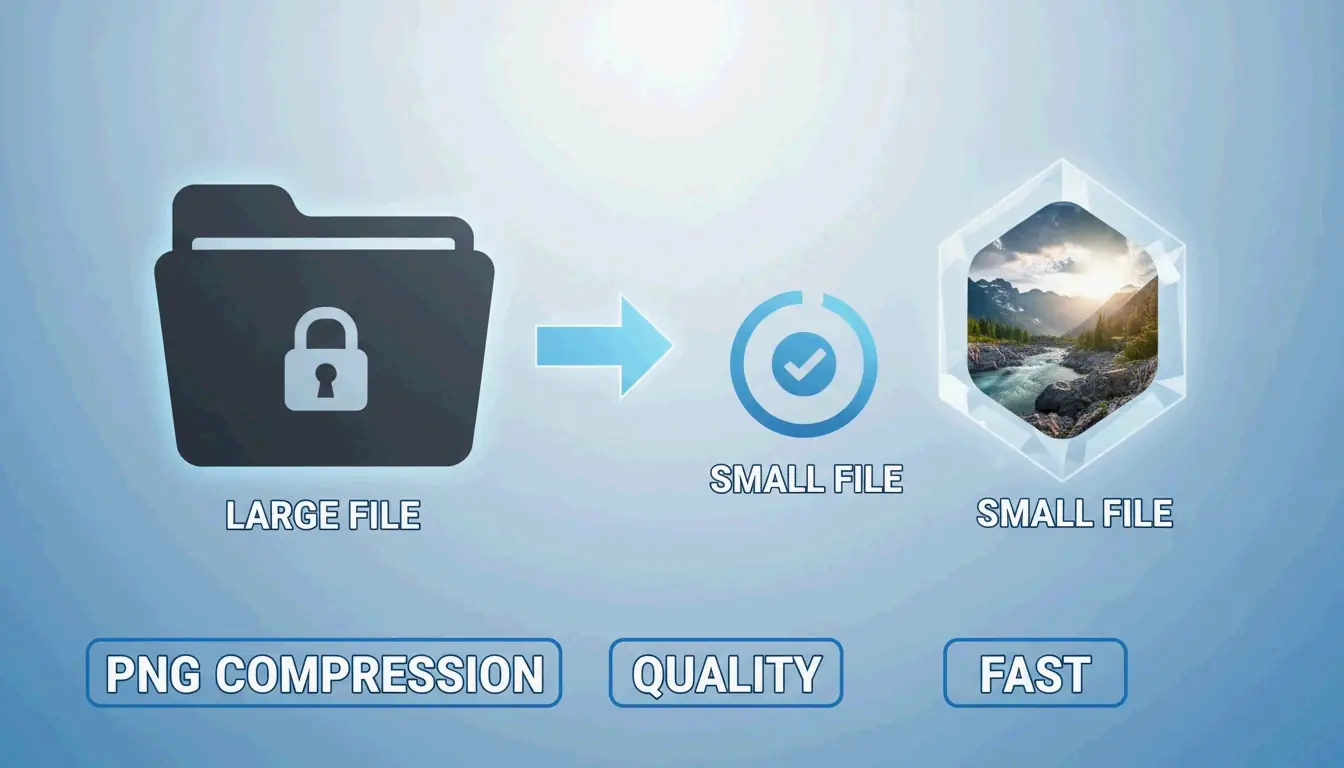
Kompres PNG dan mengecilkan gambar dengan cepat tanpa kehilangan kualitas
Pada 2026, untuk mengompres PNG dan mengecilkan gambar dengan cepat tanpa kehilangan kualitas, metode paling efektif adalah menggunakan alat WebAssembly (Wasm) asli peramban seperti iKit untuk pemrosesan lokal yang privat. Untuk hasil terbaik, gunakan kuantisasi lossy (Lossy Quantization) untuk mengurangi palet warna ke 8-bit (menghemat sekitar 80%) atau gunakan oxipng untuk optimasi lossless, yang menghapus metadata tersembunyi dan mengoptimalkan filter DEFLATE tanpa mengubah satu piksel pun.
Standar 2026: Bagaimana cara mengompres PNG dengan cepat dan aman?
Pada 2026, mengoptimalkan gambar lebih dari sekadar mengosongkan ruang disk — ini adalah persyaratan untuk tetap terlihat di peringkat pencarian. Menurut SammaPix, elemen Largest Contentful Paint (LCP), metrik kecepatan utama, adalah gambar pada 70% dari semua halaman web. File PNG yang besar memperlambat metrik ini, yang merusak pengalaman pengguna dan menurunkan posisi SEO Anda.
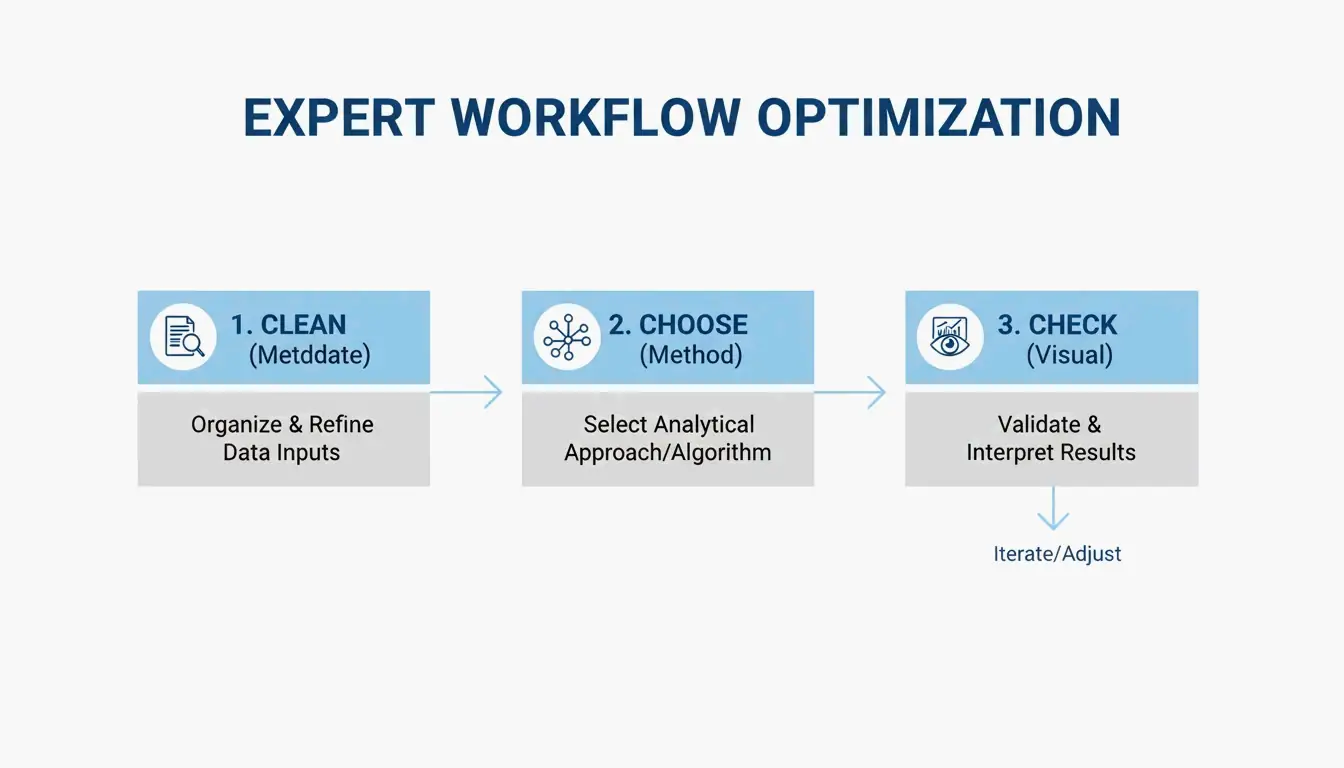
Untuk mendapatkan keseimbangan terbaik antara kecepatan dan ketajaman, para profesional umumnya mengikuti alur kerja tiga langkah ini:
- Hapus Metadata: hapus data EXIF tersembunyi dan profil warna yang tidak perlu.
- Pilih Metode Anda: putuskan antara «lossless» (sempurna per piksel) atau «kuantisasi lossy» (secara visual identik tetapi jauh lebih kecil).
- Pemeriksaan Visual: gunakan alat perbandingan berdampingan untuk memastikan gambar masih terlihat tajam sebelum Anda menekan «terbitkan».
Alur kerja «tanpa unggah»: Hasil instan dengan Wasm
Masa-masa mengunggah file sensitif ke server jarak jauh untuk kompresi telah berakhir sebagian besar. Alat modern seperti iKit dan ToolTea menggunakan WebAssembly (Wasm) untuk menangani semua pekerjaan berat secara lokal dalam RAM peramban Anda. Pendekatan «tanpa unggah» ini berarti tangkapan layar pribadi atau dokumen internal perusahaan Anda tidak pernah meninggalkan komputer Anda, memberi Anda pemrosesan yang lebih cepat dan privasi yang lebih baik.
Membersihkan metadata adalah «kemenangan cepat» termudah di sini. Seperti yang ditunjukkan iKit, data tambahan yang ditambahkan Photoshop ke file dapat menambah hingga 200KB pembengkakan — informasi yang tidak melakukan apa pun bagi seseorang yang melihat gambar di situs web.
Lossless vs lossy (kuantisasi): Mana yang harus Anda pilih?
Memilih alat yang tepat dimulai dengan memahami bagaimana format PNG benar-benar bekerja.
Optimasi lossless (Lossless Optimization) berfokus pada matematika di balik file. Alat seperti oxipng mencoba berbagai kombinasi filter (None, Sub, Up, Average, Paeth) untuk menyimpan data gambar Anda lebih efisien. Ini tidak mengubah piksel sama sekali; itu hanya menemukan cara yang lebih cerdas untuk mengemasnya. Anda juga dapat menggunakan encoder Zopfli untuk file yang lebih kecil lagi, meskipun membutuhkan waktu jauh lebih lama untuk memproses.
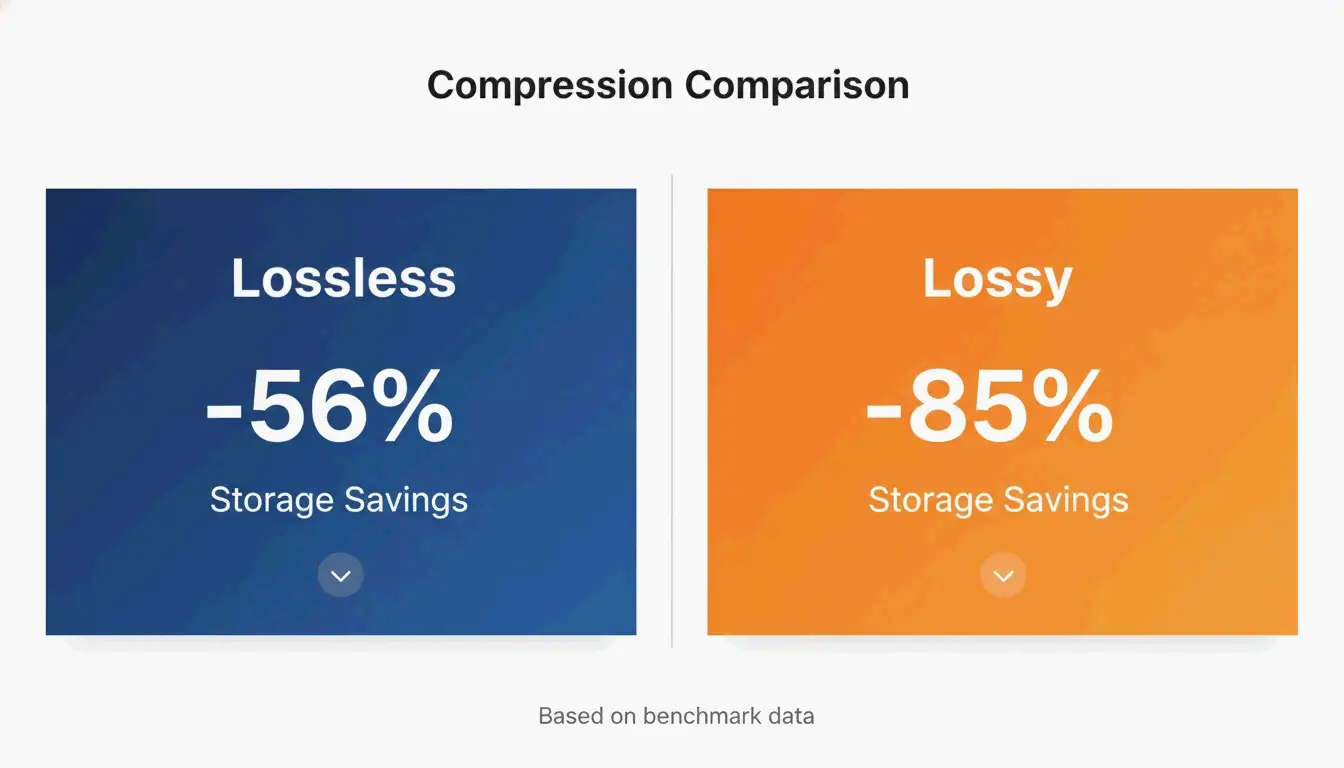
Kuantisasi lossy (Lossy Quantization) (sering disebut warna terindeks 8-bit) memang mengubah data gambar, tetapi dengan cara yang biasanya tidak bisa Anda lihat. Sebagian besar PNG mentah adalah 24-bit atau 32-bit, yang berarti mendukung jutaan warna. Kuantisasi memadatkan ini menjadi palet 256 warna. Menurut benchmark tangkapan layar UI oleh iKit, sementara optimasi lossless menghemat sekitar 56% pada tangkapan UI, kuantisasi lossy dapat memangkas ukuran file sebesar 85% tanpa perbedaan yang terlihat oleh mata telanjang.
Panduan inspeksi visual: Mendeteksi artefak pada gradien dan teks
Saat Anda mendorong kompresi ke batasnya, perhatikan cacat tertentu. Di area halus seperti langit biru atau latar belakang yang buram, kuantisasi agresif dapat menyebabkan «banding» — di mana Anda melihat garis-garis yang berbeda alih-alih pudar yang mulus. Kabar baiknya adalah tidak seperti JPEG, yang menjadi «kabur» atau «berisik» di sekitar teks, kuantisasi PNG menjaga garis dan tepi tetap sangat tajam. Menurut SimpleResizer, jika Anda bekerja dengan grafik yang memiliki garis berwarna sangat tipis, Anda harus menggunakan subsampel krominansi 4:4:4 untuk mencegah warna meleleh.
Alternatif modern: Kapan menggunakan WebP / AVIF alih-alih PNG
PNG masih menjadi pilihan utama untuk transparansi dan elemen UI yang tajam, tetapi format yang lebih baru sering kali lebih efisien untuk penggunaan web umum. SammaPix mencatat bahwa file WebP biasanya 25-35% lebih kecil dari PNG pada tingkat kualitas yang sama.
Untuk kompresi kelas atas pada 2026, AVIF telah memimpin. Ini sering mengalahkan WebP sebesar 20-30% lagi, terutama untuk foto. Yang mengatakan, format PNG tidak diam. Rilis PNG 3.0 pada 24 Juni 2025 memperkenalkan beberapa pembaruan besar:
- Dukungan HDR native: penanganan rentang dinamis tinggi yang lebih baik.
- Dukungan APNG resmi: PNG animasi sekarang menjadi rekomendasi W3C.
- Metadata yang ditingkatkan: «Blok data Exif» baru membuat penanganan info foto jauh lebih bersih.
Pemrosesan batch dan otomatisasi untuk pengembang
Jika Anda mengelola ribuan gambar, mengklik melalui alat peramban tidak praktis. Di sinilah alat Command Line Interface (CLI) berperan.
oxipng (v9.1.1) saat ini adalah pilihan teratas untuk pemrosesan batch lossless. Karena dibangun di atas Rust, ini jauh lebih cepat daripada alat yang lebih lama. Pengembang dapat menjalankan perintah seperti oxipng -o max --strip safe untuk membersihkan setiap gambar dalam folder selama proses build mereka.
Untuk kompresi lossy, pngquant (v3.0) adalah standar. Ini sempurna untuk mengubah gambar 32-bit yang besar menjadi palet 8-bit yang ramping secara massal. iKit menyarankan untuk membangun alat-alat ini langsung ke dalam sistem desain atau pipeline situs Anda sehingga tidak ada gambar yang tidak dioptimalkan yang pernah mencapai server live Anda.
Kesimpulan
Mengompres PNG pada 2026 adalah tentang memilih algoritme yang tepat untuk pekerjaan dan menggunakan alat peramban berbasis Wasm untuk kecepatan dan keamanan. Meskipun standar PNG 3.0 membawa fitur modern seperti HDR, cara terbaik untuk meningkatkan kinerja masih dengan memangkas data yang tidak perlu.
Rencana aksi: Mulailah dengan menghapus metadata untuk kemenangan yang mudah. Gunakan oxipng untuk logo dan grafik padat teks di mana setiap piksel penting. Untuk tangkapan layar UI dan ilustrasi, gunakan pngquant untuk mengecilkan file dan meningkatkan Core Web Vitals Anda. Jika Anda hanya ingin file sekecil mungkin untuk web, pertimbangkan untuk beralih ke WebP atau AVIF.
FAQ
Apakah mengompres PNG membuatnya kabur?
Kompresi lossless tidak pernah menyebabkan kekaburan karena hanya mengoptimalkan bagaimana data disimpan tanpa mengubah piksel. Kuantisasi lossy dapat menyebabkan «banding» pada gradien yang halus jika palet warna dikurangi terlalu jauh, tetapi menjaga tepi teks dan ikon tetap tajam, tidak seperti artefak yang sering terlihat pada JPEG yang dikompres.
Bagaimana saya bisa mengompres PNG ke ukuran tertentu seperti 20KB atau 100KB?
Untuk mencapai target tertentu, gunakan alat dengan mode «ukuran target» atau penggeser kualitas yang menyesuaikan ukuran palet warna. Menurut Combine JPG, jika kompresi lossless tidak cukup untuk mencapai 20KB, Anda harus terlebih dahulu mengubah ukuran dimensi piksel (misalnya, ke 400x400px) sebelum menerapkan kuantisasi 8-bit.
Apakah aman menggunakan kompresor online untuk dokumen pribadi?
Aman hanya jika alat menggunakan pemrosesan sisi klien lokal melalui WebAssembly (Wasm), seperti iKit atau ToolPix. Alat-alat ini memproses gambar di RAM peramban Anda, yang berarti file tidak pernah diunggah ke server. Untuk gambar yang sensitif atau rahasia, hindari alat apa pun yang memerlukan «unggahan server».
SectoJoy
Let Compress publishes practical guides for compression, conversion, and browser-based file workflows.
Follow SectoJoy