ضغط PNG: تصغير الصور بسرعة دون فقدان الجودة (2026)
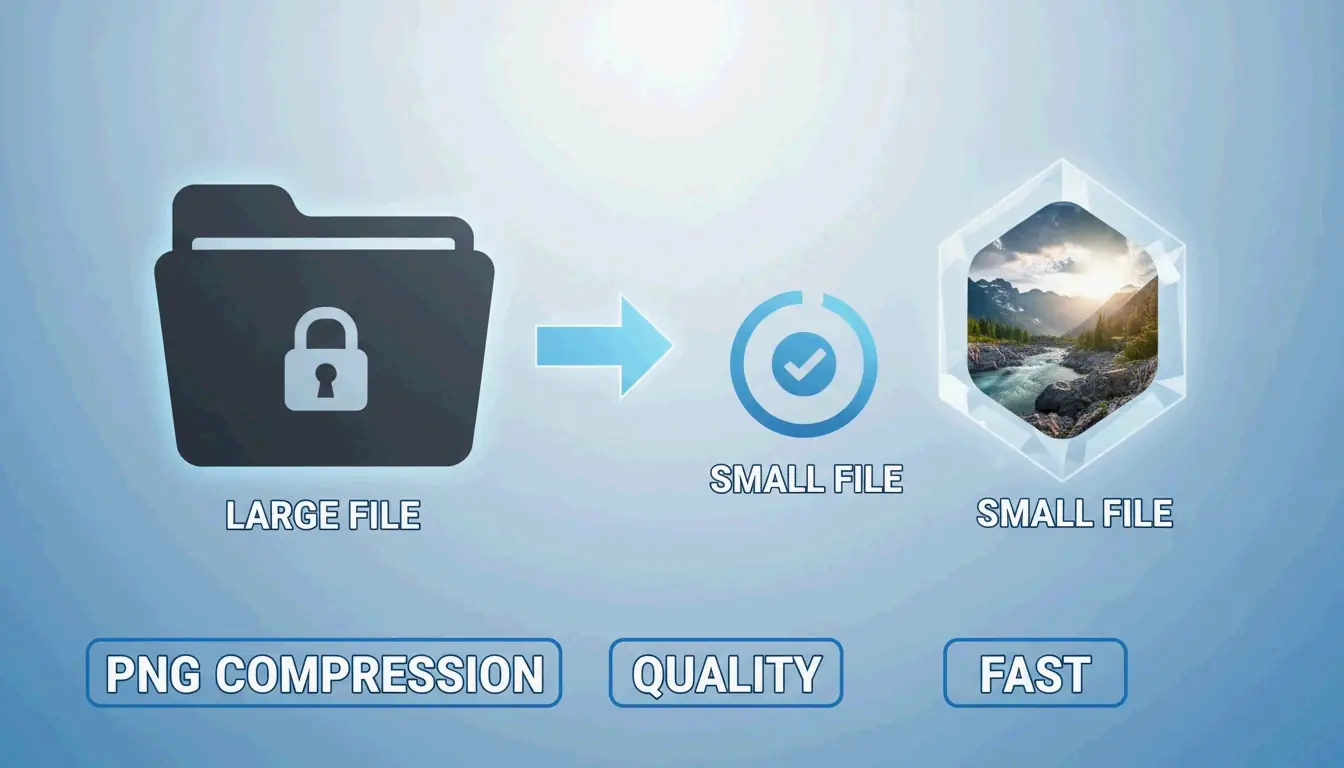
في عام 2026، أكثر طريقة فعّالة لـ ضغط ملفات PNG بسرعة وتصغير الصور دون فقدان الجودة هي استخدام أدوات WebAssembly (WASM) أصلية في المتصفح مثل iKit. تعالج هذه الأدوات الصور محليًا على جهازك للحصول على نتائج فورية. يمكنك اختيار التحسين «بدون فقدان» لإزالة البيانات الوصفية المخفية والحصول على صورة مطابقة، أو تكميم 8 بت «بصريًا بدون فقدان» يقلل حجم الملف بنسبة 70-85% دون أن تلاحظ العين البشرية أي فرق.
إطار 2026: كيف تصغر ملفات PNG بسرعة وفعالية
في عام 2026، تحول تحسين الصور من المعالجة البطيئة على الخادم إلى التنفيذ الفوري داخل المتصفح. بالنسبة لتحسين محركات البحث، السرعة أهم من أي وقت مضى؛ تشير SammaPix إلى أن الصور هي عنصر Largest Contentful Paint (LCP) في 70% من صفحات الويب. إذا كانت صورك بطيئة التحميل، فمن المرجح أن يتأثر ترتيبك في البحث ومؤشرات Core Web Vitals.
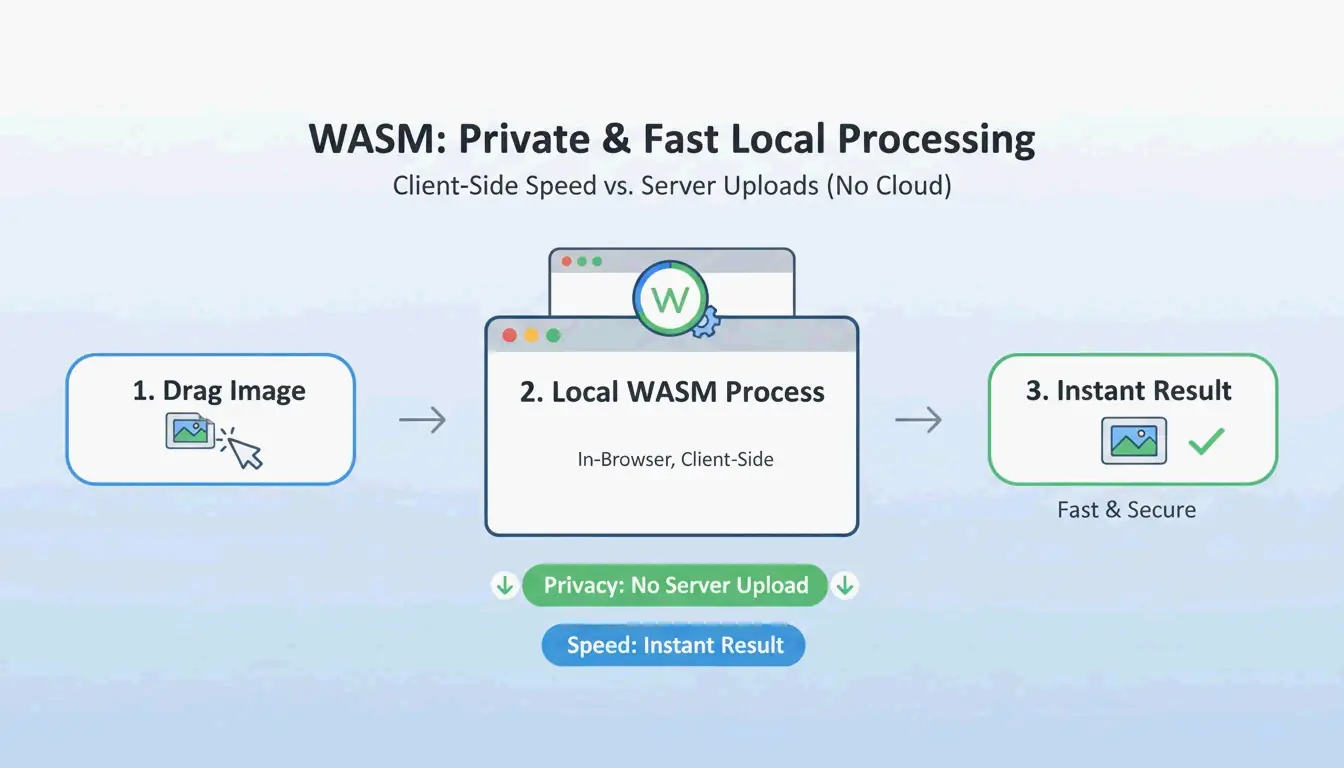
تعتمد سير العمل الحديثة الآن على WebAssembly (WASM). تتيح هذه التقنية لخوارزميات الضغط المعقدة العمل محليًا على جهاز جهازك. نظرًا لعدم رفعك لملفاتك إلى خادم بعيد، فإن خصوصيتك محمية ولا يوجد أي «تأخير في الرفع». بالنسبة لأداء الويب، فإن معيار «بصريًا بدون فقدان» هو الخيار الأفضل. باستخدام اللون المفهرس 8 بت، يمكنك توفير 70-85% من حجم الملف لعناصر الواجهة مثل الأزرار أو الأيقونات، دون أن تلاحظ العين البشرية أي فرق فعلي.
الخطوة 1: اختر وضع الضغط (بدون فقدان مقابل بفقدان)
قبل أن تبدأ، حدد الغرض من الملف النهائي:
- الضغط بدون فقدان: يحافظ على ملف مطابق تمامًا للمصدر بتة ببتة. إنه الخيار الصحيح للأرشفة الاحترافية أو الصور التي تخطط لتحريرها مرة أخرى لاحقًا.
- التكميم بفقدان: هذا هو «النقطة المثالية» للمواقع الإلكترونية. كما يشرح iKit، فإن التبديل إلى لوحة 8 بت يتيح لك إعادة بناء عناصر مثل الشعارات أو لقطات الشاشة باستخدام 256 لونًا فقط. هذا يقلل حجم الملف بأكثر من النصف، دون إنتاج أي «أشكال زائفة» ضبابية.
الخطوة 2: المعالجة الفورية بأداة مبنية على WASM
بمجرد اختيار الوضع، استخدم أداة مبنية على WASM مثل ToolTea أو iKit. تعمل هذه الأدوات داخل ذاكرة المتصفح. ما عليك سوى سحب الملف وإفلاته وضبط الإعدادات ليقوم الأداة بإخراج PNG محسّن على الفور. إنها أسرع بكثير من الطرق التقليدية التي تتطلب إرسال البيانات ذهابًا وإيابًا إلى الخادم.
بدون فقدان مقابل بفقدان (تكميم): أي طريقة تستخدم؟
فهم الفرق التقني يساعدك في الحفاظ على جودة عالية. يستخدم الضغط بدون فقدان خوارزمية DEFLATE لحزم بيانات البكسل بكفاءة أكبر. لا يغير بكسلًا واحدًا؛ إنه في جوهره مثل «حزم الحقيبة دون رمي أي شيء»، وهو تشبيه استخدمه Let Compress.
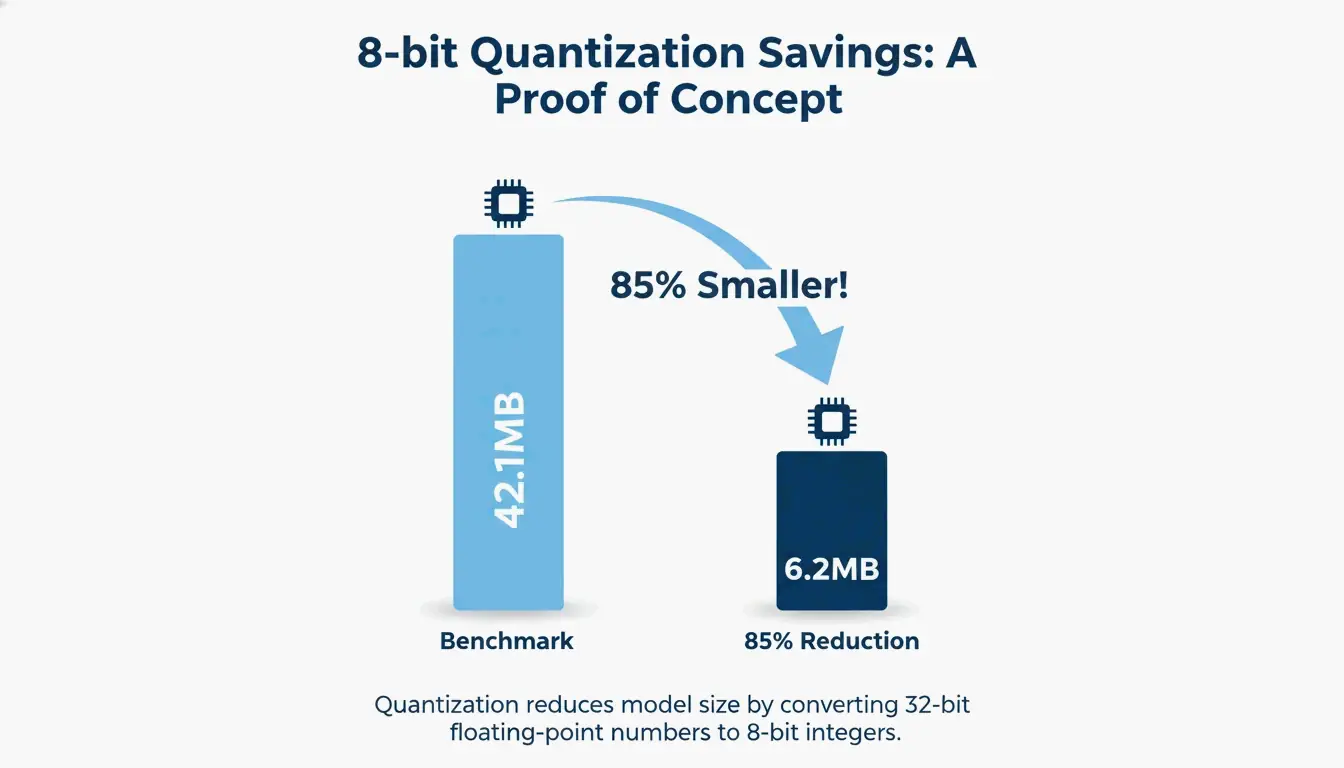
يقوم التكميم بفقدان (أو اللون المفهرس 8 بت) بتقليل العدد الإجمالي للألوان. على الرغم من أن PNG-24 القياسي يمكن أن يحتوي على ملايين الألوان، فإن معظم تصميمات الواجهات والشعارات تستخدم في الواقع أقل من 256 لونًا مميزًا. أظهر اختبار أداء من iKit أن دفعة من لقطات شاشة الواجهة انخفضت من 42.1 ميجابايت إلى 6.2 ميجابايت فقط — بانخفاض 85% — وبدت مطابقة تمامًا عند تكبير 1:1.
إثبات الجودة: كيف تتحقق من ملف مطابق تمامًا بتة ببتة
إذا كنت ترغب في التأكد من أن أداة «بدون فقدان» لا تغير فعلاً وحدات البكسل لديك، يمكنك التحقق من تجزئة SHA-256 الخاصة بها. من خلال تجزئة بيانات البكسل الخام لكل من الملف الأصلي والملف الجديد، يمكنك إثبات أنهما متطابقان. يمكنك إجراء هذا الفحص بشكل خاص داخل متصفحك باستخدام أداة مثل hash.ikit.app.
تحسين PNG المتقدم: إزالة البيانات الوصفية وPNG 3.0
بعيدًا عن تقليل البكسلات، يمكنك توفير المساحة عن طريق تنظيف البنية المخفية للملف. إزالة البيانات الوصفية (EXIF) هي واحدة من أسهل طرق توفير المساحة. غالبًا ما تخفي الصور القادمة من تطبيقات التصميم ملفات تعريف الألوان ICC وبيانات GPS والطوابع الزمنية داخل الملف. يشير iKit إلى أن إزالة هذه «الأمتعة الإضافية» يمكن أن توفر 50-200 كيلوبايت لكل ملف دون تغيير الصورة على الإطلاق.
هل تؤثر إزالة البيانات الوصفية على جودة الصورة؟
لا. إزالة البيانات الوصفية ليس لها أي تأثير على البكسلات المرئية. إنها تزيل فقط البيانات النصية المخزنة في كتل PNG (مثل tEXt أو iTxT). في الواقع، تعد إزالة بيانات EXIF إجراء خصوصية حكيمًا لأنها تمنعك من مشاركة بيانات الموقع عن طريق الخطأ عند نشر لقطات شاشة الهاتف.
سير عمل ويب حديث مع PNG 3.0
جعل تحديث PNG 3.0 في يونيو 2025 التنسيق يتقدم بخطوة كبيرة. أضاف هذا التحديث دعمًا رسميًا لصور النطاق الديناميكي العالي (HDR) ورفع PNG المتحرك (APNG) إلى توصية W3C رسمية. بالنسبة لسير عمل 2026، يتعامل PNG 3.0 بشكل أفضل مع المحتوى المرئي عالي التباين مع الحفاظ على قدرة الشفافية التي تجعل PNG لا غنى عنه لتصميم الواجهات.
أفضل أدوات الضغط الدفعي: oxipng مقابل pngquant
إذا كنت بحاجة إلى معالجة مئات الصور في وقت واحد، فلا تزال أدوات واجهة سطر الأوامر (CLI) هي الخيار الأفضل:
- oxipng: مكتوب بلغة Rust، وهو أفضل أداة لـ تحسين DEFLATE بدون فقدان. إنه يختبر كل مجموعة فلاتر ممكنة للعثور على أصغر نسخة مطابقة تمامًا بتة ببتة من ملفك.
- pngquant: الرائد في الصناعة في التكميم بفقدان. إنه يحول صور RGBA بـ 32 بت إلى لوحات 8 بت، غالبًا ما يحقق انخفاضات في الحجم بنسبة 60-80% كما يظهر في معايير الصناعة.
أتمتة خط المعالجة الخاص بك مع GitHub Actions
يمكن للمطورين دمج هذه الأدوات في عملية البناء الخاصة بهم. على سبيل المثال، يضمن تشغيل oxipng --opt 4 --strip all في إجراء GitHub أن كل صورة في المشروع يتم تحسينها تلقائيًا وإزالة بياناتها الوصفية قبل أن يصبح الموقع مباشرًا.
عندما لا يكون PNG كافيًا: تحويل WebP / AVIF
حتى مع PNG 3.0، يكون تنسيق آخر أحيانًا أفضل لتحسين محركات البحث. تؤكد دراسة Google أن WebP يطابق جودة PNG بدون فقدان ويكون في المتوسط أصغر بنسبة 25-35%.
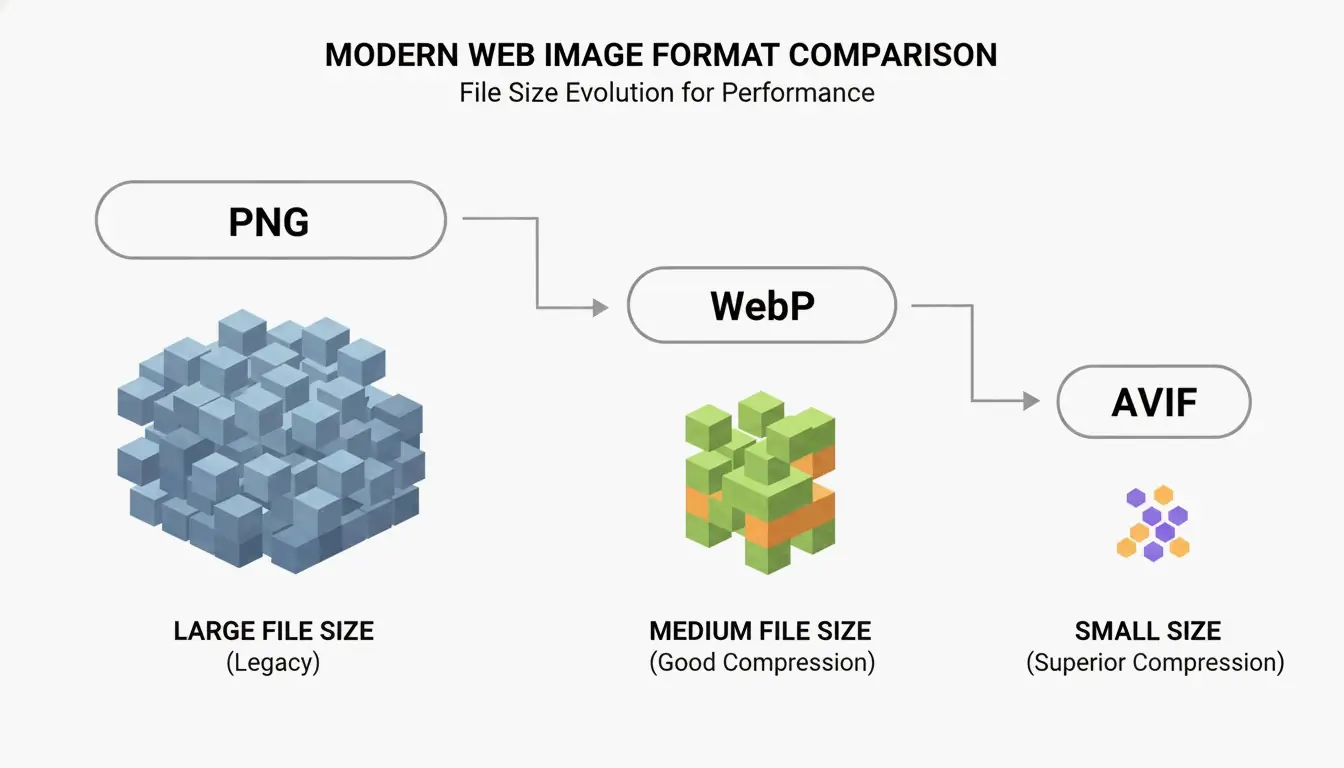
يكون AVIF أكثر كفاءة للصور التي تتطلب الشفافية، على الرغم من أنه يتطلب قدرًا أكبر من قوة المعالجة لإنشائه. أفضل استراتيجية في عام 2026 هي استخدام تراجع «الجيل التالي»: قدم AVIF أو WebP للمتصفحات الحديثة عبر علامة <picture> واحتفظ بملف PNG مضغوط كنسخة احتياطية للأنظمة القديمة.
الخلاصة
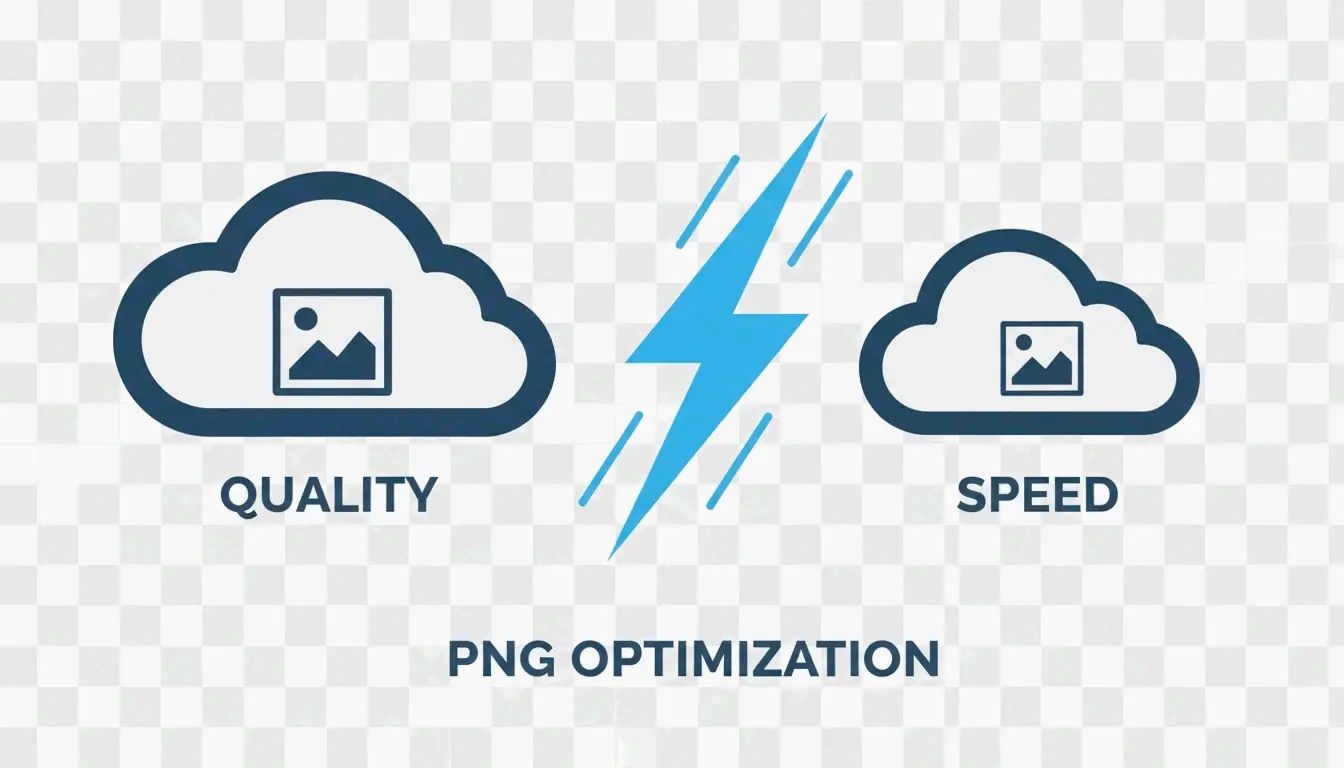
في عام 2026، لم يعد ضغط PNG خيارًا بين السرعة والجودة. مع معيار PNG 3.0 والأدوات المبنية على WASM والتكميم الذكي، يمكنك تحقيق انخفاضات كبيرة في الحجم دون أي فقدان مرئي. المفتاح يكمن في اختيار الأداة المناسبة للمهمة المناسبة: استخدم DEFLATE بدون فقدان للأرشفة عالية الجودة والتزم بالتكميم 8 بت لواجهات الويب للحفاظ على درجات عالية في Core Web Vitals. ابدأ بإزالة البيانات الوصفية وتطبيق إعدادات 8 بت على أصول واجهتك لرؤية مكاسب أداء فورية.
الأسئلة الشائعة
هل سيجعل ضغط ملف PNG صورتي ضبابية؟
لا، طالما أنك تستخدم الضغط بدون فقدان أو تكميم 8 بت عالي الجودة. تحدث الضبابية عادةً فقط عند تغيير حجم الصورة بشكل غير صحيح أو عند استخدام خوارزمية بفقدان منخفضة الجودة غير محسّنة للحواف الحادة. بالنسبة للواجهة والنص، يظل التكميم 8 بت متطابقًا إدراكيًا مع الأصل.
لماذا لا يزال ملف PNG المضغوط الخاص بي كبيرًا جدًا؟
يرجع ذلك عادةً إلى ثلاثة عوامل: أبعاد بكسل كبيرة للغاية، أو ضوضاء/تدرجات معقدة لا يستطيع خوارزمية DEFLATE تبسيطها، أو بيانات وصفية مضمنة بكثرة (ملفات تعريف EXIF/ICC). لحل ذلك، قم بتغيير حجم الصورة إلى عرض العرض الفعلي (على سبيل المثال، 1920 بكسل) وتأكد من تحديد «إزالة البيانات الوصفية» في إعدادات الضغط.
هل من الآمن استخدام أدوات ضغط الصور عبر الإنترنت للمستندات الخاصة؟
إنه آمن فقط إذا كانت الأداة تستخدم WebAssembly (WASM) للمعالجة المحلية. تحقق مما إذا كانت الأداة تعمل دون اتصال أو تنص صراحةً على أن «ملفاتك لا تغادر جهازك أبدًا». بالنسبة للمستندات الحساسة، تجنب أدوات الضغط من نوع «الرفع»، حيث تتم معالجة هذه الملفات على خادم بعيد حيث لا يمكن ضمان السرية بالكامل.
SectoJoy
Let Compress publishes practical guides for compression, conversion, and browser-based file workflows.
Follow SectoJoy