Comprimir PNG: reduzir imagens rapidamente sem perder qualidade (2026)
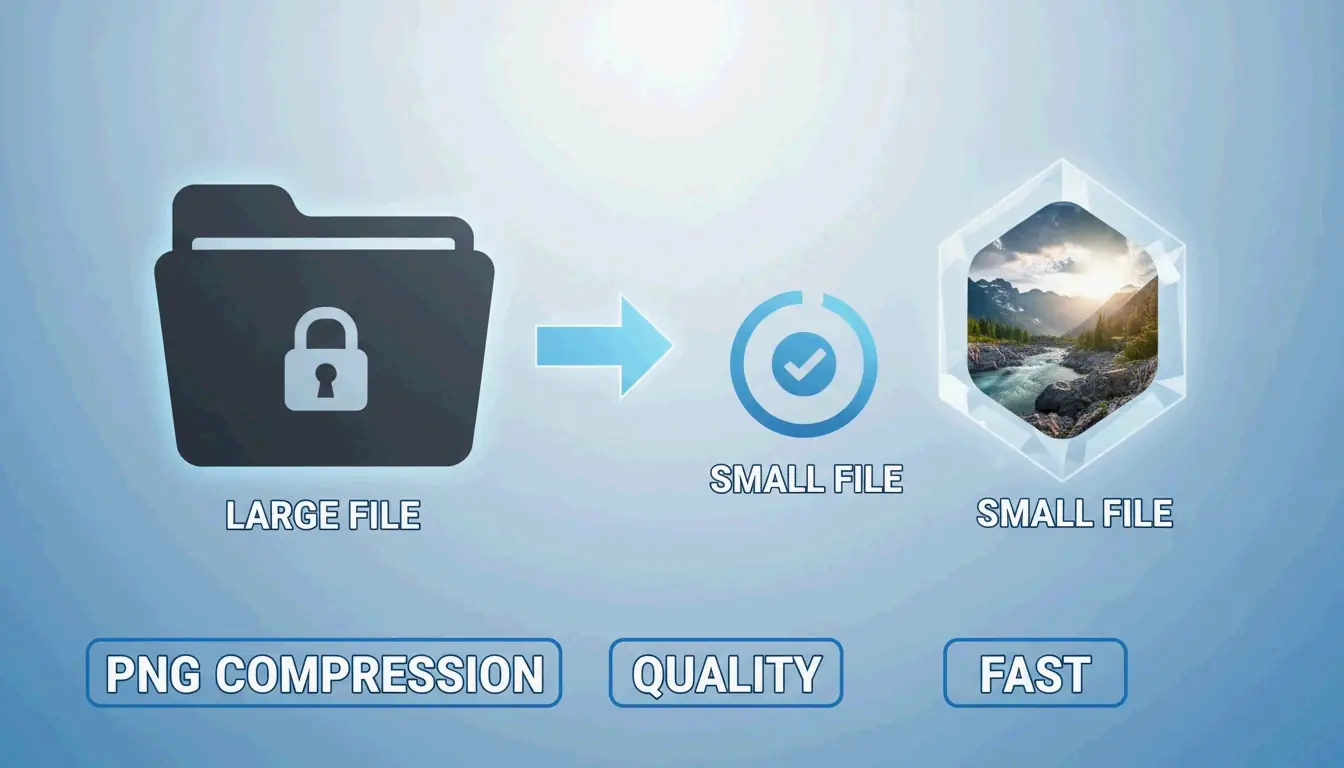
Em 2026, a maneira mais eficaz de comprimir PNGs rapidamente e reduzir imagens sem perder qualidade é usar ferramentas WebAssembly (WASM) nativas do navegador como o iKit. Essas ferramentas processam as imagens localmente no seu dispositivo para resultados instantâneos. Você pode optar pela otimização «sem perdas» para remover metadados ocultos e obter uma imagem idêntica, ou pela quantização de 8 bits «visualmente sem perdas» que reduz o tamanho do arquivo em 70–85 % sem que o olho humano perceba qualquer diferença.
A estrutura de 2026: como reduzir PNGs de forma rápida e eficiente
Em 2026, a otimização de imagens mudou do processamento lento no servidor para a execução instantânea no navegador. Para o SEO, a velocidade é mais importante do que nunca; a SammaPix aponta que as imagens são o elemento Largest Contentful Paint (LCP) em 70 % das páginas da web. Se as suas imagens carregarem lentamente, provavelmente o seu ranking de pesquisa e os seus Core Web Vitals serão afetados.
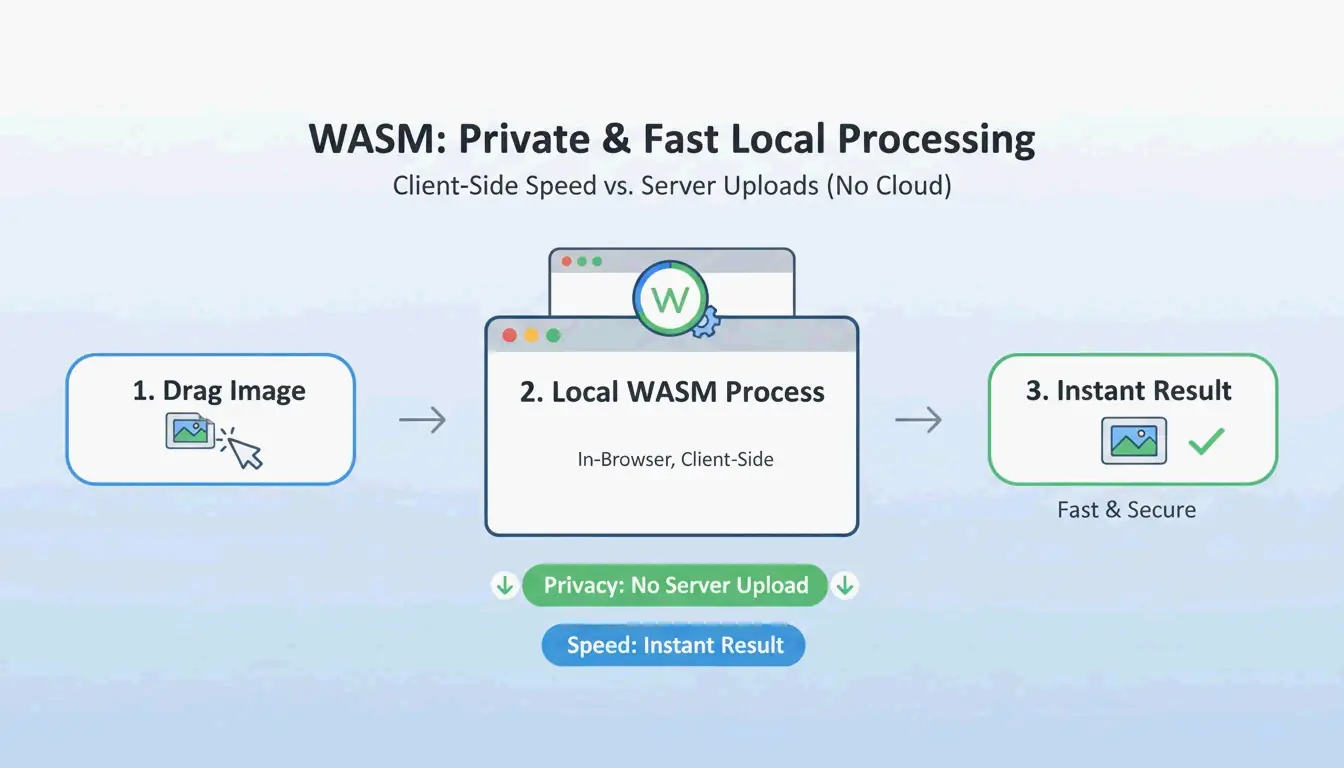
Os fluxos de trabalho modernos dependem agora do WebAssembly (WASM). Esta tecnologia permite que algoritmos de compressão complexos sejam executados localmente no hardware do seu computador. Como você não envia os seus ficheiros para um servidor remoto, a sua privacidade é protegida e não há «atraso de upload». Para o desempenho na web, o padrão «visualmente sem perdas» é a melhor escolha. Ao usar cor indexada de 8 bits, você pode economizar 70–85 % do tamanho do ficheiro para elementos de interface como botões ou ícones, sem que o olho humano perceba qualquer diferença.
Passo 1: Escolha o modo de compressão (sem perdas vs com perdas)
Antes de começar, determine para que usará o ficheiro final:
- Compressão sem perdas: mantém um ficheiro idêntico bit a bit ao original. É a escolha certa para arquivo profissional ou imagens que planeia editar novamente mais tarde.
- Quantização com perdas: é o «ponto de equilíbrio» para os sites. Como a iKit explica, mudar para uma paleta de 8 bits permite-lhe reconstruir elementos como logótipos ou capturas de ecrã usando apenas 256 cores. Isso reduz o tamanho do ficheiro em mais de metade, sem gerar qualquer «artefacto» desfocado.
Passo 2: Processar instantaneamente com uma ferramenta baseada em WASM
Depois de escolher o modo, use uma ferramenta baseada em WASM como a ToolTea ou a iKit. Essas ferramentas funcionam dentro da memória do navegador. Basta arrastar e soltar o ficheiro e ajustar as definições para que a ferramenta produza instantaneamente um PNG otimizado. É muito mais rápido do que os métodos tradicionais que exigem o envio dos dados de ida e volta a um servidor.
Sem perdas vs com perdas (quantização): qual o método a usar?
Compreender a diferença técnica ajuda-o a manter alta qualidade. A compressão sem perdas usa o algoritmo DEFLATE para empacotar os dados de píxeis de forma mais eficiente. Não altera um único píxel; é essencialmente «arrumar a mala sem deitar nada fora», uma metáfora que o Let Compress usou.
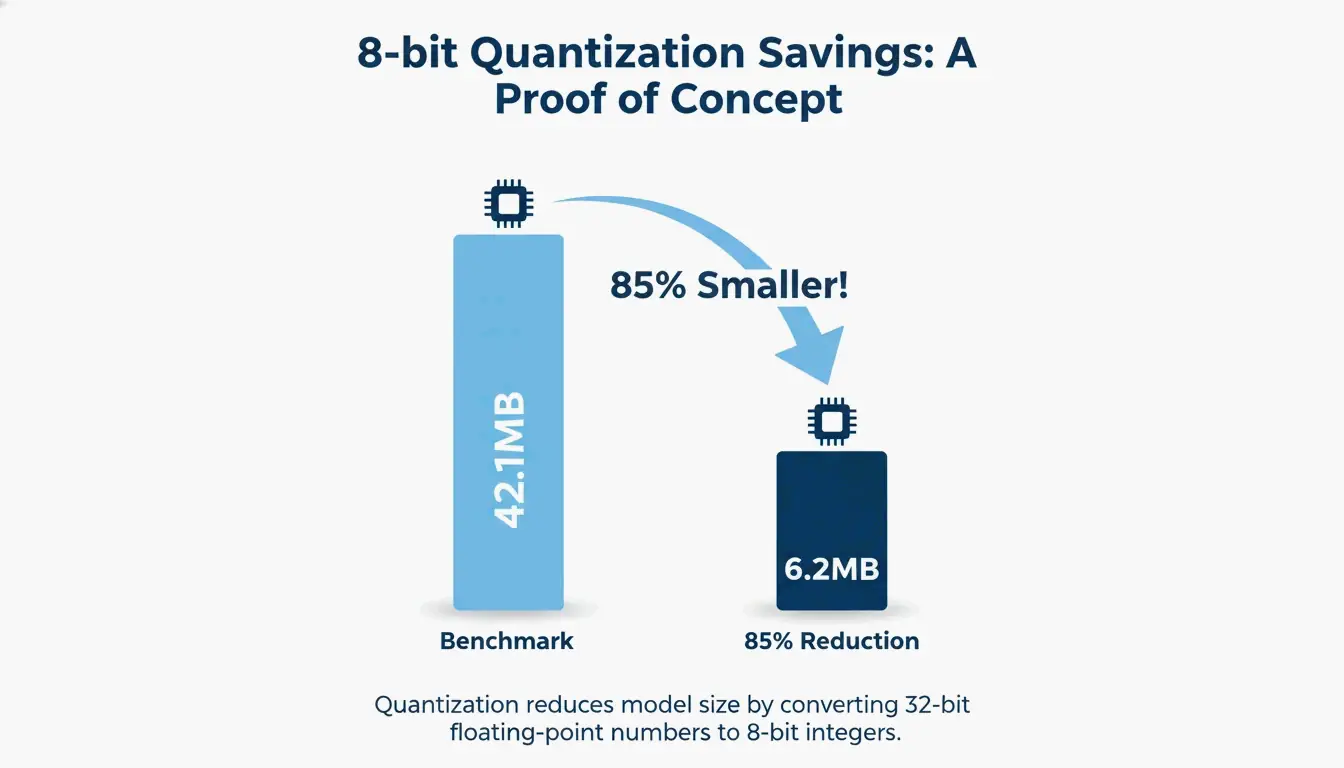
A quantização com perdas (ou cor indexada de 8 bits) reduz o número total de cores. Embora um PNG-24 padrão possa conter milhões de cores, a maioria das interfaces e logótipos usa, na verdade, menos de 256 tons distintos. Um benchmark da iKit mostrou que um lote de capturas de ecrã de interface passou de 42,1 MB para apenas 6,2 MB — uma redução de 85 % — e parecia exatamente igual a um zoom de 1:1.
Prova de qualidade: como verificar um ficheiro idêntico bit a bit
Se deseja confirmar que uma ferramenta «sem perdas» não altera realmente os seus píxeis, pode verificar o seu hash SHA-256. Ao fazer o hash dos dados de píxeis brutos tanto do ficheiro original como do novo, pode provar que são idênticos. Pode executar esta verificação de forma privada no seu navegador com uma ferramenta como o hash.ikit.app.
Otimização avançada de PNG: remoção de metadados e PNG 3.0
Para além de reduzir píxeis, pode poupar espaço limpando a estrutura oculta do ficheiro. A remoção de metadados (EXIF) é uma das formas mais fáceis de poupar espaço. As fotografias provenientes de aplicações de design costumam ocultar perfis de cor ICC, dados GPS e carimbos de data/hora dentro do ficheiro. A iKit salienta que remover esta «bagagem extra» pode poupar 50–200 KB por ficheiro sem alterar a imagem de todo.
A remoção de metadados afeta a qualidade da imagem?
Não. A remoção de metadados não tem qualquer impacto nos píxeis visuais. Apenas remove dados baseados em texto armazenados nos blocos PNG (como tEXt ou iTxT). Na verdade, remover dados EXIF é uma medida de privacidade sensata, pois impede-o de partilhar acidentalmente dados de localização quando publica capturas de ecrã do telemóvel.
Um fluxo de trabalho web moderno com PNG 3.0
A atualização PNG 3.0 de junho de 2025 fez com que o formato desse um grande salto. Esta atualização adicionou suporte oficial para imagens de intervalo dinâmico elevado (HDR) e promoveu o PNG animado (APNG) a uma recomendação oficial do W3C. Para os fluxos de trabalho de 2026, o PNG 3.0 lida melhor com conteúdo visual de alto contraste, mantendo a capacidade de transparência que torna o PNG indispensável para o design de interfaces.
As melhores ferramentas para compressão em lote: oxipng vs pngquant
Se precisa de processar centenas de imagens de uma só vez, as ferramentas de interface de linha de comandos (CLI) continuam a ser a melhor opção:
- oxipng: escrito em Rust, é a melhor ferramenta para a otimização DEFLATE sem perdas. Testa todas as combinações de filtros possíveis para encontrar a versão idêntica bit a bit mais pequena do seu ficheiro.
- pngquant: o líder do setor na quantização com perdas. Converte imagens RGBA de 32 bits em paletas de 8 bits, alcançando frequentemente as reduções de tamanho de 60–80 % visíveis nos benchmarks do setor.
Automatize o seu pipeline com o GitHub Actions
Os programadores podem integrar estas ferramentas no seu processo de compilação. Por exemplo, executar oxipng --opt 4 --strip all numa GitHub Action garante que cada imagem do projeto seja automaticamente otimizada e liberta dos seus metadados antes de o site entrar em produção.
Quando o PNG não chega: conversão WebP / AVIF
Mesmo com o PNG 3.0, por vezes outro formato é melhor para o SEO. Um estudo do Google confirma que o WebP iguala a qualidade sem perdas do PNG e, em média, é 25–35 % mais pequeno.
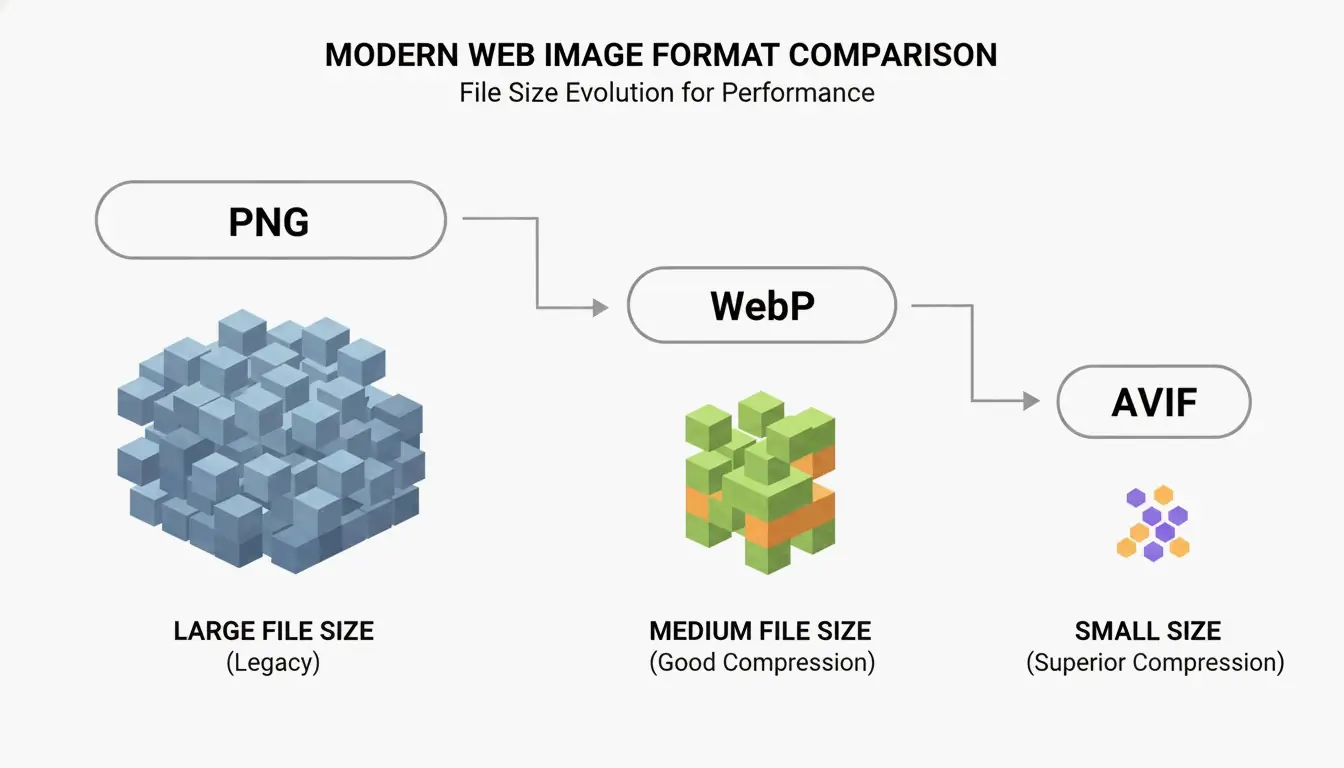
O AVIF é ainda mais eficiente para fotografias que precisam de transparência, embora exija mais capacidade de processamento para ser criado. A melhor estratégia em 2026 é usar uma contingência de «próxima geração»: sirva AVIF ou WebP aos navegadores modernos através da etiqueta <picture> e mantenha um PNG comprimido como cópia de segurança para sistemas mais antigos.
Conclusão
Em 2026, a compressão PNG já não é uma escolha entre velocidade e qualidade. Com a norma PNG 3.0, as ferramentas baseadas em WASM e a quantização inteligente, pode obter enormes reduções de tamanho sem qualquer perda visível. A chave está em escolher a ferramenta certa para a tarefa certa: use DEFLATE sem perdas para arquivo de alta qualidade e mantenha-se na quantização de 8 bits para as interfaces web, a fim de manter pontuações altas nos Core Web Vitals. Comece por remover metadados e aplicar configurações de 8 bits aos seus recursos de interface para ver ganhos de desempenho imediatos.
Perguntas frequentes
Comprimir um PNG fará com que a minha imagem fique desfocada?
Não, desde que use compressão sem perdas ou quantização de 8 bits de alta qualidade. A desfocagem geralmente só ocorre quando a imagem é redimensionada incorretamente ou quando usa um algoritmo com perdas de baixa qualidade não otimizado para arestas nítidas. Para interface e texto, a quantização de 8 bits mantém-se perceptualmente idêntica ao original.
Por que motivo o meu ficheiro PNG comprimido ainda é demasiado grande?
Normalmente, deve-se a três fatores: dimensões de píxeis extremamente grandes, ruído/gradientes complexos que o algoritmo DEFLATE não consegue simplificar, ou metadados abundantemente incorporados (perfis EXIF/ICC). Para resolver isto, redimensione a imagem para a sua largura de exibição real (por exemplo, 1920 px) e certifique-se de que selecionou «remover metadados» nas definições de compressão.
É seguro usar ferramentas online de compressão de imagens para documentos privados?
Só é seguro se a ferramenta usar WebAssembly (WASM) para processamento local. Verifique se a ferramenta funciona offline ou se declara explicitamente que «os seus ficheiros nunca saem do seu computador». Para documentos confidenciais, evite ferramentas de compressão do tipo «upload», pois esses ficheiros são processados num servidor remoto onde a confidencialidade não pode ser totalmente garantida.
SectoJoy
Let Compress publishes practical guides for compression, conversion, and browser-based file workflows.
Follow SectoJoy