Afbeelding schalen: snelle fotogrootte-handleiding voor web en social media (2026)
Om deze snelle handleiding voor het schalen van afbeeldingen in 2026 effectief te gebruiken, helpen tools zoals Adobe Express je om snel de pixeldimensies aan te passen — bijvoorbeeld 1080x1350px voor Instagram of 1200px voor webbanners. Vergrendel altijd de beeldverhouding, kies voor WebP/AVIF-formaten voor snellere laadtijden en sla JPEG’s op op 80% kwaliteit om afbeeldingen scherp te houden zonder je site te vertragen.
Snelle implementatie: hoe schaal je afbeeldingen zonder kwaliteitsverlies?
Een afbeelding schalen betekent het totale aantal pixels veranderen om de fysieke afmetingen en bestandsgrootte aan te passen. Volgens O’Brien Media kan correct schalen een bestand met 80% verkleinen. Dat verandert een logge 4MB-foto in een slank 200KB-bestand dat er op digitale schermen nog steeds geweldig uitziet.
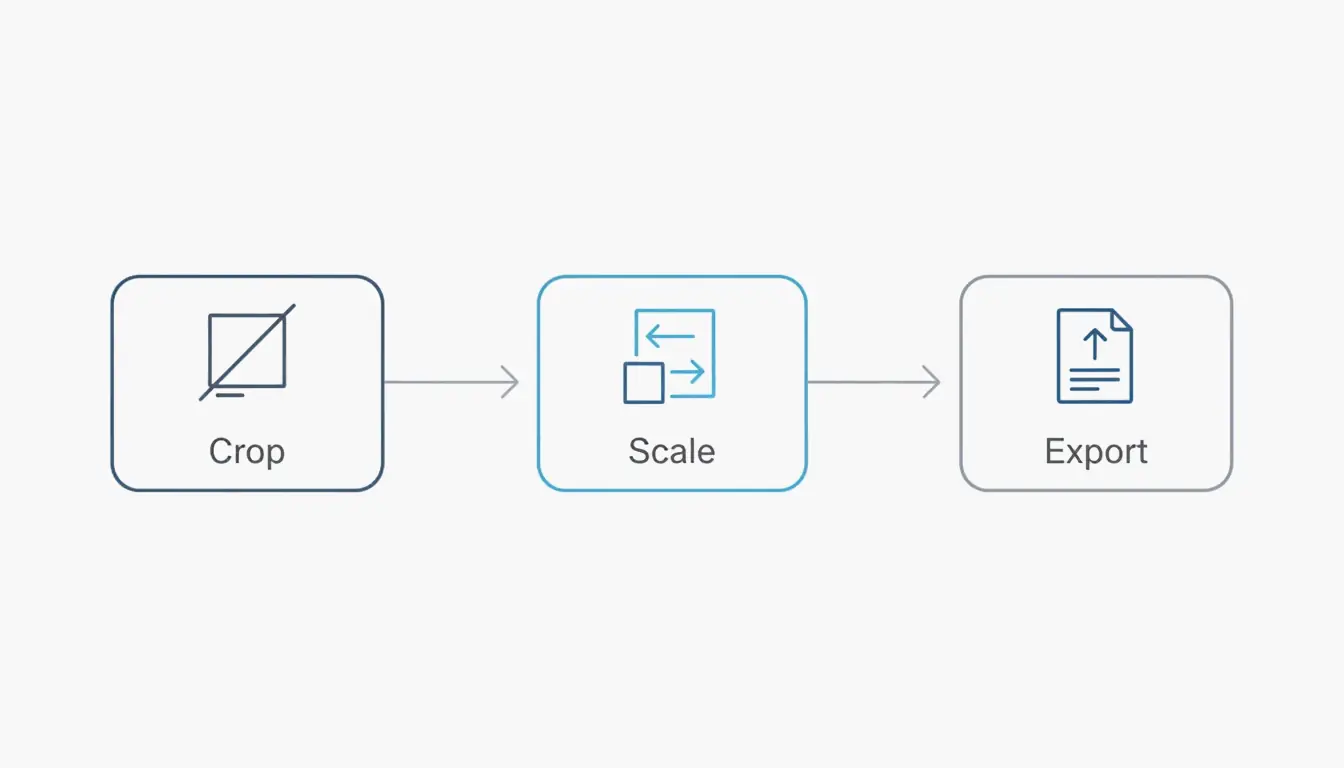
De professionele workflow volgt een simpele driedelige volgorde: Bijsnijden, Schalen en Exporteren. Knip de afbeelding eerst bij op de doelvorm, zodat deze later niet uitgerekt lijkt. Schaal de pixels vervolgens naar de breedte die je nodig hebt. Exporteer ten slotte in een modern, efficiënt formaat. De belangrijkste regel is de beeldverhouding behouden; als je deze instelling niet vergrendelt, komen je afbeeldingen er uiteindelijk «geperst» of vervormd uit te zien.
Bij het verkleinen van een afbeelding gebruiken hoogwaardige tools interpolatie-algoritmen zoals «Bicubic Sharper». Deze technologie verwijdert pixels op een schone manier en herberekent de resterende gegevens om de randen scherp te houden. Je kunt een afbeelding zoveel verkleinen als je wilt, maar deze vergroten (opschalen) is lastiger. Het dwingt de software «nieuwe» pixels te «uitvinden», wat meestal leidt tot onscherpte, tenzij je een op AI gebaseerde generatieve upscaler gebruikt.
Stap voor stap: schalen voor web versus social media
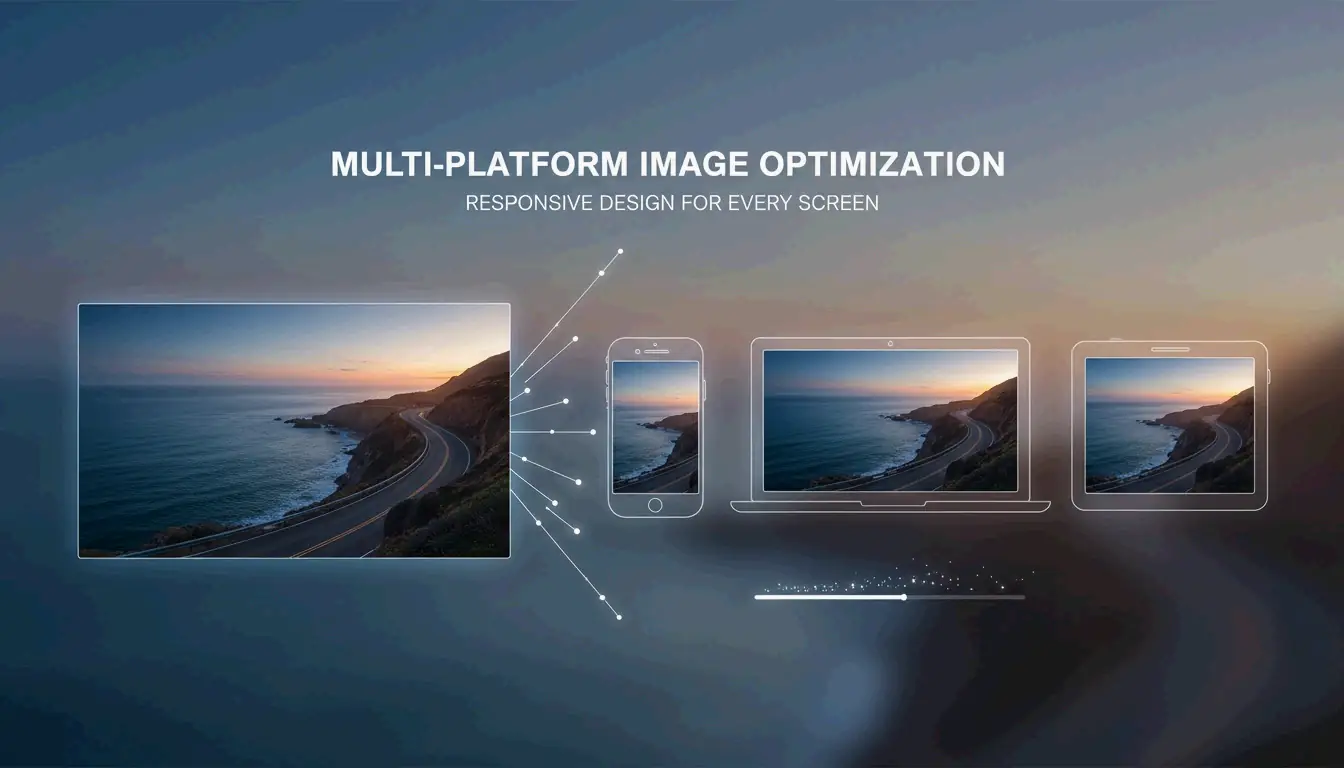
Webafbeeldingen moeten licht zijn voor snelheid, terwijl social media-afbeeldingen in specifieke containers moeten passen, zodat het platform geen belangrijke delen van je foto afkapt.
- Kies een tool: gebruik Adobe Express voor snelle browserbewerkingen of een app zoals Photo & Picture Resizer op Android.
- Dimensies invoeren: kies 1200px tot 1600px breed voor blogberichten, of 1080px voor Instagram.
- Verhouding vergrendelen: zorg dat «Verhouding behouden» of het ketting-icoon actief is.
- Opslaan: download als JPEG voor foto’s of als PNG voor grafische afbeeldingen met transparante achtergrond.
Spiekbriefje 2026: wat zijn de standaard pixeldimensies?
In 2026 zijn pixeldimensies de belangrijkste factor in hoe zowel gebruikers als algoritmen je content zien. Als je een gigantische 4000px-foto van je telefoon uploadt naar een site die maar op 1080px weergeeft, verspil je data. Erger nog, het platform kan zijn eigen agressieve compressie gebruiken om hem te verkleinen, wat de afbeeldingskwaliteit vaak verpest.
Voor de beste betrokkenheid is de 4:5 portretverhouding (1080 x 1350 px) de huidige gouden standaard. Gegevens van Picssizer 2026 tonen aan dat dit formaat het beste werkt omdat het meer «schermruimte» inneemt in mobiele feeds. Het dwingt gebruikers letterlijk om meer te scrollen om langs je bericht te komen, vergeleken met een vierkante afbeelding.
Voor websites moeten «hero»-afbeeldingen die een desktopscherm vullen ongeveer 1920px breed blijven. Voor standaard blogafbeeldingen of rasterminiaturen is 1200px meestal de beste prestatie-sweet spot.
De social media-afmetingsmatrix 2026 (Instagram, TikTok, LinkedIn)
Bij posten op verschillende sites heb je een «veilige zone»-strategie nodig. Voor verticale content zoals Reels en Stories (1080 x 1920 px) houd je je tekst en gezichten in het middelste gebied van 1080 x 1420 px. Zo worden ze niet bedekt door knoppen, bijschriften of profiel-iconen.
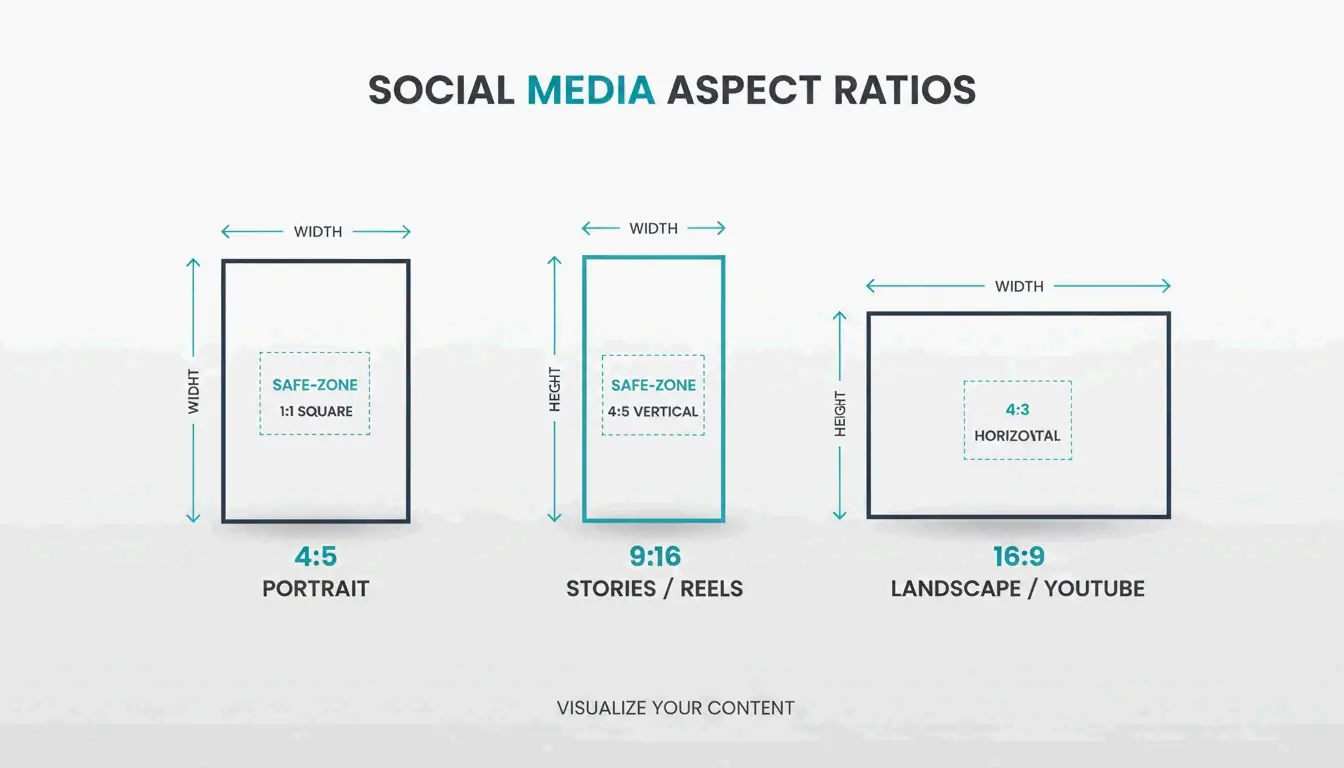
- Instagram-feed: 1080 x 1350 px (portret) of 1080 x 1080 px (vierkant).
- TikTok/Reels: 1080 x 1920 px (9:16-verhouding).
- LinkedIn-profiel: 400 x 400 px.
- YouTube-miniatuur: 1280 x 720 px.
- Webbanners: 1920 x 1080 px (volledig) of 1200 x 400 px (compact).
JPEG vs PNG vs AVIF: het juiste formaat kiezen voor snelheid
Het juiste bestandsformaat kiezen is net zo cruciaal als de juiste grootte kiezen. JPEG blijft de standaardkeuze voor standaardfotografie omdat het complexe kleuren goed verwerkt. PNG is het beste voor logo’s of elke afbeelding waarbij je een transparante achtergrond nodig hebt.
Tegen 2026 zijn WebP en AVIF echter de standaard geworden voor webprestaties. Deze formaten bieden veel betere compressie, waardoor bestanden vaak 30% kleiner worden dan JPEG’s zonder kwaliteitsverlies. Dit is vooral handig voor e-mail. Een casestudy over limieten voor e-mailbijlagen ontdekte dat het verkleinen van een 5MB-foto naar 400KB (een reductie van 10:1) je in staat stelt meerdere bijlagen te versturen zonder de foutmelding «bericht te groot» te krijgen.
Wat betreft DPI (dots per inch): 72 DPI blijft de standaard voor het web. Hoewel je 300 DPI nodig hebt voor hoogwaardige afdrukken, blaast een hoge DPI op een digitaal scherm alleen de bestandsgrootte op zonder de afbeelding beter te maken voor de kijker.
Efficiëntietrick: batch schalen en native mobiele snelkoppelingen
Als je een campagne draait of een hele website bijwerkt, kost het één voor één schalen van afbeeldingen veel te veel tijd. Tools voor batch schalen laten je meer dan 100 afbeeldingen in seconden verwerken. Op een computer laten apps zoals Quick Photo Resizer je hele mappen slepen en neerzetten om alles in één keer te schalen.
Voor mobiele gebruikers kun je met iOS 26 een snelkoppeling «Formaat wijzigen» bouwen. Zodra je dit instelt in de native Snelkoppelingen-app, kun je foto’s uit je galerie kiezen en deze direct schalen naar een specifieke breedte (zoals 1080px). Op Android bieden de «Bestanden»-app en hulpprogramma’s zoals Photo & Picture Resizer «Snelle acties» om de resolutie te verlagen vlak voordat je deelt.
Conclusie
Schalen gaat niet alleen over het besparen van ruimte; het gaat erom ervoor te zorgen dat je afbeeldingen goed samengaan met platform-algoritmen en gebruikersverwachtingen. In 2026 komt een professionele uitstraling neer op het exact matchen van de pixeldimensies van je doelpodium. Door je beeldverhouding te vergrendelen en moderne formaten zoals WebP te gebruiken, zorg je ervoor dat je visuele content op elk scherm snel laadt en scherp oogt.
Actiesuggestie: kijk vandaag nog naar je website of sociale profielen. Als je afbeeldingen boven de 2MB vindt, schaal ze naar deze 2026-standaarden om je SEO te verbeteren en je publiek betrokken te houden.
Veelgestelde vragen
Waarom zien mijn afbeeldingen er wazig uit na het uploaden naar Instagram?
Instagram comprimeert automatisch elke afbeelding die breder is dan 1080px. Om de kwaliteit te behouden, schaal je je afbeelding vóór het uploaden naar precies 1080px breed. Zorg ervoor dat je een verhouding van 4:5 of 1:1 gebruikt om automatisch bijsnijden te voorkomen, en controleer of de schakelaar «Uploaden in hoge kwaliteit» is ingeschakeld in je Instagram-accountinstellingen.
Wat is het verschil tussen schalen en bijsnijden?
Schalen vergroot of verkleint de hele afbeelding door het totale aantal pixels te veranderen, waarbij alle visuele content intact blijft. Bijsnijden daarentegen verwijdert de buitenranden van een afbeelding om de compositie of beeldverhouding te veranderen. Voor het beste resultaat snijd je je foto eerst bij naar de juiste verhouding en schaal je deze vervolgens naar de vereiste pixeldimensies.
Kan ik een afbeelding vergroten zonder kwaliteitsverlies?
Standaard schalen, of opschalen, resulteert meestal in pixelvorming omdat de software de ontbrekende gegevens moet «raden». In 2026 wordt aangeraden om op AI gebaseerde «generatieve upscalers» te gebruiken die ontbrekende details kunnen nabouwen. De beste praktijk blijft echter altijd om te beginnen met het bronbestand in de hoogst mogelijke resolutie voordat je verkleint.
Hoe schaal ik foto’s op een iPhone zonder app van derden?
Je kunt de native «Snelkoppelingen»-app gebruiken om een actie te maken die afbeeldingen automatisch schaalt naar een ingestelde breedte. Een andere snelle truc is het gebruik van de «Mail»-app: e-mail de foto naar jezelf, en iOS vraagt je te kiezen tussen «Klein», «Gemiddeld» of «Groot», waardoor het bestand effectief voor je wordt geschaald.
SectoJoy
Let Compress publishes practical guides for compression, conversion, and browser-based file workflows.
Follow SectoJoy