Afbeelding vergroten/verkleinen gids: volledige tutorial om fotogrootte snel aan te passen
Om deze gids voor het vergroten/verkleinen van afbeeldingen in 2026 goed te gebruiken, upload je je bestand naar een tool zoals Adobe Express, stel je je doelpixelafmetingen in (bijv. 1080×1350 voor Instagram-portretten) en vergrendel je de beeldverhouding om vervorming te voorkomen. Sla foto’s op als JPEG en webafbeeldingen als WebP voor snellere laadtijd.
Snel starten: afbeeldingen vergroten/verkleinen zonder kwaliteitsverlies
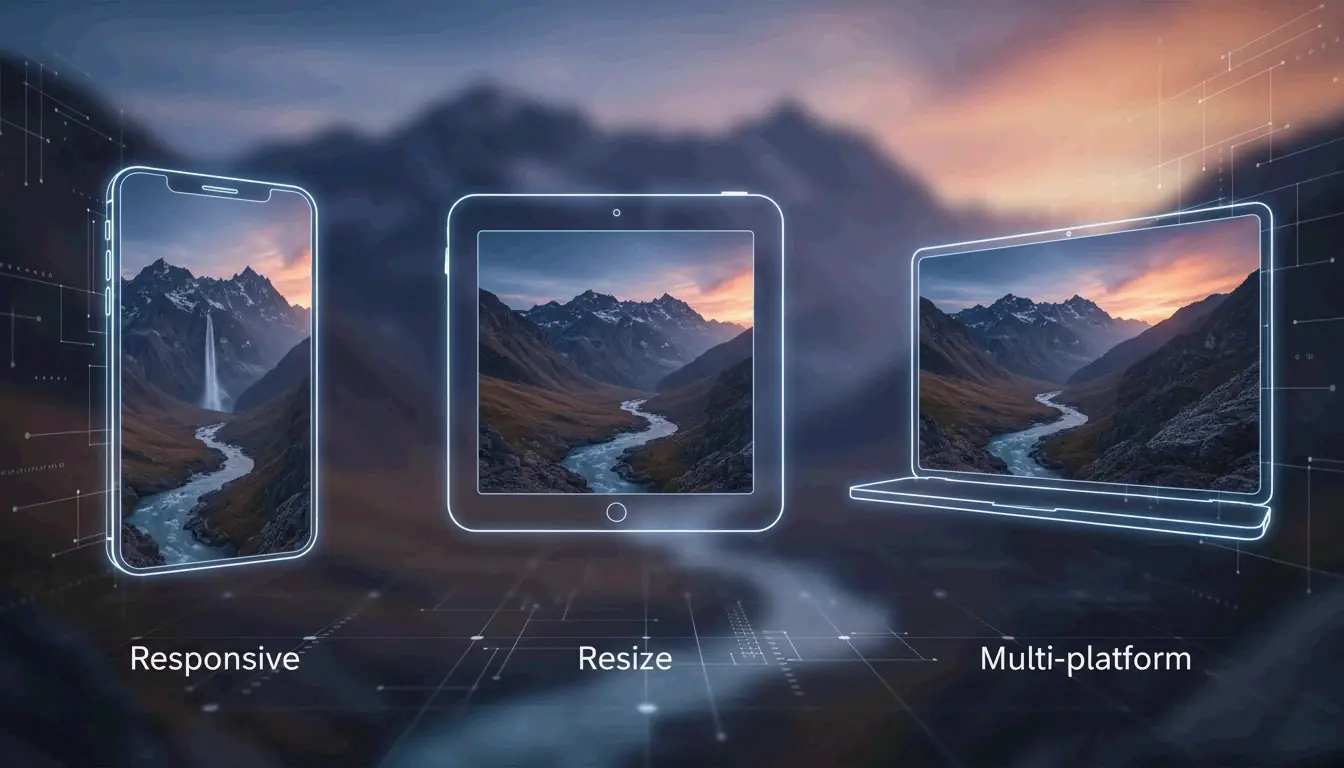
Een afbeelding vergroten of verkleinen betekent het totale aantal pixels veranderen om de fysieke afmetingen aan te passen. Dit is anders dan bijsnijden; bij bijsnijden worden de randen van een foto weggesneden, terwijl bij het vergroten/verkleinen de hele afbeelding intact blijft maar de bestandsgrootte verandert om uploaden of verzenden makkelijker te maken.
Volgens een casestudy van BharatTodayTech kan het gebruik van de juiste online tool veelvoorkomende uploadfouten — zoals de berichten «de afmetingen van het bestand moeten tussen 200×200 en 400×400 pixels liggen» — in ongeveer 30 seconden oplossen.
Het universele vergroten/verkleinen-raamwerk in 3 stappen
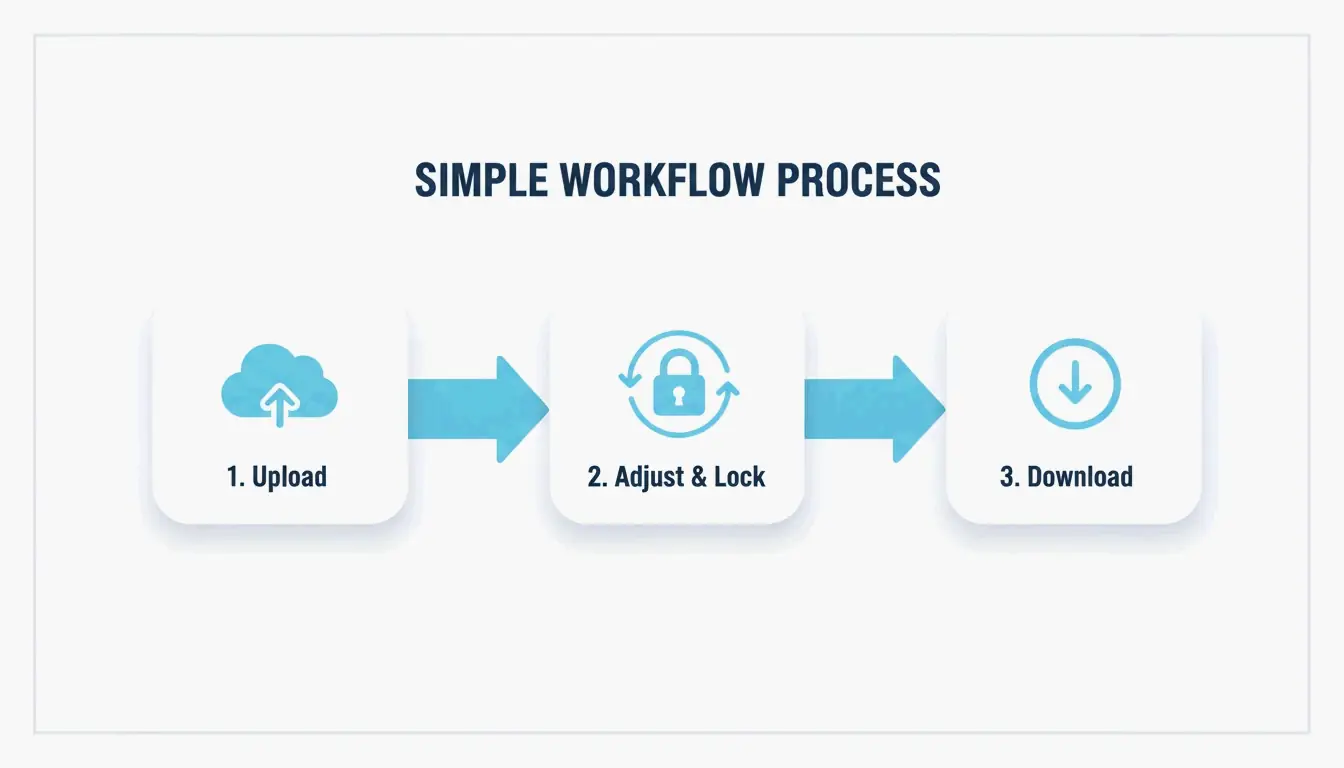
Voor professionele resultaten in 2026 volg je deze eenvoudige workflow:
- Upload je afbeelding: Open een browsergebaseerde tool zoals Adobe Express of PDFCraftor. Sleep je JPG-, PNG- of WebP-bestand direct in de editor.
- Stel afmetingen in en vergrendel verhoudingen: Typ je doelbreedte of -hoogte. Het is erg belangrijk om de beeldverhouding te vergrendelen. Dit zorgt ervoor dat wanneer je de breedte verandert, de hoogte automatisch wordt aangepast, zodat je afbeelding er niet vervormd of «geplet» uitziet.
- Verwerk en download: Zodra de afmetingen er goed uitzien, download je het bestand. Moderne apps zoals Photo & Picture Resizer slaan deze automatisch op in een nieuwe map, zodat je originele foto in hoge resolutie veilig blijft.
Social media mastergrid 2026: Instagram-afbeeldingsformaten en meer
In 2026 vereisen sociale platforms specifieke resoluties om er scherp uit te zien op hoogwaardige mobiele schermen. Hoewel Instagram feedafbeeldingen mogelijk met 612 px breed weergeeft, moet je ze uploaden op minimaal 1080 px om te voorkomen dat ze wazig lijken.
| Formaat | Afmetingen | Beeldverhouding |
|---|---|---|
| Instagram-portret feed | 1080 × 1350 px | 4:5 |
| Instagram-vierkant feed | 1080 × 1080 px | 1:1 |
| Instagram Stories en Reels | 1080 × 1920 px | 9:16 |
| Profielfoto’s | 320 × 320 px | 1:1 |
Gegevens van Picssizer suggereren dat het portretformaat (4:5) meestal de beste keuze is voor feedberichten. Het neemt meer verticale ruimte op het scherm in, wat over het algemeen leidt tot een betere betrokkenheid.
Veilige zones: de val van «verborgen tekst» in 2026-interfaces vermijden
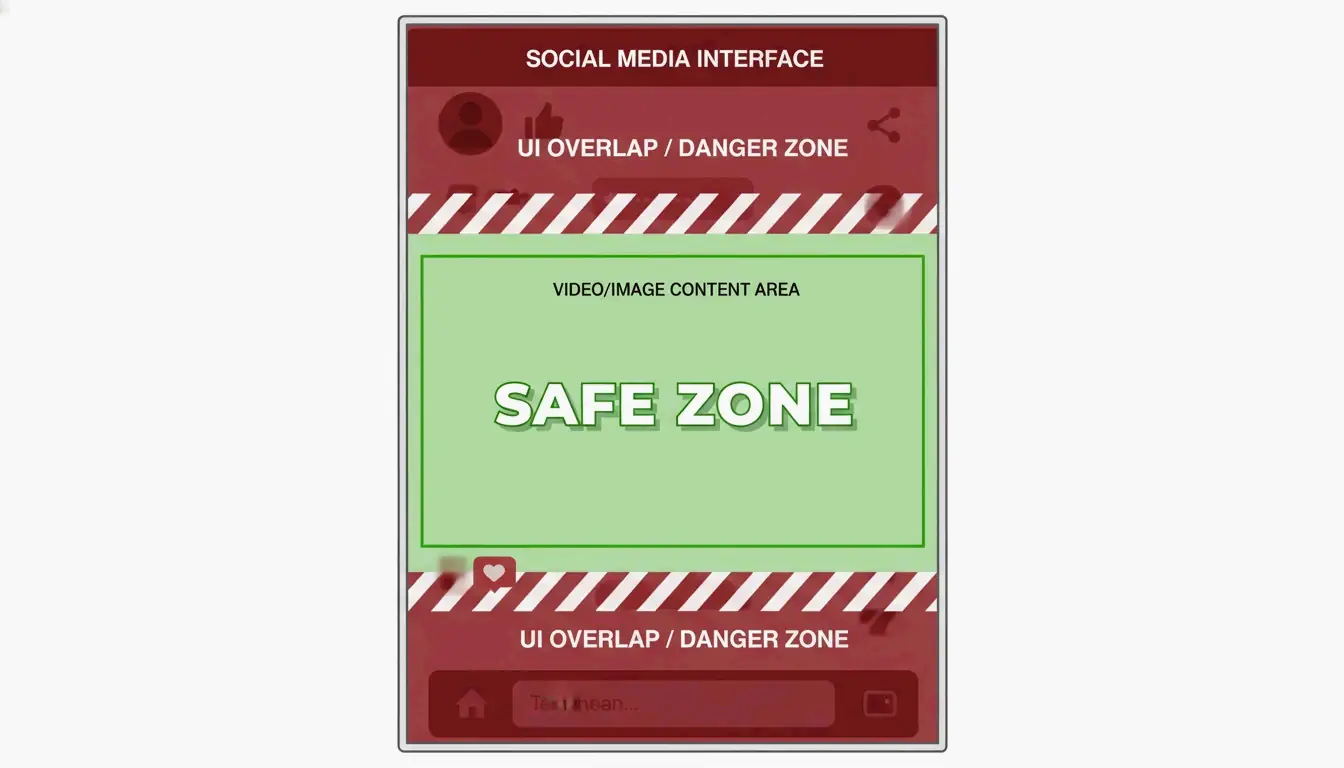
Een veelgemaakte fout in 2026 is het vergeten van «UI-overlapping» — waarbij app-knoppen, bijschriften of pictogrammen delen van je afbeelding bedekken. Voor Stories en Reels (1080×1920) houd je je belangrijkste content in de centrale veilige zone (ongeveer 1080×1420 px).
Zoals Picssizer opmerkt, moet je boven en onder minstens 250 px ruimte laten. Dit zorgt ervoor dat je tekst of stickers niet onder de interface-elementen van de app bedolven raken.
Het juiste formaat kiezen: JPEG, PNG of WebP?
Het juiste formaat kiezen na het vergroten/verkleinen is net zo belangrijk als de grootte zelf. Hier is hoe elk formaat in 2026 wordt gebruikt:
- JPEG/JPG: De standaard voor fotografie. Het biedt een goede balans tussen detail en bestandsgrootte. Probeer voor sociale media op te slaan met 80–90 % kwaliteit om «blokachtige» artefacten te voorkomen wanneer het platform opnieuw comprimeert.
- PNG: Het beste voor logo’s of afbeeldingen met transparante achtergronden. De bestanden zijn groter dan JPEG’s, maar ze houden tekst en randen scherp.
- WebP: De standaard voor website-SEO in 2026. WebP biedt betere compressie dan oudere formaten, waardoor sites sneller laden.
Volgens O’Brien Media kan het vergroten/verkleinen van afbeeldingen naar hun exacte weergavegrootte de bestandsgrootte met 80 % of meer verkleinen. Dit is een grote deal voor Google-ranglijsten, omdat kleinere bestanden snellere paginasnelheden betekenen.
Kun je meerdere foto’s tegelijk batchgewijs vergroten/verkleinen?
Als je een hele galerij moet verwerken, is het één voor één doen zonde van je tijd. In 2026 is batchgewijs vergroten/verkleinen de standaardmanier om grote projecten aan te pakken.
Windows-gebruikers kunnen lichte tools zoals Image Resizer gebruiken om een hele groep afbeeldingen tegelijk te wijzigen. Op macOS kun je de ingebouwde Snelkoppelingen-app of Voorvertoning gebruiken om hetzelfde te doen.
Voor mobiel kan de app Photo & Picture Resizer een foto van 4 MB verkleinen tot ongeveer 400 KB (bij een resolutie van 800×600) zonder enig duidelijk kwaliteitsverlies. Dit is perfect voor het verzenden van e-mailbijlagen die anders te groot zouden zijn.
Conclusie
Vergroten/verkleinen gaat niet alleen over het veranderen van getallen — het gaat over het kiezen van de juiste afmetingen, het stabiel houden van de verhoudingen en het gebruik van moderne formaten zoals WebP om er professioneel uit te zien op elk scherm. Door deze normen voor 2026 op het gebied van pixelgrootten en beeldverhoudingen te volgen, kun je vervormde afbeeldingen voorkomen en je content scherp houden. Controleer eerst de veilige zones van je platform en gebruik dan een batch-tool om je hele fotobibliotheek in seconden op te schonen.
Veelgestelde vragen
Wat is het verschil tussen vergroten/verkleinen en bijsnijden?
Vergroten/verkleinen verandert het totale aantal pixels en de fysieke afmetingen van de hele afbeelding, waarbij alle originele content op een andere schaal behouden blijft. Bijsnijden verwijdert de buitenranden van de foto om de compositie te veranderen of aan een specifieke beeldverhouding te voldoen, waarbij een deel van de originele afbeelding verloren gaat.
Hoe kan ik een afbeelding vergroten/verkleinen zonder kwaliteitsverlies?
Het verkleinen van een afbeelding is over het algemeen een verliesvrij proces wat scherpte betreft, omdat je eenvoudig de pixels kleiner maakt of overbodige gegevens verwijdert. Voor het vergroten (opschalen) moet je echter AI-ondersteunde interpolatie of opschalingshulpmiddelen gebruiken om te voorkomen dat de afbeelding wazig of gepixelleerd wordt.
Verkleint het vergroten/verkleinen van een afbeelding de bestandsgrootte (MB)?
Ja, het verkleinen van de pixelafmetingen verwijdert direct gegevens, wat het aantal MB of KB van het bestand aanzienlijk verlaagt. In 2026 biedt het combineren van een fysieke groottewijziging met een conversie naar een modern formaat zoals WebP de meest effectieve compressieresultaten voor web en mobiel.
SectoJoy
Let Compress publishes practical guides for compression, conversion, and browser-based file workflows.
Follow SectoJoy